Sharp CD-BA2600H Spezifikationen
Stöbern Sie online oder laden Sie Spezifikationen nach Kassettenrekorder Sharp CD-BA2600H herunter. Sharp CD-BA2600H Specifications Benutzerhandbuch
- Seite / 112
- Inhaltsverzeichnis
- FEHLERBEHEBUNG
- LESEZEICHEN

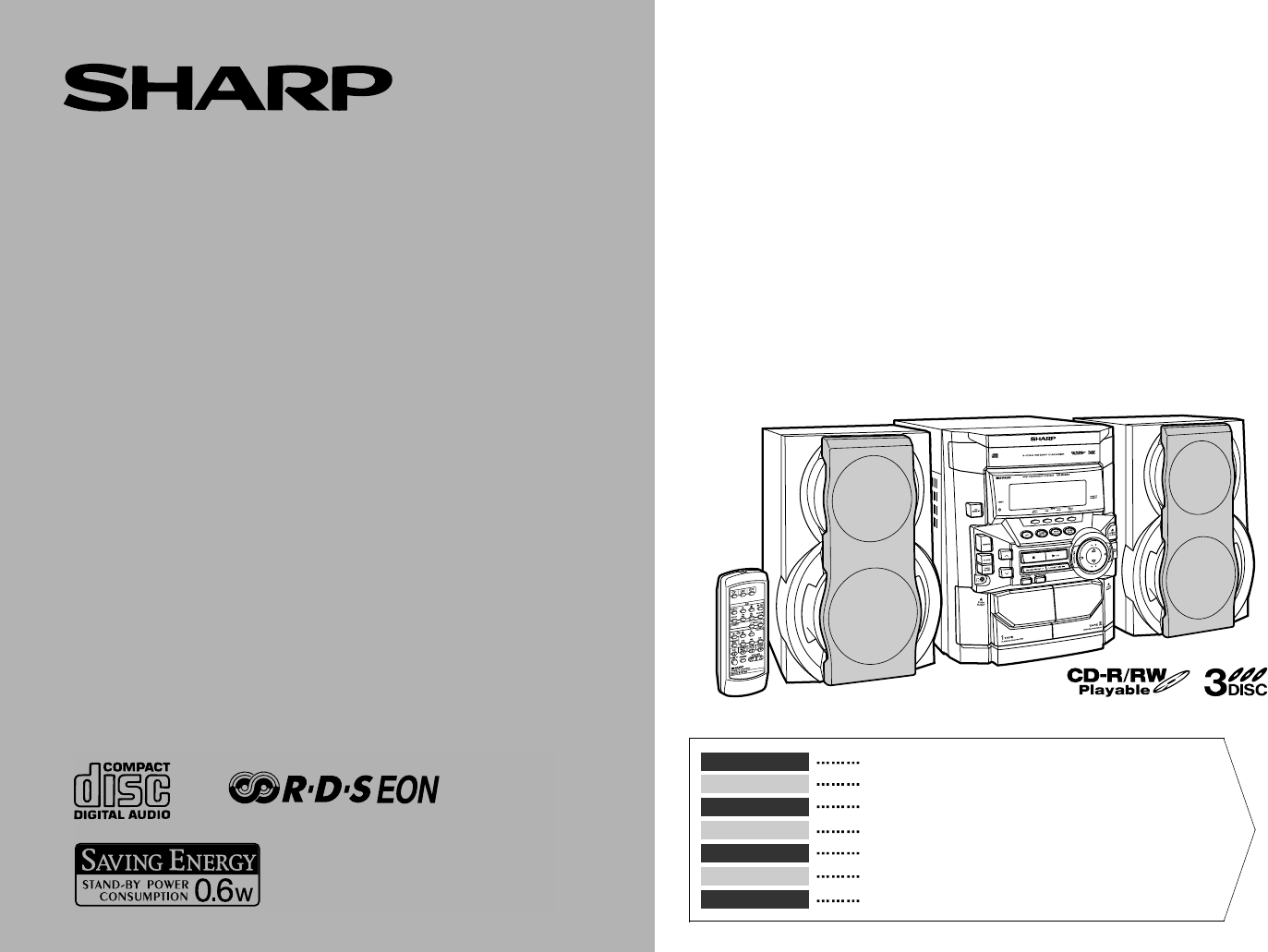
- CD-BA250H 1
- CD-BA2600H 1
- CD-BA250H(H)-COMMON.fm01/1/23 2
- Einführung 7
- Zur Beachtung 8
- Allgemeine Informationen 10
- Anschluß des Systems 12
- Anschluß der Antennen 13
- Anschluß der Lautsprecher 13
- - Anschluß des Systems 14
- Fernbedienung 15
- Klangregelung 16
- Einstellen der Uhr 17
- CD-Wiedergabe 18
- Beginn der Wiedergabe ab 20
- Wiederholte Wiedergabe und 20
- Zufallswiedergabe 20
- Programmierte Wiedergabe 21
- Rundfunkempfang 22
- Rundfunk 23
- RDS-Rundfunk 24
- Bandwiedergabe 32
- Aufnahme von Radio 33
- Aufnahme von CD (CDs) 34
- Überspielen von Band auf Band 35
- Timer- und Sleep-Funktion 36
- Fortgeschrittene Funktionen 37
- Erhöhen des Systems 38
- Fehlersuchtabelle 39
- Referenzen 40
- Technische Daten 41
- Introduction 42
- Accessoires 42
- Table des matières 42
- Précautions 43
- Commandes et voyants 44
- Informations générales 45
- Raccordement du système 47
- Avant l'utilisation 48
- Télécommande 50
- Réglage du son 51
- Réglage de l'horloge 52
- Écoute de CD 53
- Lecture CD 54
- Écoute de la radio 57
- FRANÇAIS 58
- Radio Data System (RDS) 59
- Radio RDS 60
- Lecture de la cassette 67
- Enregistrement de CD 69
- Copie entre cassettes 70
- Fonctions avancées 71
- Enrichissement du système 73
- Dépannage 74
- Entretien 75
- Fiche technique 76
- Accessories 77
- Contents 77
- Precautions 78
- Controls and Indicators 79
- General Information 80
- System Connections 82
- Preparation for Use 83
- Remote Control 85
- Sound Control 86
- Setting the Clock 87
- Listening to a CD (CDs) 88
- CD Playback 89
- Starting Playback with a 90
- Desired Track 90
- Repeat or Random Play 90
- Programmed Play 91
- Listening to the Radio 92
- CD-BA250H(H)E2.fm01/2/9 93
- RDS Radio 100
- Tape Playback 102
- Recording from the Radio 103
- Recording from a CD (CDs) 104
- Dubbing from Tape to Tape 105
- Timer and Sleep Operation 106
- Advanced Features 107
- Enhancing Your System 108
- Troubleshooting Chart 109
- Maintenance 110
- Specifications 111
- SHARP CORPORATION 112
Inhaltsverzeichnis
MODELLMODÈLEMODELOMODELLMODELLOMODEL MODELBEDIENUNGSANLEITUNGMODE D’EMPLOIMANUAL DE MANEJOBRUKSANVISNINGMANUALE DI ISTRUZIONIGEBRUIKSAANWIJZINGOPERATI
D-4CD-BA250H(H)D1.fm01/2/9DEUTSCHAllgemeine Informationen- Bedienungselemente und Anzeigen -Bedienungselemente und Anzeigen (Fortsetzung)„Anzeige1.RDS
E-24CD-BA250H(H)E3.fm01/2/9ENGLISHRDS Radio- Using the Radio Data System (RDS) -Using the Radio Data System (RDS) (continued)„Notes for RDS operationI
E-25CD-BA250H(H)E3.fm01/2/9ENGLISHRDS Radio- Using the Radio Data System (RDS) - „To set the internal clock by the RDS time signalYou can set the inte
E-26CD-BA250H(H)E3.fm01/2/9ENGLISHTape Playback- Listening to a Cassette Tape (TAPE 1 or TAPE 2) -Listening to a Cassette Tape (TAPE 1 or TAPE 2) Bef
E-27CD-BA250H(H)E3.fm01/2/9ENGLISHTape Recording- Recording from the Radio -Recording from the Radio Before recording:zWhen recording important selec
E-28CD-BA250H(H)E3.fm01/2/9ENGLISHTape Recording- Recording from a CD (CDs) -Recording from a CD (CDs) You can record 3 CDs continuously.To perform p
E-29CD-BA250H(H)E3.fm01/2/9ENGLISHTape Recording- Dubbing from Tape to Tape -Dubbing from Tape to TapeYou can record from TAPE 1 to TAPE 2.For recordi
E-30CD-BA250H(H)E3.fm01/2/9ENGLISHAdvanced Features- Timer and Sleep Operation -Timer and Sleep OperationTimer playback:The unit turns on and plays th
E-31CD-BA250H(H)E3.fm01/2/9ENGLISHAdvanced Features- Timer and Sleep Operation - To reset or change the timer setting:Perform "Timer playback or
E-32CD-BA250H(H)E3.fm01/2/9ENGLISHAdvanced Features- Enhancing Your System -Enhancing Your SystemThe connection lead is not included. Purchase a comme
E-33CD-BA250H(H)E3.fm01/2/9ENGLISHReferences- Troubleshooting Chart -Troubleshooting ChartMany potential "problems" can be resolved by the o
D-5CD-BA250H(H)D1.fm01/2/9DEUTSCHAllgemeine Informationen- Bedienungselemente und Anzeigen - „Lautsprechersystem 1.Hochtöner2.Tieftöner3.Baßreflex-Öff
E-34CD-BA250H(H)E3.fm01/2/9ENGLISHReferences- Troubleshooting Chart / Maintenance -Troubleshooting Chart (continued)„If trouble occursWhen this produc
E-35CD-BA250H(H)E3.fm01/2/9ENGLISHReferences- Specifications -SpecificationsAs part of our policy of continuous improvement, SHARP reserves the right
CD-BA250H(H)-BACK.fm01/1/23SHARP CORPORATION9906TINSZ0685AWZZB0103.HK
D-6CD-BA250H(H)D1.fm01/2/9DEUTSCHVorbereitung für die Inbetriebnahme- Anschluß des Systems -Anschluß des SystemsRechter LautsprecherLinker Lautspreche
D-7CD-BA250H(H)D1.fm01/2/9DEUTSCHVorbereitung für die Inbetriebnahme- Anschluß des Systems - „Anschluß der AntennenHinweis:Durch Stellen der Antenne a
D-8CD-BA250H(H)D1.fm01/2/9DEUTSCHVorbereitung für die Inbetriebnahme- Anschluß des Systems -Anschluß des Systems (Fortsetzung)„Aufstellen des Lautspre
D-9CD-BA250H(H)D1.fm01/2/9DEUTSCHVorbereitung für die Inbetriebnahme- Fernbedienung -Fernbedienung„Einsetzen der Batterien Zur Beachtung beim Umgang m
D-10CD-BA250H(H)D1.fm01/2/9DEUTSCHGrundbedienung- Klangregelung -Klangregelung„LautstärkeregelungZum Erhöhen der Lautstärke die VOLUME -Taste drücken
D-11CD-BA250H(H)D2.fm01/2/9DEUTSCHGrundbedienung- Einstellen der Uhr -Einstellen der UhrIn diesem Beispiel ist die Uhr für die 24-Stunden-Anzeige (0:0
D-12CD-BA250H(H)D2.fm01/2/9DEUTSCHCD-Wiedergabe- CD-Wiedergabe -CD-WiedergabeDieses System kann Audio-CD-Rs und CD-RWs ebenso wie CDs abspielen, aberk
D-13CD-BA250H(H)D2.fm01/2/9DEUTSCHCD-Wiedergabe- CD-Wiedergabe - Unterbrechen der Wiedergabe:Die CD -Taste auf der Fernbedienung drücken.Um die Wiede
iCD-BA250H(H)-COMMON.fm01/1/23 BESONDERE ANMERKUNGENREMARQUES SPÉCIALESNOTAS ESPECIALESSÄRSKILDA ANMÄRKNINGARNOTE PARTICOLARIBIJZONDERE OPMERKINGENSPE
D-14CD-BA250H(H)D2.fm01/2/9DEUTSCHCD-Wiedergabe- Beginn der Wiedergabe ab gewünschtem Titel / Wiederholte Wiedergabe und Zufallswiedergabe -Beginn der
D-15CD-BA250H(H)D2.fm01/2/9DEUTSCHCD-Wiedergabe- Programmierte Wiedergabe -Programmierte WiedergabeDurch Bestimmen der Discs von 1 bis 3 und der Titel
D-16CD-BA250H(H)D2.fm01/2/9DEUTSCHRundfunk- Rundfunkempfang -RundfunkempfangEmpfangen einer UKW-Stereosendung:Die TUNER (BAND)-Taste drücken, so daß d
D-17CD-BA250H(H)D2.fm01/2/9DEUTSCHRundfunk- Empfangen des gespeicherten Senders -Empfangen des gespeicherten Senders„Abspeichern eines SendersSie könn
D-18CD-BA250H(H)D2.fm01/2/9DEUTSCHRDS-Rundfunk- Benutzen des Radio-Daten-Systems (RDS) -Benutzen des Radio-Daten-Systems (RDS)RDS ist ein Rundfunkdien
D-19CD-BA250H(H)D2.fm01/2/9DEUTSCHRDS-Rundfunk- Benutzen des Radio-Daten-Systems (RDS) - Beschreibungen der PTY(Programmartenkennung)-Codes, TP (Verke
D-20CD-BA250H(H)D2.fm01/2/9DEUTSCHRDS-Rundfunk- Benutzen des Radio-Daten-Systems (RDS) -Benutzen des Radio-Daten-Systems (RDS) (Fortsetzung)„Benutzen
D-21CD-BA250H(H)D3.fm01/2/9DEUTSCHRDS-Rundfunk- Benutzen des Radio-Daten-Systems (RDS) - „Abrufen von abgespeicherten SendernBestimmen von Programmart
D-22CD-BA250H(H)D3.fm01/2/9DEUTSCHRDS-Rundfunk- Benutzen des Radio-Daten-Systems (RDS) -Benutzen des Radio-Daten-Systems (RDS) (Fortsetzung)„Automatis
D-23CD-BA250H(H)D3.fm01/2/9DEUTSCHRDS-Rundfunk- Benutzen des Radio-Daten-Systems (RDS) - „Automatisches Empfangen der Verkehrsin-formation (EON-TI)Wen
iiCD-BA250H(H)-COMMON.fm01/1/23 ● Bei Einstellung der ON/STAND-BY-Taste auf STAND-BY ist dieNetzspannung immer noch im Gerät vorhanden.Wenn die ON/ST
D-24CD-BA250H(H)D3.fm01/2/9DEUTSCHRDS-Rundfunk- Benutzen des Radio-Daten-Systems (RDS) -Benutzen des Radio-Daten-Systems (RDS) (Fortsetzung)„Hinweise
D-25CD-BA250H(H)D3.fm01/2/9DEUTSCHRDS-Rundfunk- Benutzen des Radio-Daten-Systems (RDS) - „Einstellen der internen Uhr durch das RDS-ZeitzeichenMit Hil
D-26CD-BA250H(H)D3.fm01/2/9DEUTSCHBandwiedergabe- Abspielen einer Cassette (TAPE 1 oder TAPE 2) -Abspielen einer Cassette (TAPE 1 oder TAPE 2) Vor Wi
D-27CD-BA250H(H)D3.fm01/2/9DEUTSCHBandaufnahme- Aufnahme von Radio -Aufnahme von Radio Vor Aufnahme:zVor wichtigen Aufnahmen sollte eine Probeaufnahm
D-28CD-BA250H(H)D3.fm01/2/9DEUTSCHBandaufnahme- Aufnahme von CD (CDs) -Aufnahme von CD (CDs) Sie können 3 CDs ununterbrochen aufnehmen.Programmierte
D-29CD-BA250H(H)D3.fm01/2/9DEUTSCHBandaufnahme- Überspielen von Band auf Band -Überspielen von Band auf BandSie können von TAPE 1 auf TAPE 2 aufnehmen
D-30CD-BA250H(H)D3.fm01/2/9DEUTSCHFortgeschrittene Funktionen- Timer- und Sleep-Funktion -Timer- und Sleep-FunktionTimer-Wiedergabe:Zu der voreingeste
D-31CD-BA250H(H)D3.fm01/2/9DEUTSCHFortgeschrittene Funktionen- Timer- und Sleep-Funktion - Nachstellen oder Ändern der Timer-Einstellung:Die Schritte
D-32CD-BA250H(H)D3.fm01/2/9DEUTSCHFortgeschrittene Funktionen- Erhöhen des Systems -Erhöhen des SystemsDas Anschlußkabel gehört nicht zum Lieferumfang
D-33CD-BA250H(H)D3.fm01/2/9DEUTSCHReferenzen- Fehlersuchtabelle -FehlersuchtabelleViele scheinbare "Probleme" können vom Benutzer ohne Anfor
iiiCD-BA250H(H)-COMMON.fm01/1/23 ● Vorsicht:Das Gerät weder Tropf- noch Spritzwasser aussetzen. Ansonsten bestehtdie Gefahr eines Brandes oder elektr
D-34CD-BA250H(H)D3.fm01/2/9DEUTSCHReferenzen- Fehlersuchtabelle / Wartung -Fehlersuchtabelle (Fortsetzung)„Wenn Störung auftrittWenn dieses Produkt v
D-35CD-BA250H(H)D3.fm01/2/9DEUTSCHReferenzen- Technische Daten -Technische DatenBedingt durch fortlaufende technische Verbesserungen behält sich SHARP
F-101/2/9 CD-BA250H(H)F1.fmFRANÇAISFRANÇAISInformations générales- Introduction / Accessoires / Table des matières -IntroductionNous vous remercions d
FRANÇAISF-2CD-BA250H(H)F1.fm01/2/9Informations générales- Précautions -Précautions„GénéralzVérifier que l'appareil est placé dans un lieu bien aé
F-3CD-BA250H(H)F1.fm01/2/9FRANÇAISInformations générales- Commandes et voyants -Commandes et voyants„FaçadePage de référence1.Tiroir de disque . . .
FRANÇAISF-4CD-BA250H(H)F1.fm01/2/9Informations générales- Commandes et voyants -„Affichage1.Voyant RDS2.Voyant de type de programme3.Voyant d'ann
F-5CD-BA250H(H)F1.fm01/2/9FRANÇAISInformations générales- Commandes et voyants -Commandes et voyants (suite)„Enceinte acoustique 1. Tweeter2.Woofer3.É
FRANÇAISF-6CD-BA250H(H)F1.fm01/2/9Avant l'utilisation- Raccordement du système -Raccordement du systèmeEnceinte droiteEnceinte gaucheAntenne FMCa
F-7CD-BA250H(H)F1.fm01/2/9FRANÇAISAvant l'utilisation- Raccordement du système -Raccordement du système (suite)„Raccordement des antennesNote:Le
FRANÇAISF-8CD-BA250H(H)F1.fm01/2/9Avant l'utilisation- Raccordement du système -„Positionnement des enceintesIl n'y a pas de différence entr
ivCD-BA250H(H)-COMMON.fm01/1/23 ● VORSICHTVerwendung von Regelungen oder Einstellungen bzw. Durchführung vonanderen Verfahren als die hierin angegebe
F-9CD-BA250H(H)F1.fm01/2/9FRANÇAISAvant l'utilisation- Télécommande -Télécommande„Mise en place des piles Précautions à prendre:zRemplacer en mêm
FRANÇAISF-10CD-BA250H(H)F1.fm01/2/9Fonctionnement de base- Réglage du son -Réglage du son„Commande de volumeAppuyer sur la touche VOLUME pour augmen
F-11CD-BA250H(H)F2.fm01/2/9FRANÇAISFonctionnement de base- Réglage de l'horloge -Réglage de l'horlogeDans cet exemple, l'horloge est ré
FRANÇAISF-12CD-BA250H(H)F2.fm01/2/9Lecture CD- Écoute de CD -Écoute de CDCe système permet de reproduire des disques audio CD-R et CD-RW comme CDordin
F-13CD-BA250H(H)F2.fm01/2/9FRANÇAISLecture CD- Écoute de CD -Écoute de CD (suite)Interruption de la lecture:Appuyer sur la touche CD de la télécomma
FRANÇAISF-14CD-BA250H(H)F2.fm01/2/9Lecture CD- Lecture à partir d'un morceau souhaité / Répétition et lecture au hasard -Lecture à partir d'
F-15CD-BA250H(H)F2.fm01/2/9FRANÇAISLecture CD- Lecture des morceaux programmés -Lecture des morceaux programmésEn spécifiant les disques 1 - 3 et les
FRANÇAISF-16CD-BA250H(H)F2.fm01/2/9Radio- Écoute de la radio -Écoute de la radioPour recevoir une émission FM stéréo:Appuyer sur la touche TUNER (BAND
F-17CD-BA250H(H)F2.fm01/2/9FRANÇAISRadio- Écoute d'une station mise en mémoire -Écoute d'une station mise en mémoire„Mise en mémoire d'
FRANÇAISF-18CD-BA250H(H)F2.fm01/2/9Radio RDS- Radio Data System (RDS) -Radio Data System (RDS)RDS est un service de radiodiffusion qu'offrent de
vCD-BA250H(H)-COMMON.fm01/1/23 Eigenschaften der LaserdiodeMaterial: GaAIAsWellenlänge: 780 nmEmissionsdauer: kontinuierlichLaser-Ausgang: max. 0,6 m
F-19CD-BA250H(H)F2.fm01/2/9FRANÇAISRadio RDS- Radio Data System (RDS) -Radio Data System (RDS) (suite)Codes PTY (type de programme), TP (information r
FRANÇAISF-20CD-BA250H(H)F2.fm01/2/9Radio RDS- Radio Data System (RDS) -„Mémorisation automatique de stations (ASPM)En mode ASPM, le tuner recherche au
F-21CD-BA250H(H)F3.fm01/2/9FRANÇAISRadio RDS- Radio Data System (RDS) -Radio Data System (RDS) (suite)„Pour rappeler une station en mémoirePour écoute
FRANÇAISF-22CD-BA250H(H)F3.fm01/2/9Radio RDS- Radio Data System (RDS) -„Pour écouter automatiquement le pro-gramme souhaité (EON-PTY)Lorsqu'une é
F-23CD-BA250H(H)F3.fm01/2/9FRANÇAISRadio RDS- Radio Data System (RDS) -Radio Data System (RDS) (suite)„Pour écouter automatiquement les infor-mations
FRANÇAISF-24CD-BA250H(H)F3.fm01/2/9Radio RDS- Radio Data System (RDS) -„Notes pour le fonctionnement RDSIl ne s'agit pas d'un mauvais foncti
F-25CD-BA250H(H)F3.fm01/2/9FRANÇAISRadio RDS- Radio Data System (RDS) -Radio Data System (RDS) (suite)„Pour régler l'horloge interne au moyen du
FRANÇAISF-26CD-BA250H(H)F3.fm01/2/9Lecture de la cassette- Écoute d'une cassette (TAPE 1 ou TAPE 2) -Écoute d'une cassette (TAPE 1 ou TAPE 2
F-27CD-BA250H(H)F3.fm01/2/9FRANÇAISEnregistrement sur la cassette- Enregistrement à partir de la radio -Enregistrement à partir de la radio Avant l&a
FRANÇAISF-28CD-BA250H(H)F3.fm01/2/9Enregistrement sur la cassette- Enregistrement de CD -Enregistrement de CD On peut enregistrer successivement 3 CD
D-1CD-BA250H(H)D1.fm01/2/9DEUTSCHDEUTSCHAllgemeine Informationen- Einführung / Zubehör / Inhalt -EinführungVielen Dank für den Kauf dieses SHARP-Produ
F-29CD-BA250H(H)F3.fm01/2/9FRANÇAISEnregistrement sur la cassette- Copie entre cassettes -Copie entre cassettesOn peut copier la cassette 1 vers la ca
FRANÇAISF-30CD-BA250H(H)F3.fm01/2/9Fonctions avancées- Opérations programmées et mise en arrêt différée -Opérations programmées et mise en arrêt diffé
F-31CD-BA250H(H)F3.fm01/2/9FRANÇAISFonctions avancées- Opérations programmées et mise en arrêt différée -Opérations programmées et mise en arrêt diffé
FRANÇAISF-32CD-BA250H(H)F3.fm01/2/9Fonctions avancées- Enrichissement du système -Enrichissement du systèmeLe câble de raccordement n'est pas fou
F-33CD-BA250H(H)F3.fm01/2/9FRANÇAISRéférences- Dépannage -DépannageL'utilisateur peut résoudre pas mal de problèmes sans faire appel à un dépanne
FRANÇAISF-34CD-BA250H(H)F3.fm01/2/9Références- Dépannage / Entretien -„En cas de dérangementSi l'appareil a subi une force extérieure (chocs, éle
F-35CD-BA250H(H)F3.fm01/2/9FRANÇAISRéférences- Fiche technique -Fiche techniqueSHARP se réserve le droit d'apporter des modifications à la présen
E-1CD-BA250H(H)E1.fm01/2/9ENGLISHENGLISHGeneral Information- Introduction / Accessories / Contents -IntroductionThank you for purchasing this SHARP pr
E-2CD-BA250H(H)E1.fm01/2/9ENGLISHGeneral Information- Precautions -Precautions„GeneralzPlease ensure that the equipment is positioned in a well-ventil
E-3CD-BA250H(H)E1.fm01/2/9ENGLISHGeneral Information- Controls and Indicators -Controls and Indicators„Front panelReference page1.Disc Tray . . . .
D-2CD-BA250H(H)D1.fm01/2/9DEUTSCHAllgemeine Informationen- Zur Beachtung -Zur Beachtung„AllgemeineszSicherstellen, daß das Gerät an einem Raum mit gut
E-4CD-BA250H(H)E1.fm01/2/9ENGLISHGeneral Information- Controls and Indicators -Controls and Indicators (continued)„Display1.RDS Indicator2.Programme T
E-5CD-BA250H(H)E1.fm01/2/9ENGLISHGeneral Information- Controls and Indicators - „Speaker system 1. Tweeter2. Woofer3.Bass Reflex Duct4. Speaker Wire
E-6CD-BA250H(H)E1.fm01/2/9ENGLISHPreparation for Use- System Connections -System ConnectionsAM loop aerialRight speakerLeft speakerVCR, DVD, etc.not s
E-7CD-BA250H(H)E1.fm01/2/9ENGLISHPreparation for Use- System Connections - „Aerial connectionNote:Placing the aerial on the stereo system or near the
E-8CD-BA250H(H)E1.fm01/2/9ENGLISHPreparation for Use- System Connections -System Connections (continued)„Placing the speaker systemThere is no distinc
E-9CD-BA250H(H)E1.fm01/2/9ENGLISHPreparation for Use- Remote Control -Remote Control„Battery installation Precautions for battery use:zReplace all old
E-10CD-BA250H(H)E1.fm01/2/9ENGLISHBasic Operation- Sound Control -Sound Control„Volume controlPress the VOLUME button to increase the volume and the
E-11CD-BA250H(H)E2.fm01/2/9ENGLISHBasic Operation- Setting the Clock -Setting the ClockIn this example, the clock is set for the 24-hour (0:00) displa
E-12CD-BA250H(H)E2.fm01/2/9ENGLISHCD Playback- Listening to a CD (CDs) -Listening to a CD (CDs)This system can play audio CD-R and CD-RW discs just as
E-13CD-BA250H(H)E2.fm01/2/9ENGLISHCD Playback- Listening to a CD (CDs) - To interrupt playback:Press the CD button on the remote control.To resume p
D-3CD-BA250H(H)D1.fm01/2/9DEUTSCHAllgemeine Informationen- Bedienungselemente und Anzeigen -Bedienungselemente und Anzeigen„FrontplatteBezugsseite1.Di
E-14CD-BA250H(H)E2.fm01/2/9ENGLISHCD Playback- Starting Playback with a Desired Track / Repeat or Random Play -Starting Playback with a Desired TrackY
E-15CD-BA250H(H)E2.fm01/2/9ENGLISHCD Playback- Programmed Play -Programmed PlayBy specifying discs from 1 to 3, and tracks from 1 to 99, you can choos
E-16CD-BA250H(H)E2.fm01/2/9ENGLISHRadio- Listening to the Radio -Listening to the RadioTo receive an FM stereo transmission:Press the TUNER (BAND) but
E-17CD-BA250H(H)E2.fm01/2/9ENGLISHRadio- Listening to the Memorised Station -Listening to the Memorised Station„Memorising a stationYou can store 40 A
E-18CD-BA250H(H)E2.fm01/2/9ENGLISHRDS Radio- Using the Radio Data System (RDS) -Using the Radio Data System (RDS)RDS is a broadcasting service which a
E-19CD-BA250H(H)E2.fm01/2/9ENGLISHRDS Radio- Using the Radio Data System (RDS) - Descriptions of the PTY (Programme Type) codes, TP (Traffic Programme
E-20CD-BA250H(H)E2.fm01/2/9ENGLISHRDS Radio- Using the Radio Data System (RDS) -Using the Radio Data System (RDS) (continued)„Using the Auto Station P
E-21CD-BA250H(H)E3.fm01/2/9ENGLISHRDS Radio- Using the Radio Data System (RDS) - „To recall stations in memoryTo specify programmed types and select s
E-22CD-BA250H(H)E3.fm01/2/9ENGLISHRDS Radio- Using the Radio Data System (RDS) -Using the Radio Data System (RDS) (continued)„To automatically play th
E-23CD-BA250H(H)E3.fm01/2/9ENGLISHRDS Radio- Using the Radio Data System (RDS) - „To automatically play the traffic informa-tion (EON-TI)When the traf
Verwandte Produkte und Handbücher für Kassettenrekorder Sharp CD-BA2600H

 (33 Seiten)
(56 Seiten)
(33 Seiten)
(56 Seiten)

 (124 Seiten)
(93 Seiten)
(36 Seiten)
(45 Seiten)
(32 Seiten)
(41 Seiten)
(28 Seiten)
(35 Seiten)
(124 Seiten)
(93 Seiten)
(36 Seiten)
(45 Seiten)
(32 Seiten)
(41 Seiten)
(28 Seiten)
(35 Seiten)
© 2020, manymanuals.de. Alle Rechte vorbehalten. | 0.091 s |
 Manymanuals.com
 Manymanuals.de
 Manymanuals.fr
 Manymanuals.it
 Manymanuals.pl
 Manymanuals.cz
 Manymanuals.es
 Manymanuals-pt.com
Kommentare zu diesen Handbüchern