Sharp CD-DK890N Betriebsanleitung
Stöbern Sie online oder laden Sie Betriebsanleitung nach Kassettenrekorder Sharp CD-DK890N herunter. Sharp CD-DK890N Operating instructions Benutzerhandbuch
- Seite / 44
- Inhaltsverzeichnis
- FEHLERBEHEBUNG
- LESEZEICHEN

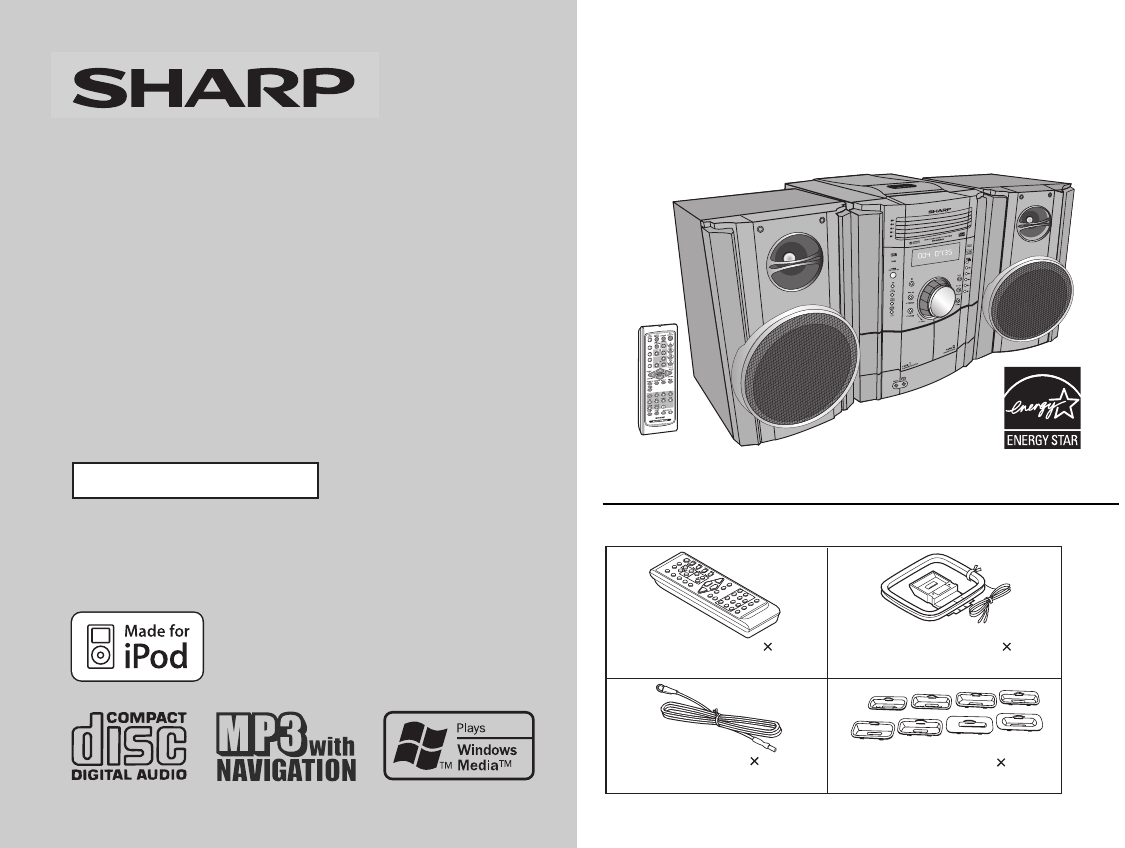
- CD-DK890N 1
- SPECIAL NOTES 2
- IMPORTANT SAFETY INSTRUCTIONS 3
- Special Note 5
- Contents 5
- Precautions 6
- Controls and indicators 7
- General Information 9
- C I NPUT 10
- Preparation for Use 11
- Remote control 13
- VOL.VOL 14
- Basic Operation 15
- Listening to the iPod 16
- To remove iPod adaptor 17
- iPod playback 17
- To disconnect iPod 17
- 2008/June/16 CD-DK890N_US 17
- To insert iPod adaptor 17
- 2008/June/19 CD-DK890N_US_N 19
- Various iPod functions 19
- CD or MP3/WMA disc Playback 20
- ON/ STAND-BY 30
- Memorizing a station 31
- To scan the preset stations 31
- Recording on a cassette tape 33
- Tape Recording 34
- Advanced Features 36
- Enchancing your system 39
- Troubleshooting chart 40
- References 41
- Maintenance 42
- Specifications 43
- CONSUMER LIMITED WARRANTY 44
Inhaltsverzeichnis
CD-DK890N_US Thank you for purchasing this SHARP product. To obtain the best performance from this product, please read thismanual carefully. It wil
2008/June/16 CD-DK890N_US 10 CD-DK890N Preparation for Use System connectionsAC INPUTC I NPUTthgiR psrekaeannetna MFteltuO CA)zH 06 ~ V 021 CA(tfeL
2008/June/16 CD-DK890N_US 11 CD-DK890N Preparation for Use Antenna connection Note: Placing the antenna on the unit or near the AC power cord mayca
2008/June/16 CD-DK890N_US 12 CD-DK890N Preparation for Use System connections (continued) AC power connection After checking all the connections h
2008/June/16 CD-DK890N_US13CD-DK890NPreparation for UseRemote control Battery installation Precautions for battery use: Replace all old batteries wi
2008/June/16 CD-DK890N_US14CD-DK890NBasic OperationGeneral control To turn the power onPress the ON/STAND-BY button to turn the power on. Display b
2008/June/18 CD-DK890N_US 15 CD-DK890N Basic Operation Setting the clock (Remote control only) In this example, the clock is set for the 12-hour (AM
2008/June/16 CD-DK890N_US16CD-DK890NiPodListening to the iPodSupported iPod models: iPod nano (software 1.2 above) iPod mini (software 1.2 above) 5
2008/June/16 CD-DK890N_US17CD-DK890N To insert iPod adaptor1. Press the ON/STAND-BY button to turn the power on. 2. Insert the iPod adaptor into the
2008/June/16 CD-DK890N_US18CD-DK890NiPodListening to the iPod (continued) Navigating the iPod menus with the remote controlNote:The volume level is a
2008/June/19 CD-DK890N_US_N19CD-DK890NiPod Various iPod functionsiPodFunctionMain unit Remote control OperationPlay Press in the pause mode.Pause
2008/June/17 CD-DK890N_US 2 CD-DK890N Important Instruction SPECIAL NOTESCAUTION: TO REDUCE THE RISK OF ELECTRIC SHOCK,DO NOT REMOVE COVER (OR BACK)
2008/June/16 CD-DK890N_US20CD-DK890NCD or MP3/WMA disc PlaybackListening to a CD or MP3/WMA disc This system can play back a standard CD, CD-R/RW in
2008/June/16 CD-DK890N_US21CD-DK890NCD or MP3/WMA disc Playback Playback will begin from track 1 on disc 1. After that disc finishesplaying, the next
2008/June/19 CD-DK890N_US_N22CD-DK890NCD or MP3/WMA disc PlaybackListening to a CD or MP3/WMA disc (continued) Various disc functionsNotes for CD:
2008/June/16 CD-DK890N_US23CD-DK890NCD or MP3/WMA disc PlaybackAdvanced CD or MP3/WMA disc playback To specify a disc to playYou can play a disc by
2008/June/16 CD-DK890N_US24CD-DK890NCD or MP3/WMA disc PlaybackAdvanced CD or MP3/WMA disc playback (continued) Repeat playRepeat play can play all 5
2008/June/16 CD-DK890N_US25CD-DK890NCD or MP3/WMA disc Playback Programmed playYou can choose up to 32 selections for playback in the order you lik
2008/June/16 CD-DK890N_US26CD-DK890NCD or MP3/WMA disc PlaybackMP3/WMA navigation (only for MP3/WMA files) MP3/WMA navigation:You can search and play
2008/June/16 CD-DK890N_US27CD-DK890NCD or MP3/WMA disc Playback File search (by folder or title 1/2/3)You can search and play files by folder or t
2008/June/16 CD-DK890N_US28CD-DK890NCD or MP3/WMA disc PlaybackMP3/WMA navigation (only for MP3/WMA files) (continued) Character search (for folder o
2008/June/16 CD-DK890N_US29CD-DK890NCD or MP3/WMA disc Playback Programmed play (for folder, title 1/2/3)Folders or titles can be programmed withi
2008/June/16 CD-DK890N_US 3 CD-DK890N Important Instruction IMPORTANT SAFETY INSTRUCTIONSElectricity is used to perform many useful functions, but it
2008/June/16 CD-DK890N_US30CD-DK890NRadioListening to the radio Auto power on function:When you press any of the following buttons, the unit turns on.
2008/June/16 CD-DK890N_US31CD-DK890NRadio Memorizing a stationYou can store 40 AM and FM stations in memory and recall them atthe push of a button
2008/June/16 CD-DK890N_US32CD-DK890NTape PlaybackListening to a cassette tape (TAPE 1 or TAPE 2) Tape playbackAuto power on function:When you press
2008/June/19 CD-DK890N_US_N33CD-DK890NTape Recording Various tape functions Caution: To remove the cassette, press the (TAPE ) button, and thenop
2008/June/19 CD-DK890N_US_N34CD-DK890NTape RecordingRecording on a cassette tape (continued) Recording from the iPodTo interrupt recording:Press the
2008/June/19 CD-DK890N_US_N35CD-DK890NTape Recording To stop recording:Press the (TAPE ) button.The disc and tape will stop.To perform programmed
2008/June/16 CD-DK890N_US36CD-DK890NAdvanced FeaturesTimer and sleep operation (Remote control only)Timer playback:The unit turns on and plays the des
2008/June/16 CD-DK890N_US37CD-DK890NAdvanced Features 5 Press the or button to select “PLAY” or“REC”, and press the MEMORY button.The illustr
2008/June/16 CD-DK890N_US38CD-DK890NAdvanced FeaturesTimer and sleep operation (Remote control only) (continued)Note:Checking the timer setting in the
2008/June/16 CD-DK890N_US39CD-DK890NAdvanced FeaturesTo cancel the sleep operation:Press the ON/STAND-BY button while “SLEEP” is indicated.To cancel t
2008/June/16 CD-DK890N_US 4 CD-DK890N Important Instruction IMPORTANT SAFETY INSTRUCTIONS (continued)18) Damage Requiring Service - Unplug this pro
2008/June/16 CD-DK890N_US40CD-DK890NAdvanced FeaturesEnhancing your system (continued)Auto power on function:When you press any of the following butto
2008/June/16 CD-DK890N_US41CD-DK890NReferences Cassette deck Remote control Tuner iPod CondensationSudden temperature changes, storage or operati
2008/June/16 CD-DK890N_US42CD-DK890NReferencesTroubleshooting chart (continued) Clearing all the memory (reset)1 Press the ON/STAND-BY button to ente
2008/June/19 CD-DK890N_US_N43CD-DK890NReferencesSpecificationsAs part of our policy of continuous improvement, SHARP reservesthe right to make design
03/11/4 CD-DK890N_US BACK.fmPrinted in MalaysiaTINSEA254AWZZ08G R KI 1SHARP ELECTRONICS CORPORATIONSharp Plaza, Mahwah, New Jersey 07495 - 1163CONS
2008/June/16 CD-DK890N_US 5 CD-DK890N General Information Special Note Supply of this product does not convey a license nor imply any rightto distr
2008/June/16 CD-DK890N_US 6 CD-DK890N General Information Precautions General Please ensure that the equipment is positioned in a well ventilated
2008/June/16 CD-DK890N_US 7 CD-DK890N General Information Controls and indicators Front panel Reference page1. iPod Terminal . ...
2008/June/16 CD-DK890N_US 8 CD-DK890N General Information Controls and indicators (continued) Display Reference page1. Disc Number Indicators ...
2008/June/16 CD-DK890N_US 9 CD-DK890N General Information Remote control Reference page1. Remote Control Transmitter .........
Verwandte Produkte und Handbücher für Kassettenrekorder Sharp CD-DK890N
 (56 Seiten)
(77 Seiten)
(56 Seiten)
(56 Seiten)
(77 Seiten)
(56 Seiten)
 (35 Seiten)

 (120 Seiten) (32 Seiten)
(36 Seiten)
(116 Seiten)
(120 Seiten) (32 Seiten)
(36 Seiten)
(116 Seiten)
© 2020, manymanuals.de. Alle Rechte vorbehalten. | 0.072 s |
 Manymanuals.com
 Manymanuals.de
 Manymanuals.fr
 Manymanuals.it
 Manymanuals.pl
 Manymanuals.cz
 Manymanuals.es
 Manymanuals-pt.com
Kommentare zu diesen Handbüchern