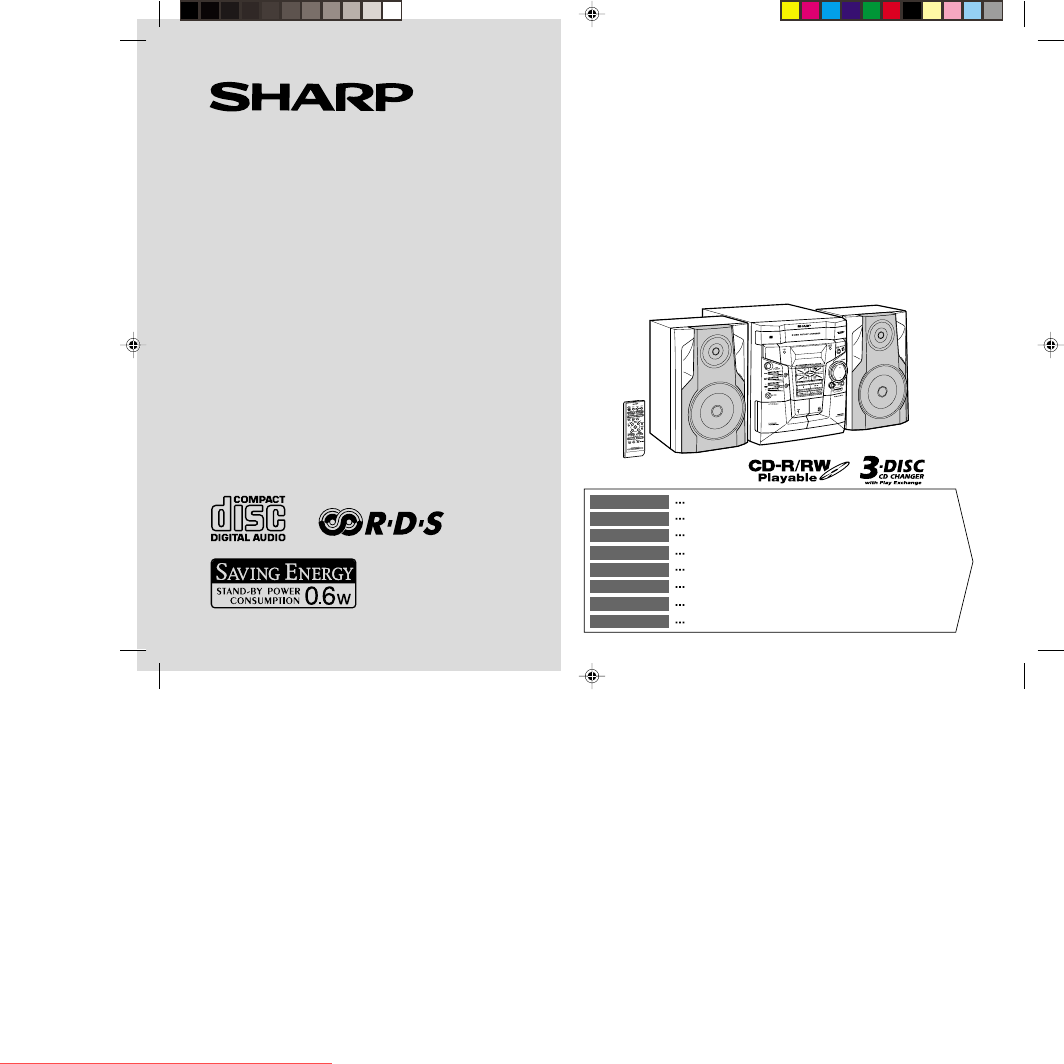
Sharp CD-E500H Spezifikationen
Stöbern Sie online oder laden Sie Spezifikationen nach Kassettenrekorder Sharp CD-E500H herunter. Sharp CD-E500H Specifications Benutzerhandbuch
- Seite / 40
- Inhaltsverzeichnis
- LESEZEICHEN

Inhaltsverzeichnis
MINI KOMPONENTEN SYSTEMMINI-CHAÎNESISTEMA MINIMINI KOMPONENT SYSTEMMINI SISTEMIMINI SYSTEEMMINI SISTEMA DE COMPONENTESMINI COMPONENT SYSTEMMODELL MODE
03/1/9 CD-E500H(H)E1.fmE-3ENGLISHCD-E500HGeneral InformationControls and indicators! Front panelReference page1.Disc Tray . . . . . . . . . . . . . .
03/1/9 CD-E500H(H)E1.fmE-4ENGLISH8CD-E500HGeneral Information ! Display1. Disc Number Indicators2. CD Play Indicator3. Tape Play Indicator4. RDS Indic
03/1/9 CD-E500H(H)E1.fmE-5ENGLISHCD-E500HGeneral InformationControls and indicators (continued) ! Remote controlReference page1. Remote Control Transm
03/1/9 CD-E500H(H)E1.fmE-6ENGLISH8CD-E500HPreparation for UseRemote control! Battery installation Precautions for battery use:"Replace all old ba
03/1/9 CD-E500H(H)E1.fmE-7ENGLISHCD-E500HPreparation for UseSystem connections! Aerial connectionSupplied FM aerial:Connect the FM aerial wire to the
03/1/9 CD-E500H(H)E1.fmE-8ENGLISH8CD-E500HPreparation for Use ! Speaker connectionConnect the black wire to the minus (-) terminal, and the red wire t
03/1/9 CD-E500H(H)E1.fmE-9ENGLISHCD-E500HBasic OperationSound control ! Volume controlPress the VOLUME (+ or -) button to increase or decrease the vol
03/1/9 CD-E500H(H)E1.fmE-10ENGLISH8CD-E500HBasic OperationSetting the clockIn this example, the clock is set for the 24-hour (0:00) display.To confirm
03/1/9 CD-E500H(H)E2.fmE-11ENGLISHCD-E500HCD PlaybackListening to a CD (CDs)This system can also play audio CD-R and CD-RW discs, but can-not record.S
03/1/9 CD-E500H(H)E2.fmE-12ENGLISH8CD-E500HCD Playback To interrupt playback:Press the button on the remote control.To resume playback from the same
iCD-E500HBESONDERE ANMERKUNGENREMARQUES SPÉCIALESNOTAS ESPECIALESSÄRSKILDA ANMÄRKNINGARNOTE PARTICOLARIBIJZONDERE OPMERKINGENNOTAS ESPECIAISSPECIAL NO
03/1/9 CD-E500H(H)E2.fmE-13ENGLISHCD-E500HCD PlaybackAdvanced CD playback" Starting playback with a desired trackYou can play a disc starting wit
03/1/9 CD-E500H(H)E2.fmE-14ENGLISH8CD-E500HCD Playback " Programmed playYou can choose up to 32 selections for playback in the order youlike.Addi
03/1/9 CD-E500H(H)E2.fmE-15ENGLISHCD-E500HRadioListening to the radio " TuningTo receive an FM stereo transmission:Press the TUNER (BAND) button
03/1/9 CD-E500H(H)E2.fmE-16ENGLISH8CD-E500HRadio " Memorising a stationYou can store 40 AM and FM stations in memory and recall them atthe push o
03/1/9 CD-E500H(H)E2.fmE-17ENGLISHCD-E500HTape PlaybackListening to a cassette tape (TAPE 1 or TAPE 2) Before playback: Playback is possible in the T
03/1/9 CD-E500H(H)E2.fmE-18ENGLISH8CD-E500HTape RecordingRecording to a cassette tapeBefore recording:!When recording important selections, make a pre
03/1/9 CD-E500H(H)E2.fmE-19ENGLISHCD-E500HTape RecordingRecording to a cassette tape (continued)" Recording from the radioTo interrupt recording:
03/1/9 CD-E500H(H)E2.fmE-20ENGLISH8CD-E500HAdvanced FeaturesUsing the Radio Data System (RDS)RDS is a broadcasting service which a growing number of F
03/1/10 CD-E500H(H)E3.fmE-21ENGLISHCD-E500HAdvanced FeaturesUsing the Radio Data System (RDS) (continued)Descriptions of the PTY (Programme Type) code
03/1/10 CD-E500H(H)E3.fmE-22ENGLISH8CD-E500HAdvanced Features ! Using the Auto Station Programme Memory (ASPM)Whilst in the ASPM operation mode, the t
iiCD-E500H0203● Wanneer de ON/STAND-BY toets in de STAND-BY standstaat, loopt er nog steeds stroom (netspanning) in het toestel.Wanneer de ON/STAND-BY
03/1/10 CD-E500H(H)E3.fmE-23ENGLISHCD-E500HAdvanced FeaturesUsing the Radio Data System (RDS) (continued)To stop the ASPM operation before it is compl
03/1/10 CD-E500H(H)E3.fmE-24ENGLISH8CD-E500HAdvanced Features ! To recall stations in memoryTo specify programmed types and select stations (PTY searc
03/1/10 CD-E500H(H)E3.fmE-25ENGLISHCD-E500HAdvanced FeaturesTimer and sleep operationTimer playback:The unit turns on and plays the desired source (CD
03/1/10 CD-E500H(H)E3.fmE-26ENGLISH8CD-E500HAdvanced Features To reset or change the timer setting:Perform "Timer playback" from the beginni
03/1/10 CD-E500H(H)E3.fmE-27ENGLISHCD-E500HAdvanced FeaturesTimer and sleep operation (continued)! Sleep operationTo cancel the sleep operation:Press
03/1/10 CD-E500H(H)E3.fmE-28ENGLISH8CD-E500HAdvanced FeaturesEnhancing your systemThe connection lead is not included. Purchase a commercially avail-a
03/1/10 CD-E500H(H)E3.fmE-29ENGLISHCD-E500HReferencesTroubleshooting chartMany potential problems can be resolved by the owner without call-ing a serv
03/1/10 CD-E500H(H)E3.fmE-30ENGLISH8CD-E500HReferences ! Remote control ! If trouble occursWhen this product is subjected to strong external interfere
03/1/10 CD-E500H(H)E3.fmE-31ENGLISHCD-E500HReferencesMaintenance! Cleaning the tape-handling parts"Dirty heads, capstans or pinch rollers can cau
03/1/10 CD-E500H(H)E3.fmE-32ENGLISH8CD-E500HReferences ! CD player ! Tuner ! Cassette deck! SpeakerType 3-disc multi-play compact disc playerSignal re
iiiCD-E500H0203● Når ON/STAND-BY-knappen er sat i STAND-BY positionen,er der stadig netspaending til stede i apparatet.Når ON/STAND-BY-knappen er sat
SHARP CORPORATION9906TINSE0130SJZZ03A N HK 1CDE500HH_BACK.pm 03.1.10, 11:10 AM1Downloaded from www.Manualslib.com manuals search engine Downloaded Fr
ivCD-E500H● Advarsel:Til at forbygge ild og stød risiko, lad vaere med at undsaettedenne indretning for drypning eller overstaenkning. Der måikke anbr
vCD-E500H0203● VORSICHTVerwendung von Regelungen oder Einstellungen bzw.Durchführung von anderen Verfahren als die hierinangegebenen kann zum Aussetze
viCD-E500HEigenschaften der LaserdiodeMaterial: GaAIAsWellenlänge: 780 nmEmissionsdauer: kontinuierlichLaser-Ausgang: max. 0,6 mWCaractéristiques de l
E-103/1/9 CD-E500H(H)E1.fmENGLISHCD-E500HENGLISHGeneral InformationIntroductionThank you for purchasing this SHARP product. To obtain the bestperforma
03/1/9 CD-E500H(H)E1.fmE-2ENGLISH8CD-E500HGeneral InformationPrecautions! General"Please ensure that the equipment is positioned in a well venti-
Verwandte Produkte und Handbücher für Kassettenrekorder Sharp CD-E500H
 (104 Seiten)
(56 Seiten)
(52 Seiten)
(32 Seiten)
(104 Seiten)
(56 Seiten)
(52 Seiten)
(32 Seiten)
 (160 Seiten)
(116 Seiten)
(160 Seiten)
(116 Seiten)
© 2020, manymanuals.de. Alle Rechte vorbehalten. | 0.094 s |
 Manymanuals.com
 Manymanuals.de
 Manymanuals.fr
 Manymanuals.it
 Manymanuals.pl
 Manymanuals.cz
 Manymanuals.es
 Manymanuals-pt.com
Kommentare zu diesen Handbüchern