Sharp CD-XP200W Spezifikationen
Stöbern Sie online oder laden Sie Spezifikationen nach Kassettenrekorder Sharp CD-XP200W herunter. Sharp CD-XP200W Specifications Benutzerhandbuch
- Seite / 32
- Inhaltsverzeichnis
- FEHLERBEHEBUNG
- LESEZEICHEN

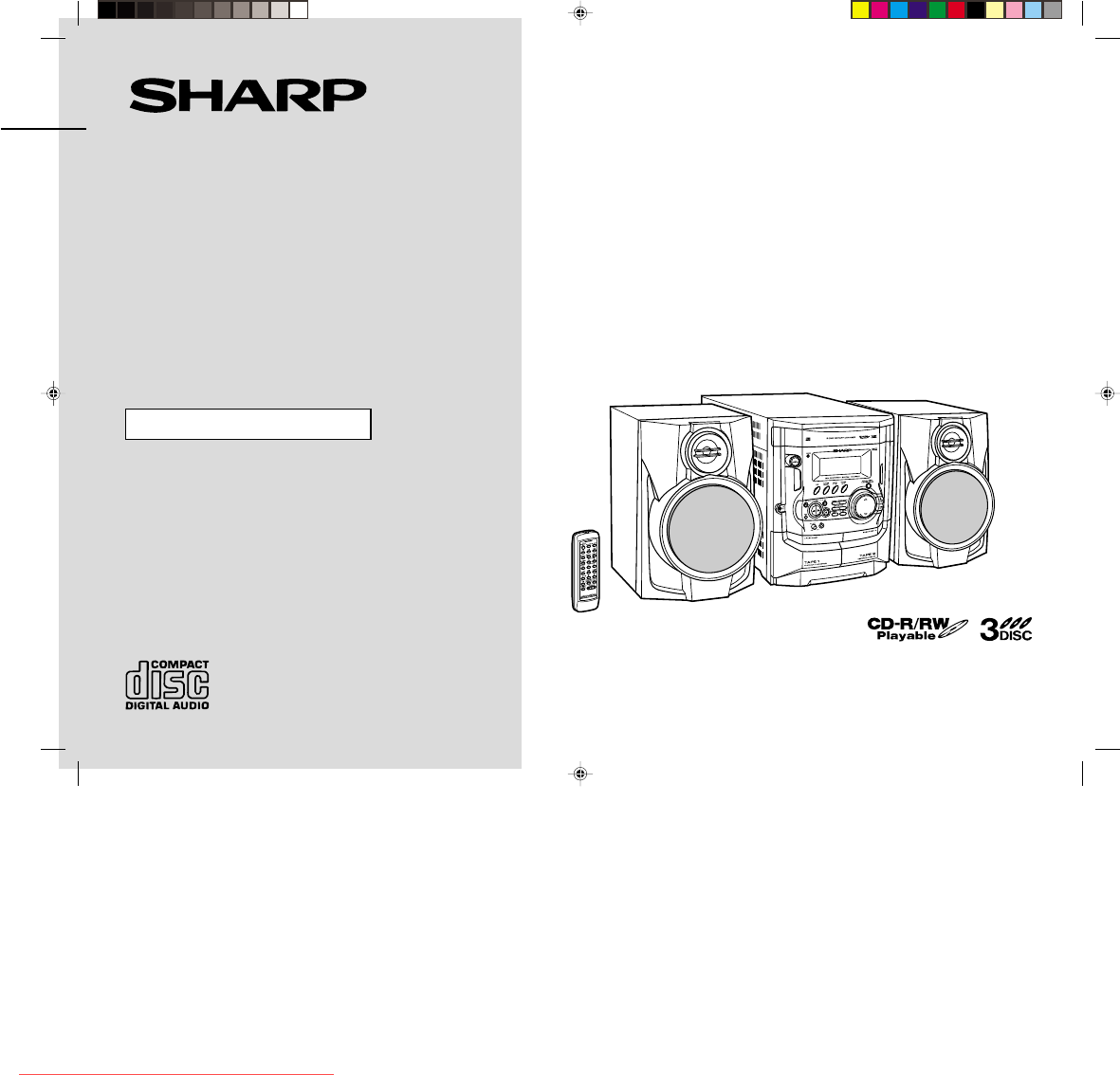
- CD-XP200W 1
- Special notes 2
- Accessories 3
- Contents 3
- Precautions 4
- Controls and indicators 5
- System connections 8
- Remote control 10
- General control 11
- Setting the clock 12
- Listening to a CD (CDs) 13
- manuals search engine 14
- Listening to the radio 16
- Playing karaoke 20
- Recording to a cassette tape 22
- Timer and sleep operation 24
- Enhancing your system 26
- Troubleshooting chart 27
- Maintenance 28
- Specifications 29
Inhaltsverzeichnis
Thank you for purchasing this SHARP product.To obtain the best performance from this product, please read thismanual carefully. It will guide you in o
E-9CD-XP200W(A)1.fm02/4/2CD-XP200WENGLISHPreparation for Use- System connections / Remote control -System connections (continued)!Setting the FM/AM sp
E-10CD-XP200W(A)1.fm02/4/2CD-XP200WENGLISHBasic Operation- General control -General control !Demonstration modeTo cancel the demonstration mode:When t
E-11CD-XP200W(A)2.fm02/4/2CD-XP200WENGLISHBasic Operation- Setting the clock -Setting the clockIn this example, the clock is set for the 24-hour (0:00
E-12CD-XP200W(A)2.fm02/4/2CD-XP200WENGLISHCD Playback- Listening to a CD (CDs) -Listening to a CD (CDs)This system can also play audio CD-R and CD-RW
E-13CD-XP200W(A)2.fm02/4/2CD-XP200WENGLISHCD Playback- Listening to a CD (CDs) -Listening to a CD (CDs) (continued)"To locate the beginning of a
E-14CD-XP200W(A)2.fm02/4/2CD-XP200WENGLISHCD Playback- Listening to a CD (CDs) - "Repeat playAll tracks on up to 3 discs, or a programmed sequenc
E-15CD-XP200W(A)2.fm02/4/2CD-XP200WENGLISHRadio- Listening to the radio -Listening to the radio"TuningTo receive an FM stereo transmission:Press
E-16CD-XP200W(A)2.fm02/4/2CD-XP200WENGLISHRadio- Listening to the radio - !Memorising a stationYou can store 40 AM and FM stations in memory and recal
E-17CD-XP200W(A)2.fm02/4/2CD-XP200WENGLISHTape Playback- Listening to a cassette tape (TAPE 1) -Listening to a cassette tape (TAPE 1) To stop playback
E-18CD-XP200W(A)2.fm02/4/2CD-XP200WENGLISHTape Playback- Listening to a cassette tape (TAPE 2) -Listening to a cassette tape (TAPE 2) To stop playbac
E-102/4/2 CD-XP200W(A)1.fmCD-XP200WENGLISHImportant Instruction- Special notes -Special notesWarning:!When the ON/STAND-BY button is set at STAND-BY p
E-19CD-XP200W(A)2.fm02/4/2CD-XP200WENGLISHKaraoke- Playing karaoke -Playing karaokeYou can enjoy karaoke to CDs, radio, cassettes, and other external
E-20CD-XP200W(A)2.fm02/4/2CD-XP200WENGLISHKaraoke- Playing karaoke - !To change the audio modeSound of the playback source can be switched among the
E-21CD-XP200W(A)3.fm02/4/2CD-XP200WENGLISHTape Recording- Recording to a cassette tape -Recording to a cassette tapeBefore recording:!When recording i
E-22CD-XP200W(A)3.fm02/4/2CD-XP200WENGLISHTape Recording- Recording to a cassette tape - "Recording from the radioTo interrupt recording:Press th
E-23CD-XP200W(A)3.fm02/4/2CD-XP200WENGLISHAdvanced Features- Timer and sleep operation -Timer and sleep operationTimer playback:The unit turns on and
E-24CD-XP200W(A)3.fm02/4/2CD-XP200WENGLISHAdvanced Features- Timer and sleep operation - To reset or change the timer setting:Perform "Timer play
E-25CD-XP200W(A)3.fm02/4/2CD-XP200WENGLISHAdvanced Features- Enhancing your system -Enhancing your systemThe connection lead is not included. Purchase
E-26CD-XP200W(A)3.fm02/4/2CD-XP200WENGLISHReferences- Troubleshooting chart -Troubleshooting chartMany potential problems can be resolved by the owner
E-27CD-XP200W(A)3.fm02/4/2CD-XP200WENGLISHReferences- Troubleshooting chart / Maintenance -Troubleshooting chart (continued)!If trouble occursWhen thi
E-28CD-XP200W(A)3.fm02/4/2CD-XP200WENGLISHReferences- Specifications -SpecificationsAs part of our policy of continuous improvement, SHARP reserves th
E-2CD-XP200W(A)1.fm02/4/2CD-XP200WENGLISHGeneral Information- Accessories / Contents -AccessoriesPlease confirm that the following accessories are inc
CD-XP200W(A)_MEMO.fm02/4/2MEMODownloaded from www.Manualslib.com manuals search engine Downloaded From Disc-Player.com Sharp Manuals
CD-XP200W(A)_MEMO.fm02/4/2MEMODownloaded from www.Manualslib.com manuals search engine Downloaded From Disc-Player.com Sharp Manuals
CD-XP200W(A)_BACK.fm02/4/2SHARP CORPORATION9906TINSZ0839AWZZ02D R KS Downloaded from www.Manualslib.com manuals search engine Downloaded From Disc-Pla
E-3CD-XP200W(A)1.fm02/4/2CD-XP200WENGLISHGeneral Information- Precautions -Precautions"General!Please ensure that the equipment is positioned in
E-4CD-XP200W(A)1.fm02/4/2CD-XP200WENGLISHGeneral Information- Controls and indicators -Controls and indicators"Front panelReference page1.Disc Tr
E-5CD-XP200W(A)1.fm02/4/2CD-XP200WENGLISHGeneral Information- Controls and indicators -Controls and indicators (continued)"Display1. CD Pause Ind
E-6CD-XP200W(A)1.fm02/4/2CD-XP200WENGLISHGeneral Information- Controls and indicators - !Remote controlReference page1. Remote Control Transmitter .
E-7CD-XP200W(A)1.fm02/4/2CD-XP200WENGLISHPreparation for Use- System connections -System connections !Removing the transport screwBefore turning the p
E-8CD-XP200W(A)1.fm02/4/2CD-XP200WENGLISHPreparation for Use- System connections - !Speaker connectionConnect the black wire to the minus (-) terminal
Weitere Dokumente für Kassettenrekorder Sharp CD-XP200W
Verwandte Produkte und Handbücher für Kassettenrekorder Sharp CD-XP200W
 (36 Seiten)
(116 Seiten)
(39 Seiten)
(36 Seiten)
(116 Seiten)
(39 Seiten)
 (35 Seiten)
(24 Seiten)
(35 Seiten)
(24 Seiten)
 (88 Seiten)
© 2020, manymanuals.de. Alle Rechte vorbehalten. | 0.046 s |
 Manymanuals.com
 Manymanuals.de
 Manymanuals.fr
 Manymanuals.it
 Manymanuals.pl
 Manymanuals.cz
 Manymanuals.es
 Manymanuals-pt.com
Kommentare zu diesen Handbüchern