Sharp WQ-700H Bedienungshandbuch
Stöbern Sie online oder laden Sie Bedienungshandbuch nach Kassettenrekorder Sharp WQ-700H herunter. Sharp WQ-700H Owner`s manual Benutzerhandbuch
- Seite / 32
- Inhaltsverzeichnis
- LESEZEICHEN


- HANDS-FREE EXPANDABLE 1
- VIDEO INTERCOM SYSTEM 1
- TABLE OF CONTENTS 2
- IMPORTANT SAFETY INSTRUCTIONS 3
- FCC CLASS B NOTICE 5
- 1.Introduction 6
- 2.1. Main Monitor 7
- Wiring terminals 8
- Wall mount bracket 8
- 2.2. Door Camera 9
- 2.3.HFX-700M KIT Packaging 9
- 3. HFX-700M KIT Installation 10
- 3.1. Positioning the devices 10
- 3.2. Installation 11
- STAGE 3: Wiring and setting 12
- 3.3. Door Release Options 13
- 4.1. Basic function test 14
- 5. HFX-700M KIT Operation 15
- EXPANSION OPTIONS 16
- <-> 17
- 1.1. EX-700H Identification 18
- Power adapter connection 19
- 1.2. EX-700H Installation 20
- 1.3. EX-700H Operation 21
- 2.1. EX-700A Identification 22
- 2.2. EX-700A Installation 24
- 2.3. EX-700HA Operation 25
- 3. Door Camera (EX-700D) 26
- 3.1. EX-700D Identification 26
- 3.2. EX-700D Installation 27
- 3.3. EX-700D Operation 27
- TECHNICAL SPECIFICATIONS 28
- HFX-700M(main monitor) 28
- HFX-700M(door camera) 28
- EX-700D(optional door camera) 29
- TROUBLE SHOOTING 30
- SERVICE AND WARRANTY 31
- [email protected] 32
Inhaltsverzeichnis
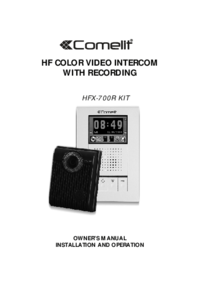
HANDS-FREE EXPANDABLEVIDEO INTERCOM SYSTEM,OWNER S MANUALINSTALLATION AND OPERATIONHFX-700M KIT
Narrow space may cause feedback echo on speakerphone function.Direct sunshine can cause blurry picture on monitor.View Angle:Proper height:Narrow spac
A. Fasten the wall mount bracket using the provided hardware.B. Fasten wires on terminals accordingly. (Refer to STAGE 3)C. Plug pin wires and mount t
10STAGE 3: Wiring and settingPT1PT2DG1DG2OUT+OUT-DR2DR1POWER<+><->JP1JP212 3 4Main monitor Wiring terminalRedBlack1245A. Wire the system f
Each Door Camera on the system is able to operate and release one electric lock. On a full system with 2 door cameras, the user is able to release up
A. Plug in the power supply.B. Press the call button on the door camera.C. Check and adjust doorbell volume.D. Check and adjust the picture quality.E.
5.1. Visitor Calls from Door CameraA. When the Call button on the camera is pressed, All monitors on the system will ring with a chime sound and
A. HFX-700M package consists a main monitor, a door camera, and a power adaptor for the monitor.B. With HFX-700M KIT as a basic, the system is cap
Wiring Diagram:PT1PT2DG1DG2OUT+OUT-DR2DR1POWER<+><->Main monitor Wiring terminalRedBlackThe 1st door cameraWiring terminalThe 2nd door cam
1. Expansion Video Monitor (EX-700H) 1.1. EX-700H Identification28 9 10 11734651213141516178mm(7.0 )36mm(1.42 )118mm(4.65 )1. 3.5" Color TFT
Wiring terminals17136mm(5.35 )89mm(3.5 )8.4mm(0.33 )Wall mount bracketEX-700H Wall mount bracketEX-700H packagingMagnetic switch sensor connection:
TABLE OF CONTENTSIMPORTANT SAFETY INSTRUCTIONSWARNINGFCC CLASS B NOTICEHFX-700M KIT VIDEO INTERCOM SYSTEM 1.HFX-700M KIT Introduction 2.HFX-700M
STAGE 2: Wiring and settingPT1PT2DG1DG2OUT+OUT-DR2DR1POWER<+><->Main monitor Wiring terminalRedBlackA. Wire the system from terminals to t
Operates the same as the main monitor unit (Refer to page 13).191.3. EX-700H OperationMain monitorDoor cameraCall buttonCut-off buttonIntercom buttonM
2. Expansion Non-video Monitor (EX-700A) 2.1. EX-700A Identification17 8 9 10623541112131415178mm(7.0 )36mm(1.42 )118mm(4.65 )1. Speaker2. I
Wiring terminals21136mm(5.35 )89mm(3.5 )8.4mm(0.33 )Wall mount bracketEX-700A Wall mount bracketEX-700A packagingMagnetic switch sensor connection:
STAGE 2: Wiring and settingPT1PT2DG1DG2OUT+OUT-DR2DR1POWER<+><->Main monitor Wiring terminalRedBlackA. Wire the system from terminals to t
A. Operates the same as the main monitor unit (Refer to page 13). B. EX-700A only audio function, not video function.232.3. EX-700HA OperationMain mon
3. Door Camera (EX-700D)3.1. EX-700D Identification130mm(5.12 )"36mm(1.42 )"1. White LED Illumination2. 1/3" Color CCD3.
3.2. EX-700D InstallationA. Use screws wrench disassemble screw and remove door camera unit from bracket.B. Fasten wall mount bracket on position.
26TECHNICAL SPECIFICATIONSHFX-700M(main monitor)Display: Resolution: Auto Timer (visitor call): Auto Timer (intercom): Operating Temperature: Dimensi
27EX-700D(optional door camera)Image Sensor:Resolution:Camera Lens:View Angle:Auto Light Sensor:Operating Temperature:Dimensions (w/ bracket):Power co
IMPORTANT SAFETY INSTRUCTIONSWARING: TO REDUCE THE RISK OF FIRE OR ELECTRIC SHOCK, DO NOT EXPOSE THE MONITOR OR POWER ADAPTER TO WATER OR MOISTURE.Rea
TROUBLE SHOOTINGBefore requesting service, check the troubleshooting quide to solve the problem.Problem SolutionNo power(no picture on monitor)Make su
SERVICE AND WARRANTYa. Name of the productb. Model and serial number of the product,c. The store s name where you purchasedd. Date purchasede. Idea an
WARNINGWARNING: TO REDUCE THE RISK OF FIRE OR ELECTRIC SHOCK, DO NOT EXPOSE THE MONITOR OR POWER ADAPTER TO WATER OR MOISTURE.2CAUTION: DO NOT OPEN. R
FCC CLASS B NOTICE3NOTE:This equipment has been Certified and found to comply with the limits regulated by FCC,and CE. Therefore, it is designed to pr
HFX-700M KIT VIDEO INTERCOM SYSTEM41.IntroductionThank you for purchasing the Hands-Free expandable Video Intercom System HFX-700M. This intercom syst
2.HFX-700M KIT Parts Identification2.1. Main Monitor 28 9 10 11734651213141516178mm(7.0 )36mm(1.42 )118mm(4.65 )1. 3.5" Color TFT Screen2.
Wiring terminals6PT1PT2DG1DG2OUT+OUT-DR2DR1POWER<+><->136mm(5.35 )"89mm(3.5 )"8.4mm(0.33 )"Wall mount bracketPT1PT2DG1DG2OU
2.2. Door Camera 130mm(5.12 )"36mm(1.42 )"1. White LED Illumination2. 1/3" Color CCD3. Microphone4. Speaker5.
Weitere Dokumente für Kassettenrekorder Sharp WQ-700H



Verwandte Produkte und Handbücher für Kassettenrekorder Sharp WQ-700H
 (36 Seiten)
(116 Seiten)
(39 Seiten)
(36 Seiten)
(116 Seiten)
(39 Seiten)
 (35 Seiten)
(24 Seiten)
(35 Seiten)
(24 Seiten)
 (88 Seiten)
© 2020, manymanuals.de. Alle Rechte vorbehalten. | 0.056 s |
 Manymanuals.com
 Manymanuals.de
 Manymanuals.fr
 Manymanuals.it
 Manymanuals.pl
 Manymanuals.cz
 Manymanuals.es
 Manymanuals-pt.com
Kommentare zu diesen Handbüchern