Sharp CD-SW200 Betriebsanleitung
Stöbern Sie online oder laden Sie Betriebsanleitung nach CD Spieler Sharp CD-SW200 herunter. Sharp CD-SW200 Operating instructions Benutzerhandbuch
- Seite / 44
- Inhaltsverzeichnis
- LESEZEICHEN

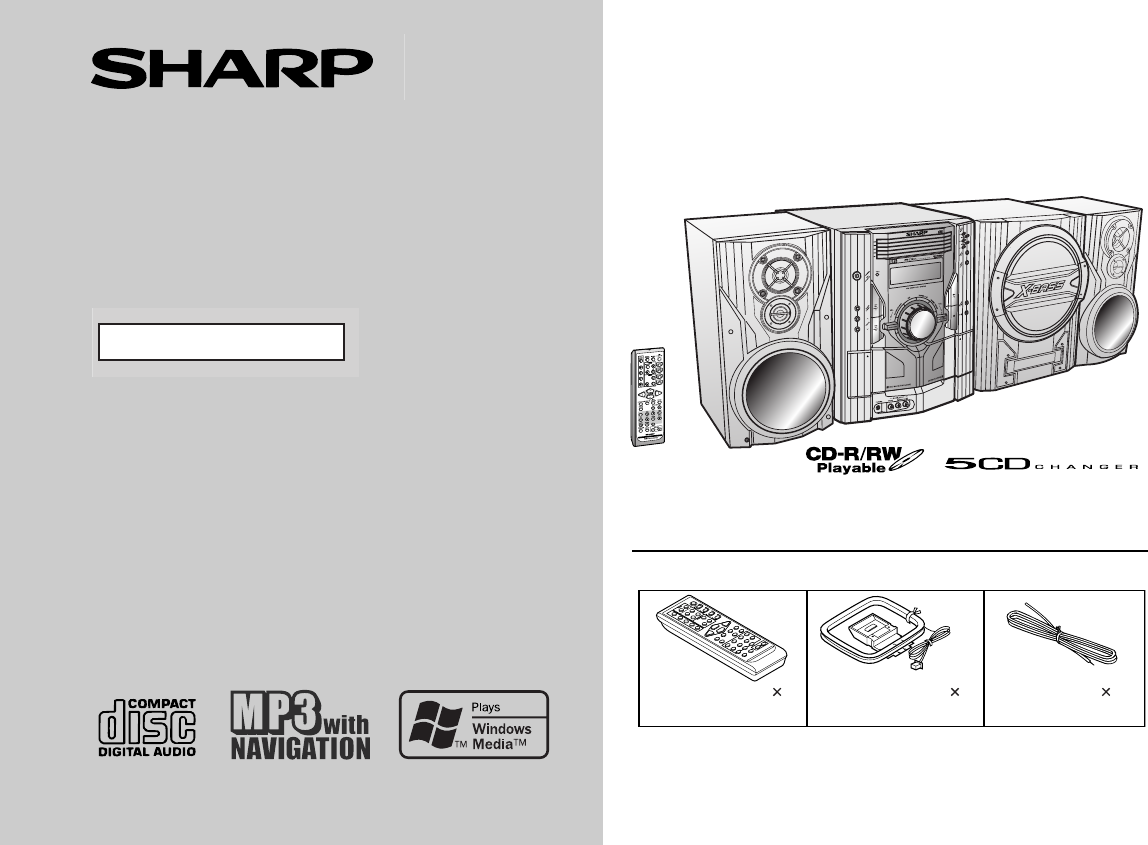
- CD-SW200 1
- SPECIAL NOTES 2
- IMPORTANT SAFETY INSTRUCTIONS 3
- Contents 5
- Precautions 6
- Controls and indicators 7
- General Information 10
- Speaker connection 11
- (see page 12) 11
- Preparation for Use 12
- Remote control 14
- General control 15
- CD or MP3/WMA disc Playback 17
- Folder Title 1 24
- Title 2 Title 3 24
- Listening to the radio 28
- TAPE 1 TAPE 2 30
- Recording on a cassette tape 31
- Tape Recording 32
- Advanced Features 36
- Enhancing your system 38
- References 40
- Maintenance 42
- Specifications 42
- CONSUMER LIMITED WARRANTY 44
Inhaltsverzeichnis
03/12/17 CD-SW200 FRONT.fmThank you for purchasing this SHARP product. To obtain the best performance from this product, please read thismanual carefu
03/12/17 CD-SW200 _2-14.fm 10 CD-SW200 General Information Controls and indicators (continued) Remote control Reference page1. Remote Control Tran
03/12/17 CD-SW200 _2-14.fm 11 CD-SW200 Preparation for Use System connections Left speaker SubwooferRight speaker Speaker connection (see page 12)
03/12/17 CD-SW200 _2-14.fm 12 CD-SW200 Preparation for Use System connections (continued) Antenna connection Supplied FM antenna: Connect the FM an
03/12/17 CD-SW200 _2-14.fm 13 CD-SW200 Preparation for Use Placing the speaker system The left and right speakers have individual shapes. For bes
03/12/17 CD-SW200 _2-14.fm14CD-SW200Preparation for UseRemote control Battery installation Precautions for battery use: Replace all old batteries wi
03/12/19 CD-SW200 15-25.fm15CD-SW200Basic OperationGeneral control To turn the power on Press the ON/STAND-BY button to turn the power on. Illumi
03/12/19 CD-SW200 15-25.fm 16 CD-SW200 Basic Operation Setting the clock In this example, the clock is set for the 12-hour (AM 12:00) display. To co
03/12/19 CD-SW200 15-25.fm 17 CD-SW200 CD or MP3/WMA disc Playback Listening to a CD or MP3/WMA disc This system can play back a standard CD, CD-R/
03/12/19 CD-SW200 15-25.fm 18 CD-SW200 CD or MP3/WMA disc Playback Listening to a CD or MP3/ WMA disc (continued)CD-SW200 1 Press the ON/STAND-BY but
03/12/19 CD-SW200 15-25.fm 19 CD-SW200 CD or MP3/WMA disc Playback Playback will begin from track 1 on disc 1. After that disc finishesplaying, t
03/12/17 CD-SW200 _2-14.fm2CD-SW200Important InstructionSPECIAL NOTESCAUTION: TO REDUCE THE RISK OF ELECTRIC SHOCK,DO NOT REMOVE COVER (OR BACK).NO US
03/12/19 CD-SW200 15-25.fm 20 CD-SW200 CD or MP3/WMA disc Playback Listening to a CD or MP3/ WMA disc (continued) Notes for CD: Notes for MP3/WMA d
03/12/19 CD-SW200 15-25.fm 21 CD-SW200 CD or MP3/WMA disc Playback Advanced CD or MP3/WMA disc playback To specify a disc to play You can play a
03/12/19 CD-SW200 15-25.fm22CD-SW200CD or MP3/WMA disc PlaybackAdvanced CD or MP3/WMA disc playback (continued) Repeat playRepeat play can play all 5
03/12/19 CD-SW200 15-25.fm23CD-SW200CD or MP3/WMA disc Playback Programmed playYou can choose up to 32 selections for playback in the order you lik
03/12/19 CD-SW200 15-25.fm24CD-SW200CD or MP3/WMA disc PlaybackMP3/WMA navigation (only for MP3/WMA files) MP3/WMA navigation:You can search and play
03/12/19 CD-SW200 15-25.fm25CD-SW200CD or MP3/WMA disc Playback File search (by folder or title 1/2/3)You can search and play files by folder or tit
03/12/19 CD-SW200 26- 33.fm26CD-SW200CD or MP3/WMA disc PlaybackMP3/WMA navigation (only for MP3/WMA files) (continued) Character search (for fold
03/12/19 CD-SW200 26- 33.fm 27 CD-SW200 CD or MP3/WMA disc Playback Programmed play (for folder, title 1/2/3) Folders or titles can be programme
03/12/19 CD-SW200 26- 33.fm 28 CD-SW200 Radio Listening to the radio Auto power on function: When you press any of the following buttons, the unit
03/12/19 CD-SW200 26- 33.fm 29 CD-SW200 Radio Memorizing a station You can store 40 AM and FM stations in memory and recall them atthe push of
03/12/17 CD-SW200 _2-14.fm 3 CD-SW200 Important Instruction IMPORTANT SAFETY INSTRUCTIONS1 Read Instructions - All the safety and operating instructio
03/12/19 CD-SW200 26- 33.fm 30 CD-SW200 Tape Playback Listening to a cassette tape (TAPE 1 or TAPE 2) Tape playback Auto power on function: When
03/12/19 CD-SW200 26- 33.fm 31 CD-SW200 Tape Recording Various tape functions Caution: To remove the cassette, press the (TAPE ) button, and
03/12/19 CD-SW200 26- 33.fm32CD-SW200Tape RecordingRecording on a cassette tape (continued) Recording from a CD or MP3/WMA disc You can record the
03/12/19 CD-SW200 26- 33.fm33CD-SW200Tape Recording Recording from several CDs continuously:To perform programmed recording:To stop recording:Press th
03/12/19 CD-SW200 34-43 .fm34CD-SW200Advanced FeaturesTimer and sleep operationTimer playback:The unit turns on and plays the desired source (CD, tune
03/12/19 CD-SW200 34-43 .fm 35 CD-SW200 Advanced Features Continued to the next page 4 Within 10 seconds, press the or button to se-lect &
03/12/19 CD-SW200 34-43 .fm 36 CD-SW200 Advanced Features Timer and sleep operation (continued) Note:Checking the timer setting in the timer stand-by
03/12/19 CD-SW200 34-43 .fm 37 CD-SW200 Advanced Features Sleep operation The radio, CD, MP3/WMA disc and cassette tape can all be turnedoff automa
03/12/19 CD-SW200 34-43 .fm 38 CD-SW200 Advanced Features Enhancing your system The connection cord is not included. Purchase a commercially avail-ab
03/12/19 CD-SW200 34-43 .fm 39 CD-SW200 References Headphones Before plugging in or unplugging the headphones, reduce the vol-ume. Be sure y
03/12/17 CD-SW200 _2-14.fm 4 CD-SW200 Important Instruction IMPORTANT SAFETY INSTRUCTIONS (continued)15 Outdoor Antenna Grounding - If an outside a
03/12/19 CD-SW200 34-43 .fm40CD-SW200ReferencesTroubleshooting chart (continued) Cassette deck Remote control Tuner CondensationSudden temperatu
03/12/19 CD-SW200 34-43 .fm41CD-SW200References If trouble occursWhen this product is subjected to strong external interference (me-chanical shock,
03/12/19 CD-SW200 34-43 .fm42CD-SW200ReferencesMaintenance Cleaning the tape-handling parts Dirty heads, capstans or pinch rollers can cause poor so
03/12/19 CD-SW200 34-43 .fm43CD-SW200References CD player Tuner Cassette deck Front Speaker SubwooferType 5-disc multi-play compact disc play
03/11/4 CD-SW200_BACK.fmPrinted in MalaysiaTINSEA079AWZZ04L R AS 1SHARP ELECTRONICS CORPORATIONSharp Plaza, Mahwah, New Jersey 07430-2135SHARP CORPOR
03/12/17 CD-SW200 _2-14.fm 5 CD-SW200 Important Instruction Contents Page General Information Precautions . . . . . . . . . . . . . . . . . . .
03/12/17 CD-SW200 _2-14.fm 6 CD-SW200 General Information Precautions General Please ensure that the equipment is positioned in a well ventilated
03/12/17 CD-SW200 _2-14.fm 7 CD-SW200 General Information Controls and indicators Front panel Reference page1. Disc Trays . . . . . . . . . . . . .
03/12/17 CD-SW200 _2-14.fm 8 CD-SW200 General Information Controls and indicators (continued) Display Reference page1. Disc Number Indicators . . .
03/12/17 CD-SW200 _2-14.fm 9 CD-SW200 General Information Front Speaker 1. Tweeter2. Super Tweeter3. Woofer 4. Bass Reflex Duct5. Speaker Wire Su
Weitere Dokumente für CD Spieler Sharp CD-SW200
Verwandte Produkte und Handbücher für CD Spieler Sharp CD-SW200

 (33 Seiten)
(34 Seiten)
(33 Seiten)
(34 Seiten)
 (68 Seiten)
(36 Seiten)
(81 Seiten)
(52 Seiten)
(38 Seiten)
(68 Seiten)
(36 Seiten)
(81 Seiten)
(52 Seiten)
(38 Seiten)
 (26 Seiten)
(20 Seiten)
(26 Seiten)
(20 Seiten)


 (50 Seiten)
(22 Seiten)
(53 Seiten)
(42 Seiten)
(32 Seiten)
(50 Seiten)
(22 Seiten)
(53 Seiten)
(42 Seiten)
(32 Seiten)
 (42 Seiten)
 (22 Seiten)
(22 Seiten)
(22 Seiten)
© 2020, manymanuals.de. Alle Rechte vorbehalten. | 0.031 s |
 Manymanuals.com
 Manymanuals.de
 Manymanuals.fr
 Manymanuals.it
 Manymanuals.pl
 Manymanuals.cz
 Manymanuals.es
 Manymanuals-pt.com
Kommentare zu diesen Handbüchern