Sharp AR-BC260 Spezifikationen Seite 126: REMOVING AN ORIGINAL MISFEED
 1
 2
 3
 4
 5
 6
 7
 8
 9
 10
 11
 12
 13
 14
 15
 16
 17
 18
 19
 20
 21
 22
 23
 24
 25
 26
 27
 28
 29
 30
 31
 32
 33
 34
 35
 36
 37
 38
 39
 40
 41
 42
 43
 44
 45
 46
 47
 48
 49
 50
 51
 52
 53
 54
 55
 56
 57
 58
 59
 60
 61
 62
 63
 64
 65
 66
 67
 68
 69
 70
 71
 72
 73
 74
 75
 76
 77
 78
 79
 80
 81
 82
 83
 84
 85
 86
 87
 88
 89
 90
 91
 92
 93
 94
 95
 96
 97
 98
 99
 100
 101
 102
 103
 104
 105
 106
 107
 108
 109
 110
 111
 112
 113
 114
 115
 116
 117
 118
 119
 120
 121
 122
 123
 124
 125
 126
 127
 128
 129
 130
 131
 132
 133
 134
 135
 136
 137
 138
 139
 140
 141
 142
 143
 144
 145
 146
 147
 148
 149
 150
 151
 152
 153
 154
 155
 156
 157
 158
 159
 160
 161
 162
 163
 164
 165
 166
 167
 168
 169
 170
 171
 172
 173
 174
 175
 176
 177
 178
 179
 180
 181
 182
 183
 184
7-2
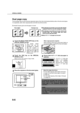
REMOVING AN ORIGINAL MISFEED
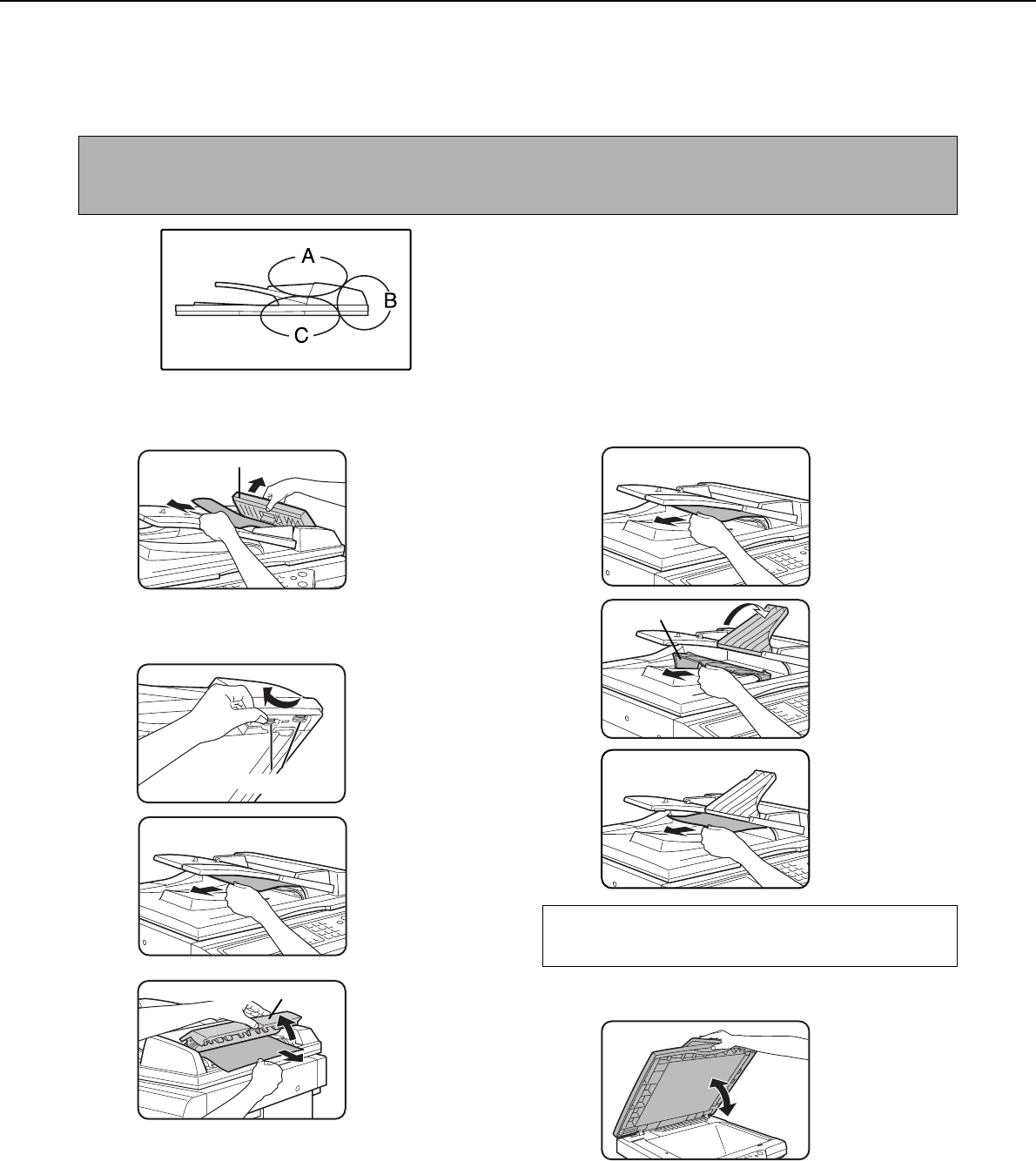
Removing a misfed original from the reversing single pass feeder
If an original misfeed occurs in the reversing single pass feeder, follow the steps below to remove the misfed original.
Check locations A, B, and C in the diagram at left to
remove the original.
1
Removing misfeeds from each location
● Check location A
Open the
document feeding
area cover and
gently remove the
misfed original
from the
document feeder
tray. Close the
document feeding
area cover.
● Check location B
Open the
reversing single
pass feeder and
rotate the two
release rollers in
the direction of
the arrow to make
the original feed
out. Close the
reversing single
pass feeder and
gently remove the
original.
If the misfed
original is small
(such as an A5
original), or if the
misfeed occurred
in the reversing
tray, open the
RSPF right side
cover and gently
remove the
original. Close the
RSPF right side
cover.
● Check location C
Remove the misfed
original from the
exit area.
If the misfed
original cannot be
easily removed
from the exit area,
open the
moveable part of
the document
feeder tray and
remove the
reversing tray and
then remove the
original.
2
Open and close the document feeder cover.
Opening and
closing the cover
clears the misfeed
display. Copying
cannot be
resumed until this
step is performed.
A message may appear indicating the number of
originals which must be returned to the document
feeder tray. Return the originals to the document
feeder tray and press the [START] key for color or
black and white copying as appropriate for the job
being resumed.
NOTES
● For misfeed removal in the main unit and other peripheral devices, see page 2-18.
● When a misfeed occurs, touch the [INFORMATION] key to display detailed information for misfeed removal.
Document feeding area cover
Release roller
RSPF right side cover
After removing a misfed original from the exit area, be
sure to attach the reversing tray securely to the exit area.
Reversing tray
ApollonII_general-copy_SEC.book 2 ページ 2004年9月6日 月曜日 午後4時57分
PDF-Datei · ·
Fragen zu Sharp AR-BC260
Zu diesem Handbuch gibt es noch keine Fragen. Stellen Sie die erste.
