Sharp FO-475 Spezifikationen
Stöbern Sie online oder laden Sie Spezifikationen nach Faxgeräte Sharp FO-475 herunter. Sharp FO-475 Specifications Benutzerhandbuch
- Seite / 131
- Inhaltsverzeichnis
- FEHLERBEHEBUNG
- LESEZEICHEN

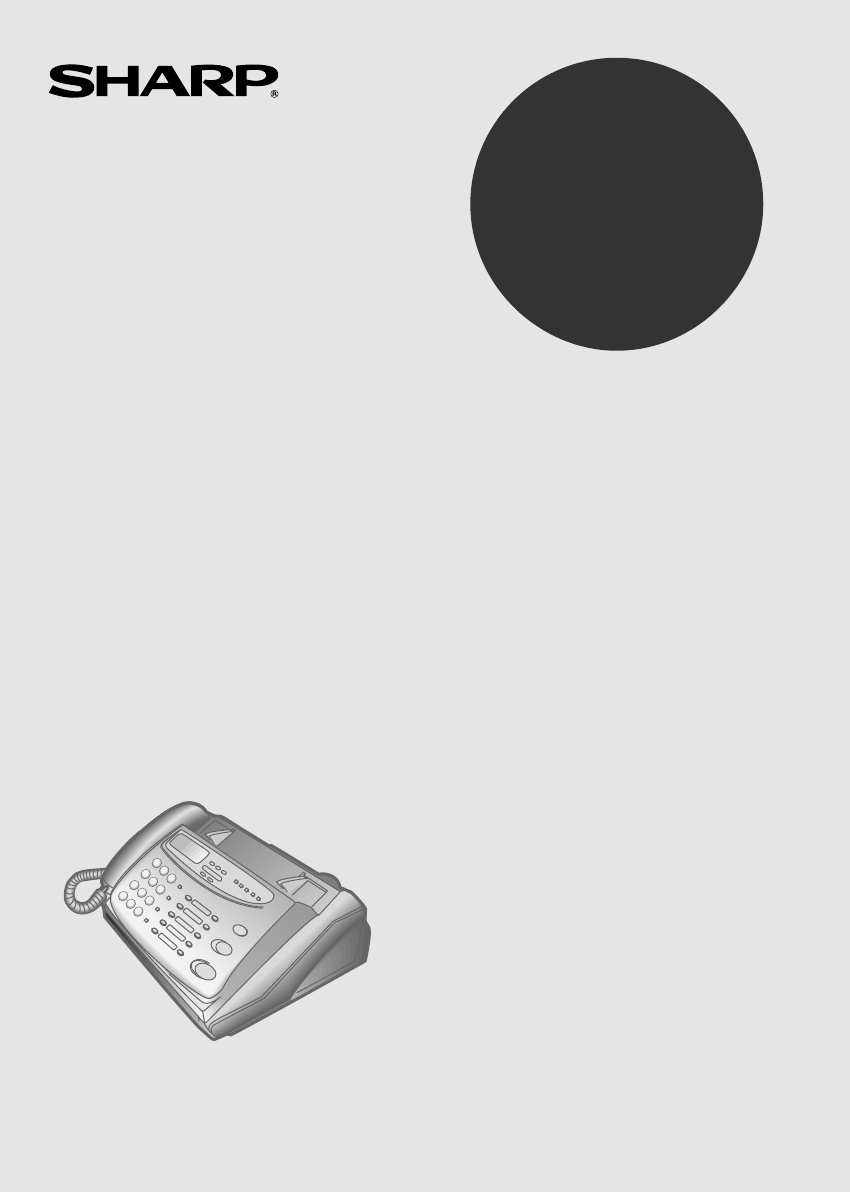
- FO-475 FACSIMILE 1
- WARRANTY 2
- QUICK REFERENCE GUIDE 3
- Introduction 5
- Important safety information 7
- Table of Contents 11
- Unpacking Checklist 13
- 1. Installation 13
- A Look at the Operation Panel 14
- Power lead 19
- Telephone line cord 20
- Extension phone (optional) 21
- Original Document Support 22
- Paper Guide 22
- Loading the Fax Paper 22
- Replacing the fax paper 25
- Handling fax paper 25
- ENTER FAX # 27
- Example: 27
- ENTER YOUR NAME 27
- Example: the 5th 30
- Example: January 30
- Example: 1998 30
- Example: 9:25 30
- STORE JUNK # 30
- Selecting the Reception Mode 31
- Volume Adjustment 32
- Using the 34
- Answering Machine 34
- 1 for Box 1) after 35
- STOP STOP 36
- 2. Answering 37
- Machine 37
- (Example) 38
- Erasing received messages 39
- Using the REC key 39
- Programming a passcode 41
- Fax reception in boxes 42
- Setting ICM time 43
- Fax reception on ANS. failure 44
- Transfer Function 45
- Override Ringing 48
- Remote Operations 50
- Toll Saver 51
- Retrieving your messages 52
- Other remote operations 55
- Recording a "Memo" 57
- Documents 58
- Other restrictions 59
- Loading the Document 60
- Resolution and Contrast 62
- RESOLUTION 63
- READY TO SEND 64
- Using the REDIAL key 65
- SPEED DIAL key 66
- Rapid keys 66
- Step 3 or 68
- Clearing numbers 69
- Making changes 69
- Example: To dial Speed 70
- Speed Dialling 71
- Direct Keypad Dialling 72
- Using the HOLD\SEARCH key 73
- Automatic redialling 74
- Receiving 75
- Using ANS. Mode 76
- Using FAX Mode 76
- Using TEL Mode 77
- Paper cutting 78
- Incoming calls during copying 79
- Telephone Calls 80
- Using the HOLD/SEARCH key 81
- Chain Dialling 81
- Functions 82
- How Caller ID operates 83
- Display messages 83
- Viewing the Caller ID list 84
- Priority Call 85
- Direct Call 86
- Blocking voice calls 86
- Distinctive Ring 87
- 7. Special Func 89
- Requesting transmission 91
- Turnaround polling 92
- Polling security 92
- Step 4 or 93
- Timer Operations 94
- To cancel an operation 95
- Broadcasting 99
- START/MEMORY 100
- REMINDER 101
- Settings 104
- FUNCTION 104
- Printing 110
- Reports and Lists 110
- Passcode List 111
- Telephone Number List 111
- Option Setting List 112
- Anti Junk Number List 112
- ANS. Program List 112
- Message List 113
- Caller ID List 113
- Transaction Report 114
- Maintenance 115
- Scanning glass and rollers 116
- The housing 116
- Troubleshooting 117
- Connections 118
- Transmittable documents 120
- Problems and Solutions 121
- Messages and Signals 122
- Display Messages 122
- Clearing Paper Jams 124
- 11.Trouble 125
- Remote Operation Guide 129
- SCA BACK 131
Inhaltsverzeichnis
OPERATION MANUALFACSIMILEMODELFO-475 1. Installation 2. Using the Answering Machine 3. Sending Documents 4. Receiving Documents 5.
IMPORTANT NOTICE FOR NEW ZEALAND USERS Please note: The grant of a Telepermit for any item of terminal equipment indicatesonly that Telecom has acc
5Press the START/MEMORY key.Transmission will begin.•• A Transaction Report is automaticallyprinted out after Broadcasting iscompleted. Check the &quo
Reminder FunctionThe Reminder function allows you to send either a voice message, faxmessage, or both to another person or yourself at a preset time.
6Press the START/MEMORY key.7To record a voice message, pick up thehandset, press the START/MEMORYkey, and speak into the handset. Whenfinished, pres
To check or cancel a reminder messageTo check a reminder message before it is sent, press the REMINDER keyand then press "1". The set date
Chapter8OptionSettingsThe option settings let you customise your fax to better suit your needs. Aninitial setting has been made for each option at the
Setting 3: 4 RINGS TEL ANSWERPress 1 (YES) to have the FAX answer a call after 4 rings when it is in TELreception mode. Press 2 (NO) to turn the funct
Setting 6: TRANSACTION REPORT PRINT SELECTThis sets the condition for printing out a Transaction Report. Enter a numberfrom 1 to 4 as follows:1 (ALWAY
Setting 8: PSEUDO RINGING DURATIONThis sets the duration of pseudo ringing in TEL/FAX reception mode. Press 1for 15 seconds or 2 for 30 seconds.• Init
Setting 10: TIME SAVEThis reduces the vertical length of documents transmitted by 20%, saving linetime and thereby allowing you to reduce telephone co
Setting 13: JUNK NUMBER CHECKPress 1 to prevent reception from fax numbers entered in the Anti Junk NumberList. Press 2 to allow reception from all nu
Table of Contents1 Installation 1Unpacking Checklist. . . . . . . . . . . . . . . . . . . . . . . . . . . . . . . . . . . . . . . . 1A Look at the Op
Chapter9PrintingReports and ListsYou can print out lists showing settings and information entered in the fax.You can also have the fax automatically p
Telephone Number ListThis list shows the fax and voice numbers which have been stored forautomatic dialling.Passcode ListThis list shows settings made
Option Setting ListThis list shows the current status of the option settings.Anti Junk Number ListThis list shows the numbers that are blocked by the
Message ListThis list shows information about the messages currently recorded in theanswering machine, including the date and time of recording, the l
Transaction ReportThis report is printed out automatically after an operation is performed toallow you to check the result. Your fax is set at the fac
Chapter10MaintenanceFax print headClean the print head frequently to ensure optimum printing performance. Toclean the print head, first disconnect the
Scanning glass and rollersClean the scanning glass and rollers frequently to ensure the quality oftransmitted images and copies. Open the operation pa
Chapter 11 Troubleshooting Problems and Solutions Line error Problem Check and remedy E appears in the displayand/or a transaction reportis printed ou
Dialing and transmission problems Problem Check and remedy No dial tone when you pickup the handset or press theSPEAKER key.•• Make sure the telephone
Reception and copying problems Problem Check and remedy The power is on, but noreception takes place.•• Make sure the wall socket is connected to theT
7 Special Functions 70Caller ID . . . . . . . . . . . . . . . . . . . . . . . . . . . . . . . . . . . . . . . . . . . . . . . . 70Distinctive Ring. .
Reception/copying isinterrupted.•• If reception or copying has been donecontinuously for a long time, the print head mayhave become overheated. Turn o
Bell tinkle(New Zealand)•• The operation of this equipment on the sameline as the telephone or other equipment withaudible warning devices or automati
Messages and SignalsDisplay messagesNote: If you have turned on the Caller ID function, see Caller ID inChapter 7 for display messages related to Call
PAPER JAMMEDThe fax paper is jammed. See the following section,Clearing jammed fax paper.READY TO SENDA document has been loaded and the fax is waitin
Clearing Paper JamsClearing a jammed documentIf the original document doesn’t feed properly during transmission orcopying, or DOCUMENT JAMMED appears
2Remove the paper roll.•• If any pieces of paper are stuck in thecutter, remove them with caution.•• Press the START/MEMORY key toreset the cutter.3Cu
IndexAANS. Program List, 100ANS. reception mode, 19, 64Answering machine Operation, 22Anti junk fax, 77Anti Junk Fax (Anti Junk Number), 97Anti Junk N
JJams, clearing, 112Junk Number Check, 97LLetters, entering, 16Line error, 105Loading the document, 48MMaintenance, 103Memory, 84Reception, 86Transmis
SScanning glass, cleaning, 104Search Dialling, 61, 69Sender’s name and number, entering, 14Speaker key, 4, 20, 52, 68Speaker volume, 20Speed Dial key,
##REMOTE OPERATION CARDThe card below is provided as a quick guide to remote operation. Cut itout and carry it with you when you go out. Remote Operat
Chapter1InstallationUnpacking Checklist1. Installation Before setting up,make sure you haveall of the followingitems.If any are missing,contact your d
#25##73#33##0#0###381828###091929#9 3##64#(Box#)#(Tel.#)#48REMOTE COMMANDS ••PLAYBACK Play messages. . . . . . . . . . Move backward/repeat. . . . S
SCA BACKSHARP CORPORATION OF AUSTRALIA PTY.LTD.A.C.N. 003 039 4051 Huntingwood Drive, Huntingwood, Blacktown, N.S.W., 2148 SHARP CORPORATION OF NEW ZE
A Look at the Operation PanelTEL FAXRECEPTIONMODE RESOLUTIONFUNCTION DOWN VOLUME UPANSSPEED DIALREDIALSPEAKER
RESOLUTION keyPress this key to adjust the resolution and contrast before sending orcopying a document.VOLUME keysPress these keys to adjust the volum
SPEAKER keyPress this key to hear the line and fax tones through the speaker beforesending a document, or dialling a voice number.Note: This is not a
ConnectionsPoints to keep in mind when setting upDo not place the machine in directsunlight.Do not place the machine nearheaters or air conditioners.K
HandsetConnect the handset as shown and place it on the handset rest.♦ The ends of the handset lead are identical, so they will go into eithersocket.M
Power leadPlug the power lead into a 230-240 V, 50 Hz, earthed (3-prong) AC outlet.♦ Caution: When disconnecting the fax, unplug the telephone line co
WARRANTYFacsimile ProductsCongratulations on Your Purchase!FOR THE SERVICING OF PRODUCTS PURCHASED INNEW ZEALANDCONTACT YOUR SELLING DEALER/RET
Telephone line cordInsert one end of the telephone line cord into the adapter. Insert the other endof the line cord into the socket on the back of the
Extension phone (optional)If desired, you can connect an extension phone to the TEL. SET socket onthe fax.1Remove the seal covering the TEL. SETsocket
Original Document SupportRotate the original document support so that it points straight out.Paper GuideAttach the paper guide by inserting the ends i
YES NO!Remove cardboard and tape1Pull the release marked PANEL RELEASE toward you and open theoperation panel.2Remove the packing paper from the paper
4Insert the leading edge of the paper into the paper inlet. Continue to pushthe paper through the inlet until it comes out of the opening in the front
6A short length of the fax paper will feed out and be cut off. (If this doesn’thappen, repeat the loading procedure.)Note: The fax has a built-in anti
Entering Your Name and Fax NumberBefore you can begin usingyour fax, you need to enteryour name and the telephonenumber of your fax. You alsoneed to s
3Press the START/MEMORY key.START/MEMORYThe display will show: ENTER FAX #4Enter your fax number by pressing the number keys. Up to 20 digits can been
6Enter your name by pressing the number keys as shown in the chart below.Up to 24 characters can be entered.•• To enter two letters in succession that
Setting the Date and TimeThe date and time appearin the display and reports,and are printed at the topof every page you transmit.3 key FUNCTION keyST
QUICK REFERENCE GUIDEINSTALLATION 1. Connect the handset as shown. 2. Plug the power cord into an earthed, 230-240 Voutlet. 3.Plug one end of the
4Enter a two-digit number for the day ("01" to "31").Example: the 5th5Enter a two-digit number for the month ("01" for J
Selecting the Reception ModeYour fax has four modes for receiving incoming calls and faxes:TEL mode:This is the most convenient mode for receiving pho
Volume AdjustmentYou can adjust thevolume of the speakerand ringer using the UPand DOWN keys on theoperation panel.DOWN keyUP keySpeaker1Press the SPE
DOWN UP Ringer1Press the UP or DOWN key. (Make sure the SPEAKER key has not beenpressed and the handset is not lifted.)•• The ringer will ring on
Chapter2Using theAnswering MachineThe FO-475’s built-in answering machine allows you to receive both voicemessages and fax transmissions while you are
3Press the START/MEMORY key.4Press a number key to select the outgoingmessage you want to record:•• 0: General outgoing message•• 1: Box 1 outgoing me
7Go back to Step 4 to record an outgoingmessage for another box, or press theSTOP key twice to return to the date andtime display.To listen to or eras
Operating the Answering MachineActivating the answering machineActivate the answering machine before you go out as follows:Press the RECEPTION MODE ke
1Press the PLAY/SKIP key.•• If you only want to listen to newmessages (messages not previouslylistened to), continue to hold thePLAY/SKIP key down for
Erasing received messagesIt is important to erase received messages after you listen to them to ensurethat the memory does not become full. This is do
QUICK REFERENCE GUIDESETTING THEDATE AND TIME START/MEMORYPress: Display shows: DATE & TIME SET Press the START/MEMORY key: Enter two digits f
Date and time of ICMsYou can check the date and time of your received messages by pressing thepanel keys as shown below.♦ The dates and times are also
Optional Answering Machine Settings2. AnsweringMachine FUNCTION0Programming a passcodeA 3-digit passcode can be programmed for each of the boxes. If t
STOPFax reception in boxesIf desired, you can turn on the Fax Box function to receive faxes in personalboxes.When a fax is sent to a personal box, it
Setting ICM timeIncoming messages (ICMs) are the messages which callers leave for you onthe built-in answering machine. The answering machine is set a
STOPFax reception on ANS. failureIf the memory for recording incoming messages becomes full while you areout, the answering machine will no longer be
Transfer FunctionThe Transfer function is used to make the FO-475 automatically call you at aspecified number every time it receives an incoming messa
3Press the START/MEMORY key.4Enter a transfer number (max. of 32 digitsincluding pauses) by pressing the numberkeys.5Press the START/MEMORY key andthe
STOPTurning the Transfer function on and off1Press these keys:The display will show:ANS. SETTINGS2Press these keys:The display will show:TRANSFER FUNC
0FUNCTIONSTOPSTART/MEMORYOverride RingingThis function allows selected callers using a touch-tone telephone to overridethe answering machine’s outgoin
(Example)Overriding the answering machineYour callers should follow the steps below to override the answeringmachine.1Your caller calls the FO-475 fro
IntroductionWelcome, and thank you forchoosing a Sharp facsimile!The features and specificationsof your new Sharp fax areshown below.Automatic diallin
Remote OperationsYou can call the FO-475 from any tone dial telephone and play back yourmessages using the remote commands. You can also use these com
Toll SaverWhen you call the FO-475 to listen to your messages, it will answer after tworings if it has received at least one message in any of the box
Retrieving your messagesFollow the steps below to listen to your messages from a remote location.Note that you can only access one box per call; if yo
•• If no messages have been received inthe box, you will hear a short beep.You can either hang up, or perform anyof the operations described in thefol
5When you have finished listening to yourmessages, you can do any of thefollowing:•• Erase all messages: To erase all of themessages in the box, press
(Example)Other remote operationsAfter listening to your messages, you can do any of the operations describedbelow by pressing the appropriate keys on
(Example)(Example)Turning the Transfer function on or offTo turn Transfer on: Press "9", "1", and"#", followed by the n
Recording a "Memo"You can leave a "memo" for yourself or other users of the machine. It will berecorded in the General Box, and pl
Chapter3SendingDocumentsTransmittable DocumentsSize and weightThe size and weight of documents that you can load in the document feederdepend on wheth
Note: Letters or graphics on the edges of a document will not be scanned.Letters in theshaded area willnot be scanned.Other restrictions♦ The scanner
Halftone (greyscale) 64 levelsRecording system Thermal recordingApplicable telephone line Public switched telephone networkCompatibility ITU-T (CCITT)
Loading the DocumentUp to 10 pages can be placed in the feeder at one time. The pages willautomatically feed into the machine starting from the bottom
Removing a document from the feederIf you need toremove a documentfrom the feeder, openthe operation panel.Important:Do not try to remove a document w
<P=001>Resolution and ContrastIf desired, you can adjust the resolution and contrast before sending adocument. The default resolutionsetting is
<P=002>1Load the document(s).•• The document must be loaded beforethe resolution and contrast can beadjusted.2Press the RESOLUTION key one ormor
Sending a Fax by Normal DiallingWith Normal Dialling, you pick up the handset (or press the SPEAKER key)and dial by pressing the number keys.♦ If a pe
4Wait for the connection. Depending onthe setting of the receiving machine, youwill either hear a facsimile reception toneor the other person will ans
Sending a Fax by Automatic DiallingYou can dial a fax or telephone number by simply pressing a Rapid Key, orby pressing the SPEED DIAL key and enterin
Storing fax and telephone numbers for Automatic Dialling1Press these keys:The display will show:FAX/TEL. # MODE2Press 1 to select SET.FUNCTION31The di
6Enter the name of the party by pressing the number keys as shown in thechart below. Up to 10 characters can be entered.•• If you don’t want to enter
Clearing numbers1Press these keys:The display will show:FAX/TEL. # MODE2Press 2 to select CLEAR.3Enter the Speed Dial number that you want to clear by
Important safety information• For your safety, if any of your equipment is not operating properly or should anyphysical damage occur to the equipment
Rapid Key DiallingIf the number you want to dial has been stored for Automatic Dialling as aSpeed Dial number from 01 to 10, you can dial it by pressi
Speed DiallingSpeed Dialling can be used to dial any number that has been stored forAutomatic Dialling.1Load the document(s).The display will show:REA
Direct Keypad DiallingYou can also enter a full number with the number keys and then press theSTART/MEMORY key to begin dialling. You can use this met
Using the HOLD\SEARCH keyIf you don’t remember the Rapid Key or Speed Dial number in which youhave stored a particular fax number, you can search for
4Press the # key or the key to scrollthrough the names (numbers if youpressed 0). Stop when the desired nameappears in the display.•• If no names ha
Chapter4ReceivingDocumentsUsing TEL/FAX ModePress theRECEPTION MODEkey until the arrow inthe display points toTEL/FAX.RECEPTION MODEFAXTELAN
Using ANS. ModeIn ANS. mode, your fax will automatically receive voice and fax messages.See Chapter 2 for more details.RECEPTION MODEFAXTELA
Using TEL ModePress theRECEPTION MODEkey until the arrow inthe display points toTEL.RECEPTION MODEFAXTELANS.TEL/FAXWhen the reception mode i
Beep5Answering with an extension phone1Answer the extension phone when it rings.2If you hear a fax tone when you answer an extension phone, wait until
Chapter5MakingCopiesYour fax can also be used to make copies. You can use this function to makea sample copy of a document before transmitting it to s
• Never install telephone sockets in wet locations unless the socket is specificallydesigned for wet locations.• Never touch uninsulated telephone wir
orSPEAKERChapter6MakingTelephone CallsYour fax can be used like a regular telephone to make and receive voice calls.♦ To make or receive a phone call,
Chain DiallingAfter lifting the handset, you can dial any combination of Normal Dialling,Rapid Key Dialling and Speed Dialling numbers. For example, i
Chapter 7 SpecialFunctions Caller ID If you subscribe to a caller identification service from your telephonecompany, you can set your fax to display t
How Caller ID operates When you receive a call, the name and phone number of the caller willalternately appear in the display, beginning just before t
Viewing the Caller ID list If you subscribe to a Caller ID service and have turned on the Caller IDfunction, your fax machine will keep information on
4 Press the STOP key when you havefinished viewing the list. To delete calls from the caller list If you want to delete a single call from the caller
Direct Call If desired, you can allow a designated phone number to access a personal boxdirectly when the answering machine is activated. In this case
Note: The blocked number must be input in the same format as Caller I.D.to be recognised, including applicable area codes. Note: Blocking will not ope
1 Press these keys: NOThe display will show: FUNCTIONOPTION SETTING 2 Press these keys: 4The display will show: DISTINCTIVE RING 21STOPRECEPTION
Blocking Reception of Unwanted Faxes The Anti Junk Fax function allows you to block reception of faxes fromparties which you specify. This saves paper
WARNING NOTICE:NO calls can be made to or from this fax during a mains power failure.WARNING Australian Communications Authority (ACA) regulationsst
<P=002> 4 Enter the full number you want to block(max. of 20 digits). (Example) 5 Press the START/MEMORY key. 6 Return to Step 3 to enter (or cl
Polling (Requesting a Fax Transmission)Polling allows you to call another fax machine and have it send a document(previously loaded in its feeder) to
Turnaround pollingAfter polling a fax machine, you can send a document to that machine on thesame connection. Simply place the document to be sent in
4Press the START/MEMORY key andthen the STOP key.Storing and clearing fax numbers for polling permissionYou can store up to 10 fax numbers in your mac
Timer OperationsThe Timer function allows you to set a transmission and/or polling operationto be performed automatically at a time you specify. One t
6Enter the Speed Dial number of thereceiving fax machine.•• If this is a polling operation, go to Step9.(Example)7Press the START/MEMORY key.8Adjust t
MemoryYour fax has a memory which can be used to temporarily store bothincoming and outgoing documents.♦ Approximately 20 pages of average content can
3Enter the number of the receivingmachine using one of the followingmethods:•• Press a Rapid Key.•• Press the SPEED DIAL key and entera Speed Dial num
Substitute reception into memoryThis is a back-up function which is automatically activated if your fax runsout of paper or the paper jams.When you ha
(Example)BroadcastingThis function allows you to send the same document to as many as 10different locations with just one operation. First store the d
Verwandte Produkte und Handbücher für Faxgeräte Sharp FO-475
 (115 Seiten)
(74 Seiten)
(115 Seiten)
(74 Seiten)
 (166 Seiten)
(118 Seiten)
(103 Seiten)
(123 Seiten)
(76 Seiten)
(99 Seiten)
(20 Seiten)
(4 Seiten)
(156 Seiten)
(101 Seiten)
(80 Seiten)
(12 Seiten)
(136 Seiten)
(156 Seiten)
(128 Seiten)
(150 Seiten)
(104 Seiten)
(166 Seiten)
(118 Seiten)
(103 Seiten)
(123 Seiten)
(76 Seiten)
(99 Seiten)
(20 Seiten)
(4 Seiten)
(156 Seiten)
(101 Seiten)
(80 Seiten)
(12 Seiten)
(136 Seiten)
(156 Seiten)
(128 Seiten)
(150 Seiten)
(104 Seiten)
© 2020, manymanuals.de. Alle Rechte vorbehalten. | 0.026 s |
 Manymanuals.com
 Manymanuals.de
 Manymanuals.fr
 Manymanuals.it
 Manymanuals.pl
 Manymanuals.cz
 Manymanuals.es
 Manymanuals-pt.com
Kommentare zu diesen Handbüchern