Sharp KB-3300J Installationshandbuch
Stöbern Sie online oder laden Sie Installationshandbuch nach Mikrowellen Sharp KB-3300J herunter. Sharp KB-3300J Installation manual Benutzerhandbuch
- Seite / 32
- Inhaltsverzeichnis
- LESEZEICHEN

- KB-3300J 1
- CONTENTS 2
- TO EXCESSIVE MICROWAVE ENERGY 3
- CONSUMER LIMITED WARRANTY 4
- PRODUCT INFORMATION CARD 4
- IMPORTANT SAFETY INSTRUCTIONS 5
- IMPORTANT SAFETY NOTICE AND 5
- SAFETY PRECAUTIONS 5
- SAVE THESE INSTRUCTIONS 7
- ADJUSTABLE HEIGHT BACKSPLASH 9
- PARTS NAME 10
- BEFORE OPERATING 11
- INFORMATION YOU NEED TO KNOW 12
- COOKTOP USE 13
- MICROWAVE DRAWER COOKING 15
- OVEN COOKING 21
- OTHER FEATURES 24
- CLEANING AND CARE 26
- ATTENTION 27
- BEFORE YOU CALL FOR SERVICE 29
- AUTO-TOUCH GUIDE 31
- MICROWAVE DRAWER 31
- PRINTED IN USA 32
Inhaltsverzeichnis
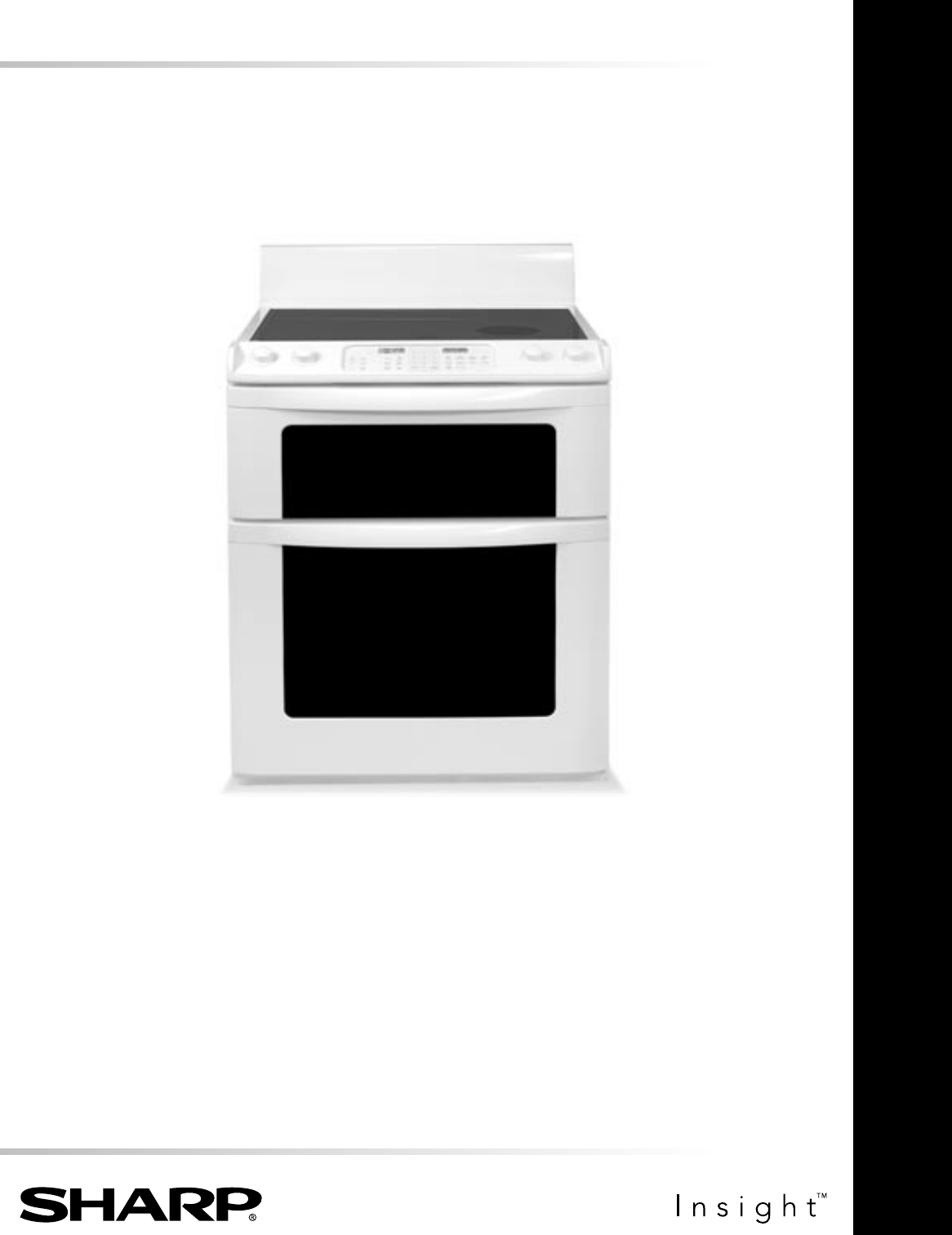
ELECTRIC RANGE WITH MICROWAVE DRAWEROPERATION MANUALMODELKB-3300JFollowed by indicating color: K = black, W = white, S = stainless steel CONTENTS ...
10PARTS NAMEHI HILOMED MEDLOSMALL LARGEOFFCooktopHILOMEDOFFHILOMEDOFFHILOMEDOFFCooktopGLASS CERAMIC COOKTOPCONTROL PANELKEYSHEET24 22MICROWAVEOVENHOT
11BEFORE OPERATINGBefore operating your new range make sure you read and understand this operation manual completely.• Before the range can be used,
12INFORMATION YOU NEED TO KNOWABOUT THE COOKTOP • Glass ceramic cooktop - Make sure the surface and the pan bottom are clean before turning o
13COOKTOP USERADIANT SURFACE UNITSSurface units are turned on and adjusted using the control knobs.HOW TO SET SINGLE SURFACE UNIT1 Place correctly si
14MICROWAVE DRAWER COOKING• Check for doneness. Look for signs indicating that cooking temperatures have been reached. Doneness s
15need tenderizing. DO NOT use metal twist ties. Remember to slit bag so steam can escape.How to use aluminum foil in your Microwave Drawer:• Small fl
16MICROWAVE DRAWER COOKINGTIME COOKINGYour Microwave Drawer can be programmed for 99 minutes 99 seconds (99.99). Always enter the seconds after
17MICROWAVE DRAWER COOKINGSENSOR COOKING1 Touch Sensor Cook pad once. SEE LABEL SELECT FOOD NUMBER2 See Menu Label. Select desired food by touching n
18MICROWAVE DRAWER COOKINGSENSOR COOK CHART (CONT.)FOOD AMOUNT PROCEDURE3 Frozen vegetables.25 - 1.25 lb. Add no water. Cover with lid or plastic wrap
19MANUAL DEFROSTIf the food that you wish to defrost is not listed on the DEFROST CHART or is above or below the limits in the AMOUNT colu
CONTENTS2CONTENTS ...2CUSTOMER ASSISTANCE ...3PRECAUTIONS TO AV
20MICROWAVE DRAWER COOKINGMORE OR LESS TIME ADJUSTMENTShould you discover that you like any of the Sensor, Reheat or Defrost settings slightly mor
21OVEN COOKINGINFORMATION YOU NEED TO KNOW• Be sure all packing material is removed from oven before turning on.• Oven vent location - The oven
22OVEN COOKINGHOW TO SET OVEN TEMPERATURESET TEMP1 Touch Bake pad. 000˚ SET TEMP2 Touch the number pads to set the desired oven temperature between
23OVEN COOKINGBROILING GUIDEFOOD AMOUNT DONENESS BROIL SETTINGSHELF POSITION FROM BOTTOMFIRST SIDE TIME (MIN.)SECOND SIDE TIME (MIN.)B
24OVEN COOKINGHOW TO START SELF-CLEANRemember to allow time for the oven to cool down and the oven door to unlock (approx. 1 hour) if you are planning
25OTHER FEATURESCONTROL LOCKThe Control Lock prevents unwanted oven / drawer operation such as by small children. The oven and Microwave Drawer can be
26CLEANING AND CAREBefore cleaning any part of the range, be sure all controls are turned OFF and all surfaces are cool.NON-COOKTOP SURFACESEXTERIORTh
27CLEANING AND CARE• Do not use the razor blade for daily cleaning as it may wear the pattern on the glass.METAL MARKS OR BURNED ON RESIDUE Metal m
28CLEANING AND CARELock engaged for door removal.Door removed from the range.OVEN RACKSClean with soap and water, rinse and polish dry.To remove stubb
29BEFORE YOU CALL FOR SERVICEPlease check the following before calling for service. It may save you time and expense.PROBLEM POSSIBLE CAUSE SOLUTION 1
CUSTOMER ASSISTANCETo aid in reporting this electric range, please record below the model number and serial number located on the unit. We also sug
30BEFORE YOU CALL FOR SERVICE15 Poor baking results.• Oven controls improperly set.• Rack position is incorrect.• Incorrect cookware is used.• Pan war
31AUTO-TOUCH GUIDEFor more complete information and safety precautions, refer to your Operation Manual.SET CLOCK 1Touch Timer/Clock pad and number 2.2
PRINTED IN USATI N S K B 3 8 9 M RR 032AUTO-TOUCH GUIDECONTROL LOCK The Control Lock prevents unwanted oven/drawer operation such as by small childr
CONSUMER LIMITED WARRANTY4The Product Information Card should be completed within ten days of purchase and returned. We will keep it on file and help y
5IMPORTANT SAFETY INSTRUCTIONSREAD ALL INSTRUCTIONS BEFORE USINGIMPORTANT SAFETY NOTICE AND WARNINGThe California Safe Drinking Water and Toxic Enforc
6RADIANT SURFACE UNITS 1 Use proper pan size — this appliance has different size surface units. Select utensils having flat bottoms large enough to c
7IMPORTANT SAFETY INSTRUCTIONS14 Be sure that fingers or other objects or materials are not around the Microwave Drawer opening when the Microwave
8PARTS NAME 1 Hot surface indicator 2 Control panel 3 Cooktop-on indicator 4 Waveguide cover DO NOT REMOVE 5 Drawer sealing surfaces 6
9PARTS NAME1817ADJUSTABLE HEIGHT BACKSPLASHThe range backsplash is adjustable so that you can customize it for your particular kitchen situation. Th
Weitere Dokumente für Mikrowellen Sharp KB-3300J
Verwandte Produkte und Handbücher für Mikrowellen Sharp KB-3300J
 (52 Seiten)
(80 Seiten)
(16 Seiten)
(103 Seiten)
(24 Seiten)
(41 Seiten)
(30 Seiten)
(24 Seiten)
(24 Seiten)
(72 Seiten)
(28 Seiten)
(22 Seiten)
(24 Seiten)
(36 Seiten)
(53 Seiten)
(40 Seiten)
(24 Seiten)
(24 Seiten)
(43 Seiten)
(52 Seiten)
(80 Seiten)
(16 Seiten)
(103 Seiten)
(24 Seiten)
(41 Seiten)
(30 Seiten)
(24 Seiten)
(24 Seiten)
(72 Seiten)
(28 Seiten)
(22 Seiten)
(24 Seiten)
(36 Seiten)
(53 Seiten)
(40 Seiten)
(24 Seiten)
(24 Seiten)
(43 Seiten)
© 2020, manymanuals.de. Alle Rechte vorbehalten. | 0.072 s |
 Manymanuals.com
 Manymanuals.de
 Manymanuals.fr
 Manymanuals.it
 Manymanuals.pl
 Manymanuals.cz
 Manymanuals.es
 Manymanuals-pt.com
Kommentare zu diesen Handbüchern