Sharp XL-MP110E Spezifikationen
Stöbern Sie online oder laden Sie Spezifikationen nach CD Spieler Sharp XL-MP110E herunter. Sharp XL-MP110E Specifications Benutzerhandbuch
- Seite / 40
- Inhaltsverzeichnis
- FEHLERBEHEBUNG
- LESEZEICHEN

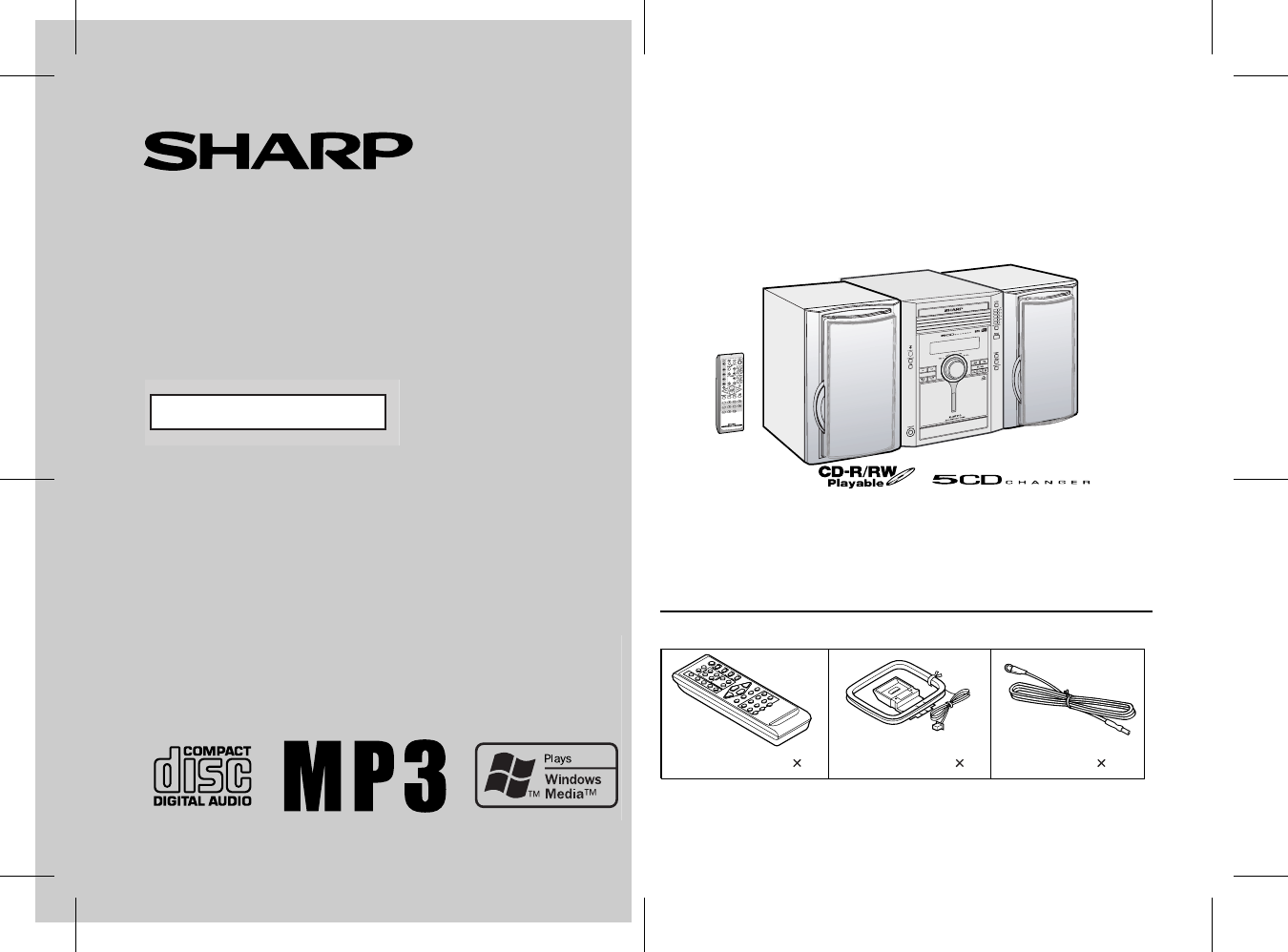
- XL-MP110E 1
- Special notes 2
- Contents 2
- Precautions 3
- Controls and indicators 4
- General Information 5
- System connections 8
- Preparation for Use 10
- Remote control 11
- General control 12
- Setting the clock 13
- CD or MP3/WMA disc Playback 14
- Listening to the radio 21
- Tape Playback 23
- Recording on a cassette tape 24
- Tape Recording 25
- Timer and sleep operation 27
- Advanced Features 28
- Enhancing your system 31
- Troubleshooting chart 32
- References 33
- Maintenance 35
- Specifications 36
- CD-MEMO.fm 37
- 1300 135 022 39
- WARRANTY 40
Inhaltsverzeichnis
03/12/17 XL-MP110E_FRONT.fmThank you for purchasing this SHARP product. To obtain the best performance from this product, please read thismanual caref
10XL-MP110EPreparation for UseSystem connections (continued) AC power connectionAfter checking all the connections have been made correctly, plugthe
11XL-MP110EPreparation for UseRemote control Battery installation Precautions for battery use: Replace all old batteries with new ones at the same t
12 XL-MP110E Basic Operation General control To turn the power on Press the ON/STAND-BY button to turn the power on. To change the display bri
13 XL-MP110E Basic Operation Setting the clock In this example, the clock is set for the 24-hour (0:00) display. To confirm the time display: [When t
14 XL-MP110E CD or MP3/WMA disc Playback Listening to a CD or MP3/WMA disc This system can play back a standard CD, CD-R/RW in the CD formatand CD-
15 XL-MP110E CD or MP3/WMA disc Playback Playback will begin from track 1 on DISC 1. After that disc fin-ishes playing, the next disc will automat
16XL-MP110ECD or MP3/WMA disc PlaybackListening to a CD or MP3/WMA disc (continued) Various disc functionsNotes for CD: Notes for MP3/WMA discs: Tra
17XL-MP110ECD or MP3/WMA disc Playback To change the display (MP3/WMA discs only)Whilst in the stop mode or playback mode, press the DISPLAYbutton.Ea
18XL-MP110ECD or MP3/WMA disc PlaybackAdvanced CD or MP3/WMA disc playback To specify a disc to playYou can play a disc by specifying the disc numb
19XL-MP110ECD or MP3/WMA disc Playback Repeat playRepeat play can play all 5 discs, all tracks on a chosen disc, or aprogrammed sequence continuously
2XL-MP110ECAUTION-INVISIBLE LASER RADIATION WHEN OPEN.DO NOT STARE INTO BEAM OR VIEW DIRECTLY WITHOPTICAL INSTRUMENTS.WARNUNG-UNSICHTBARE LASERSTRAHLU
20XL-MP110ECD or MP3/WMA disc PlaybackAdvanced CD or MP3/WMA disc playback (continued) Programmed playYou can choose up to 32 selections for playbac
21 XL-MP110E Radio Listening to the radio Auto power on function: When you press any of the following buttons, the unit turns on. TUNER (BAND) bu
22 XL-MP110E Radio Listening to the radio (continued) Memorising a station You can store 40 AM and FM stations in memory and recall them atthe pus
23 XL-MP110E Tape Playback Listening to a cassette tape Tape playback Auto power on function: When you press any of the following buttons, the un
24 XL-MP110E Tape Playback Listening to a cassette tape (continued) Various tape functions Caution: To remove the cassette, press the (TAPE
25 XL-MP110E Tape Recording Recording from a CD or MP3/WMA disc You can record the desired disc using the CD DIRECT PLAY button. To stop record
26XL-MP110ETape RecordingRecording on a cassette tape (continued)Recording from several CDs continuously:To perform programmed recording:To stop recor
27 XL-MP110E Advanced Features Timer and sleep operation Timer playback: The unit turns on and plays the desired source (CD, tuner, tape) at apreset
28 XL-MP110E Advanced Features Timer and sleep operation (continued) Continued to the next page 4 Within 10 seconds, press the or button to
29 XL-MP110E Advanced Features Note:Checking the timer setting in the timer stand-by mode:Cancelling the timer setting in the timer stand-by mode:Reu
3 8 XL-MP110E General Information Precautions General Please ensure that the equipment is positioned in a well-ventilatedarea and ensure that the
30 XL-MP110E Advanced Features Timer and sleep operation (continued) Sleep operation The radio, compact disc and cassette tape can all be turned o
31 XL-MP110E Advanced Features Enhancing your system The connection lead is not included. Purchase a commercially avail-able lead as shown below. Au
32 XL-MP110E Advanced Features Enhancing your system (continued) Subwoofer connection When a commercially available speaker with a built-in amplif
33XL-MP110EReferences Cassette deck Remote control Tuner CondensationSudden temperature changes, storage or operation in an extremelyhumid envir
34XL-MP110EReferencesTroubleshooting chart (continued) If trouble occursWhen this product is subjected to strong external interference (me-chanical s
35XL-MP110EReferencesMaintenance Cleaning the tape-handling parts Dirty heads, capstans or pinch rollers can cause poor sound andtape jams. Clean th
36XL-MP110EReferencesSpecificationsAs part of our policy of continuous improvement, SHARP reservesthe right to make design and specification changes fo
CD-MEMO.fmMEMO
CD-MEMO.fmMEMO
FOR LOCATION ENQUIRIES WITHINAUSTRALIAREGARDING YOUR LOCALSHARP APPROVED SERVICE CENTREVISIT OUR WEBSITE ATwww.sharp.net.auOR CALL SHARP CUSTOMER CARE
4 XL-MP110E General Information Controls and indicators Front panel Reference page1. Disc Trays . . . . . . . . . . . . . . . . . . . . . . . . .
This Sharp product is warranted against faults in materials and manufacture for a period of twelve(12) months from the date of original purchase.The o
5 8 XL-MP110E General Information Display Reference page1. Disc Number Indicators . . . . . . . . . . . . . . . . . . . . . . . . . . . . 182. Dis
6 XL-MP110E General Information Controls and indicators (continued) Rear panel Reference page1. Speaker Terminals . . . . . . . . . . . . . . . .
7 8 XL-MP110E General Information Remote control Reference page1. Remote Control Transmitter . . . . . . . . . . . . . . . . . . . . . . . . 11
8 XL-MP110E Preparation for Use System connections RATED SPEAKER IMPEDANCE:6 OHMS MIN.AC INPUTANTENNARIGHTRIGHT LEFTFM75 OHMSAMLOOPVIDEO/AUXINSUBWOO
9XL-MP110EPreparation for Use Aerial connectionSupplied FM aerial:Connect the FM aerial wire to the FM 75 OHMS terminal and positionthe FM aerial wi
Verwandte Produkte und Handbücher für CD Spieler Sharp XL-MP110E
 (28 Seiten)


 (28 Seiten)
(23 Seiten)
(40 Seiten)
(48 Seiten)
(28 Seiten)
(23 Seiten)
(40 Seiten)
(48 Seiten)
 (31 Seiten)
 (25 Seiten)
(19 Seiten)
(55 Seiten)
(45 Seiten)
(37 Seiten)
(44 Seiten)
(25 Seiten)
(19 Seiten)
(55 Seiten)
(45 Seiten)
(37 Seiten)
(44 Seiten)
 (61 Seiten)
(56 Seiten)
(60 Seiten)
(59 Seiten)
(39 Seiten)
(32 Seiten)
(61 Seiten)
(56 Seiten)
(60 Seiten)
(59 Seiten)
(39 Seiten)
(32 Seiten)
© 2020, manymanuals.de. Alle Rechte vorbehalten. | 0.040 s |
 Manymanuals.com
 Manymanuals.de
 Manymanuals.fr
 Manymanuals.it
 Manymanuals.pl
 Manymanuals.cz
 Manymanuals.es
 Manymanuals-pt.com
Kommentare zu diesen Handbüchern