Sharp XLUH4H Spezifikationen Seite 14
- Seite / 44
- Inhaltsverzeichnis
- FEHLERBEHEBUNG
- LESEZEICHEN

- MICRO COMPONENT SYSTEM 1
- Special notes 2
- Important Instruction 3
- General Information 4
- Precautions 5
- Controls and indicators 6
- System connections 9
- Preparation for Use 10
- Remote control 12
- General control 13
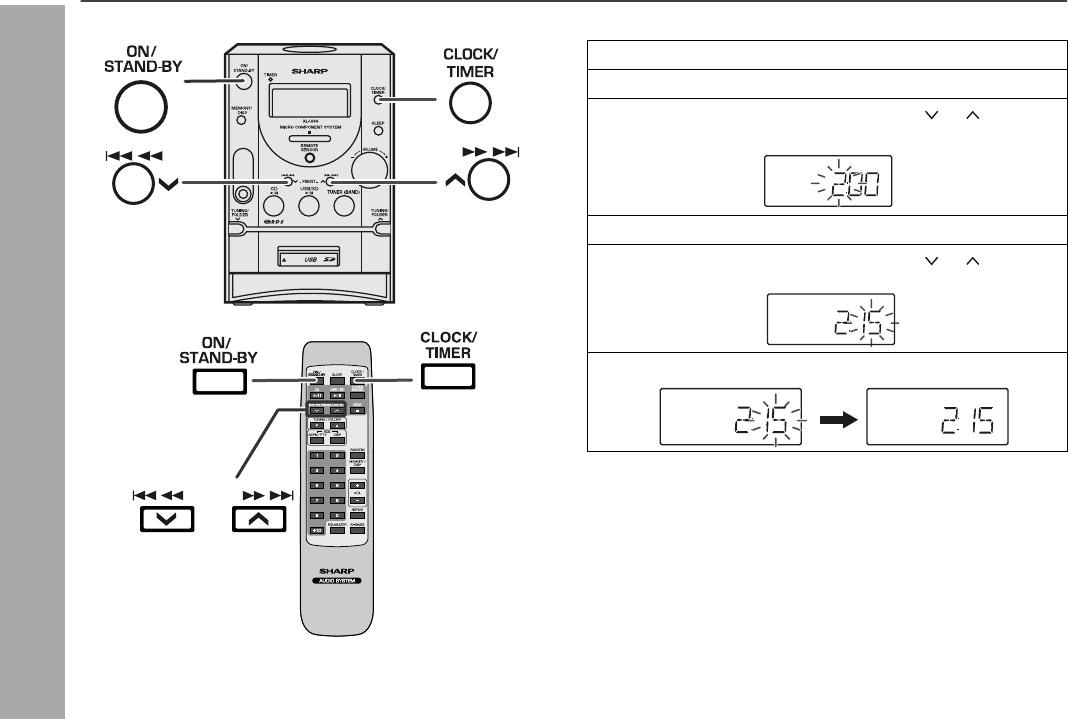
- Setting the clock 14
- CD or MP3/WMA disc Playback 15
- FOLDER 1 18
- FOLDER RANDOM 18
- USB Memory Playback 23
- To remove USB memory device 24
- Listening to SD mass storage 24
- To remove SD memory device 25
- Advanced USB/SD playback 26
- SD Memory Playback 27
- Listening to the radio 29
- Advanced Features 31
- Timer and sleep operation 35
- Enhancing your system 38
- Troubleshooting chart 38
- References 39
- Maintenance 40
- Specifications 41
- MEMO 11/16/05, 4:41 PM1 42
- MEMO 11/16/05, 4:41 PM2 43
- TERMS OF GUARANTEE 44
Verwandte Produkte und Handbücher für CD Spieler Sharp XLUH4H

 (53 Seiten)
 (22 Seiten) (16 Seiten)
 (66 Seiten)
 (42 Seiten)
(54 Seiten)
(51 Seiten)
(42 Seiten)
(54 Seiten)
(51 Seiten)
 (62 Seiten)
 (22 Seiten) (22 Seiten)
(52 Seiten)
(51 Seiten)
(22 Seiten)
(101 Seiten)
(62 Seiten)
(38 Seiten)
(22 Seiten)
(44 Seiten)
(22 Seiten) (22 Seiten)
(52 Seiten)
(51 Seiten)
(22 Seiten)
(101 Seiten)
(62 Seiten)
(38 Seiten)
(22 Seiten)
(44 Seiten)
© 2020, manymanuals.de. Alle Rechte vorbehalten. | 0.043 s |
 Manymanuals.com
 Manymanuals.de
 Manymanuals.fr
 Manymanuals.it
 Manymanuals.pl
 Manymanuals.cz
 Manymanuals.es
 Manymanuals-pt.com
Kommentare zu diesen Handbüchern