Sharp XL-E2H Spezifikationen Seite 29
- Seite / 50
- Inhaltsverzeichnis
- FEHLERBEHEBUNG
- LESEZEICHEN

- PL - WAŻNE INFORMACJE 2
- HU - SPECIÁLIS MEGJEGYZÉSEK 4
- CZ - ŮLEŽITÉ INFORMACE 6
- SK - DÔLEŽITÉ INFORMÁCIE 8
- UA - ВАЖЛИВА ІНФОРМАЦІЯ 10
- RO - OBSERVAŢII SPECIALE 12
- TR - ÖZEL NOTLAR 14
- ΕΙΔΙΚΕΣ ΣΗΜΕΙΩΣΕΙΣ 16
- ENG - SPECIAL NOTES 18
- Contents 20
- Introduction 20
- Special Note 20
- Accessories 20
- Precautions 21
- Controls and indicators 22
- General Information 23
- System connections 25
- Preparation for Use 26
- Remote control 27
- General control 28
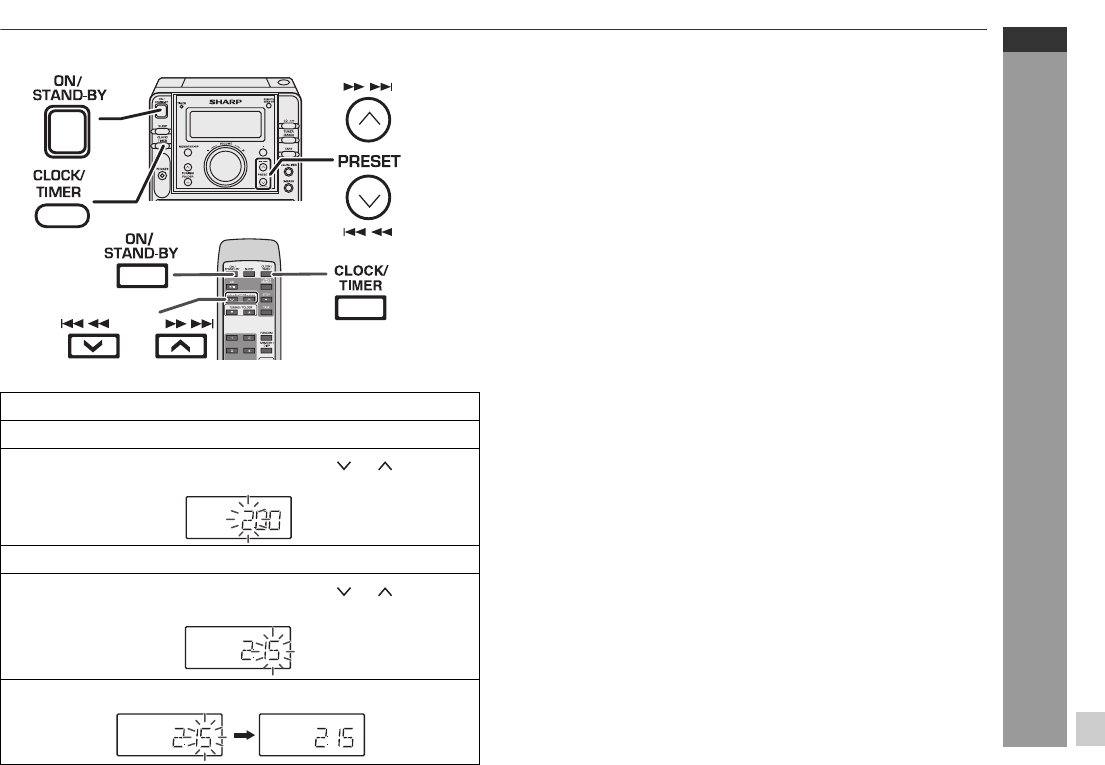
- Setting the clock 29
- CD or MP3/WMA disc Playback 30
- Listening to the radio 38
- Listening to a cassette tape 39
- Tape Playback 40
- Recording on a cassette tape 41
- Tape Recording 42
- Timer and sleep operation 43
- Advanced Features 44
- Enhancing your system 46
- Troubleshooting chart 46
- References 47
- Maintenance 48
- Specifications 49
- 03/12/17 XL-E2H_BACK.fm 50
Verwandte Produkte und Handbücher für CD Spieler Sharp XL-E2H
 (22 Seiten)

 (53 Seiten)
(42 Seiten)
(53 Seiten)
(42 Seiten)
 (32 Seiten)
 (42 Seiten)
 (22 Seiten)
(40 Seiten)
(22 Seiten)
(36 Seiten)
(32 Seiten)
(47 Seiten)
(22 Seiten)
(39 Seiten)
(22 Seiten)
(22 Seiten)
(40 Seiten)
(22 Seiten)
(36 Seiten)
(32 Seiten)
(47 Seiten)
(22 Seiten)
(39 Seiten)
 (54 Seiten)
(48 Seiten)
(49 Seiten)
(54 Seiten)
(48 Seiten)
(49 Seiten)
© 2020, manymanuals.de. Alle Rechte vorbehalten. | 0.039 s |
 Manymanuals.com
 Manymanuals.de
 Manymanuals.fr
 Manymanuals.it
 Manymanuals.pl
 Manymanuals.cz
 Manymanuals.es
 Manymanuals-pt.com
Kommentare zu diesen Handbüchern