Sharp AR-M316 Spezifikationen Seite 56
- Seite / 100
- Inhaltsverzeichnis
- FEHLERBEHEBUNG
- LESEZEICHEN

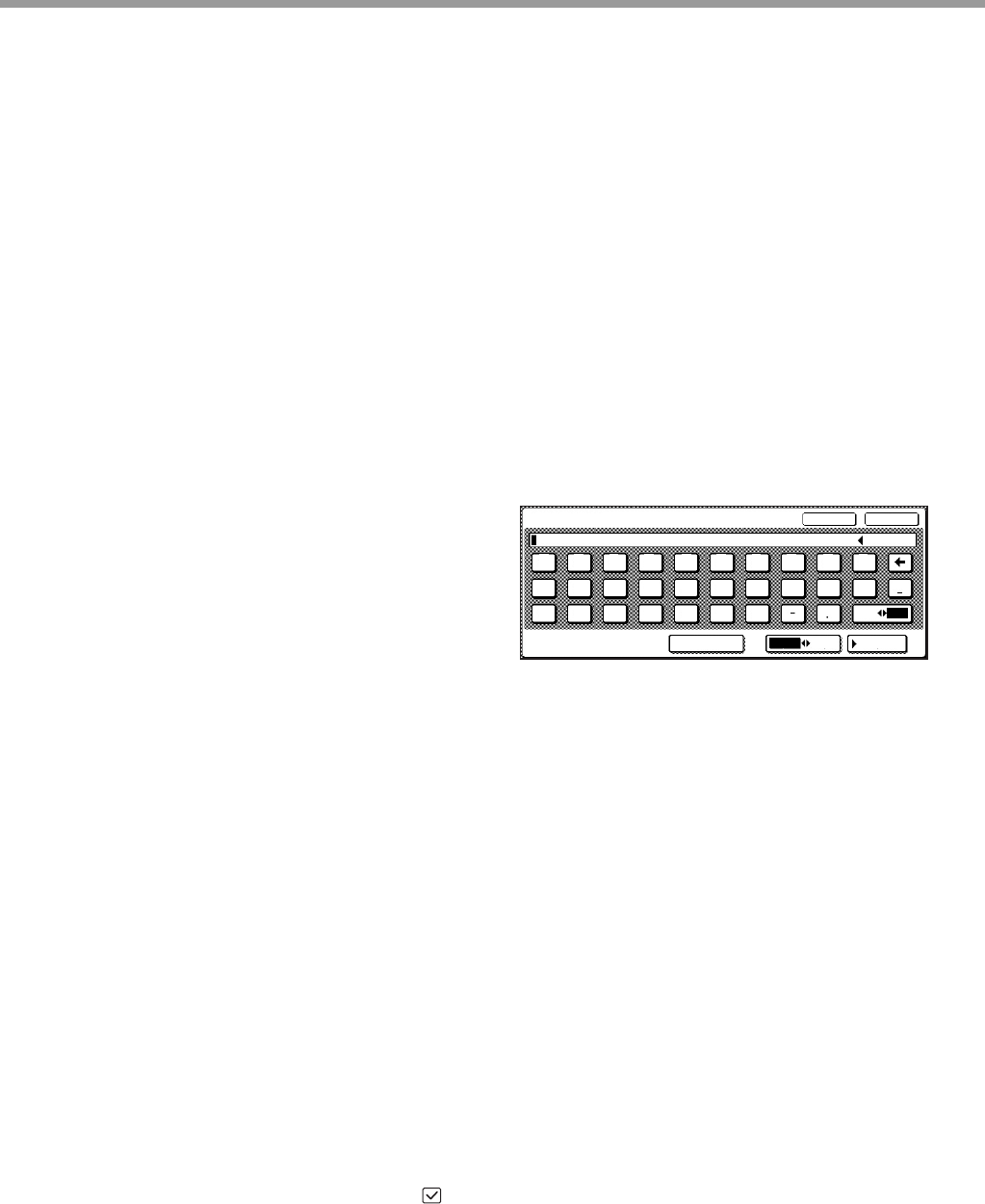
- With the RSPF installed 1
- CONTENTS 3
- 7 APPENDIX 4
- CAUTIONS 5
- LASER INFORMATION 6
- USING THE MANUAL 7
- INDICATIONS 8
- MAIN FEATURES 9
- BEFORE USING THE MACHINE 10
- Interior 11
- OPERATION PANEL 12
- TOUCH PANEL 13
- 4 5 6 7 8 14
- POWER ON AND OFF 15
- POWER SAVE MODES 16
- INITIAL SETTINGS 16
- LOADING PAPER 17
- Special papers 18
- Unfold the bypass tray 20
- SETTINGS 21
- From the [PAPER SELECT] key 22
- COPY FUNCTIONS 23
- NORMAL COPYING 24
- COPYING FROM THE RSPF 25
- Document glass and RSPF 26
- Removing the document cover 26
- () to indicate 27
- READY TO COPY 28
- EXTRA IMAGE ADJUST 28
- TO FRONT TO REAR 28
- AUTOMATIC TWO-SIDED COPYING 29
- USING THE RSPF 30
- EXPOSURE ADJUSTMENT 31
- REDUCTION/ENLARGEMENT/ZOOM 32
- MANUAL RATIO SELECTION 33
- PAPER SELECT 34
- COPY RATIO 34
- EXPOSURE 35
- AUTO A4 35
- X-50% Y-70% 35
- INTERRUPTING A COPY RUN 36
- CONVENIENT COPY FUNCTIONS 37
- READ-END 38
- The staple sort function 39
- Stapling position 39
- SPECIAL MODES 41
- 2-SIDED COPY 42
- MARGIN SHIFT COPY 43
- ERASE COPY 44
- DUAL PAGE COPY 45
- PAMPHLET COPY 46
- MULTI SHOT COPY 48
- ORIGINAL 49
- CARD SHOT 49
- AL MODES 49
- COVER COPY 50
- PRINT ON FRONT COVER? 51
- USER SETTINGS 54
- B STATUS 55
- CUSTOM SETTINGS 55
- JOB PROGRAM MEMORY 57
- EXECUTING A JOB PROGRAM 58
- DELETING A STORED JOB PROGRAM 58
- AUDITING MODE 59
- Chapter 5 60
- DISPLAY MESSAGES 61
- TROUBLESHOOTING 63
- Paper feeding problems 65
- Image quality problems 66
- MISFEED REMOVAL 67
- MISFEED IN THE RSPF 68
- MISFEED IN THE BYPASS TRAY 69
- MISFEED IN THE MACHINE 69
- B: Misfeed in the fusing area 70
- MISFEED IN THE CENTRE TRAY 71
- INFORMATION 73
- being used, remove 74
- REPLACING THE TONER CARTRIDGE 75
- STAPLE CARTRIDGE REPLACEMENT 76
- CHECKING THE TONER QUANTITY 77
- AND TOTAL COUNT 77
- CLEANING THE MACHINE 78
- PERIPHERAL DEVICES 79
- Approx. 27 mm (1") 80
- 500-SHEET PAPER FEED UNIT/ 81
- 2 x 500-SHEET PAPER FEED UNIT 81
- STORAGE OF SUPPLIES 82
- APPENDIX 83
- MATERIAL SAFETY DATA SHEET 85
- INDEX BY PURPOSE 96
- Trademark acknowledgments 97
- Connectors 98
- INFORMATION ON DISPOSAL 99
- PRINTED IN CHINA 100
Verwandte Produkte und Handbücher für Kopierer Sharp AR-M316
 (14 Seiten)
(92 Seiten)
(104 Seiten)
(12 Seiten)
(4 Seiten)
(40 Seiten)
(12 Seiten)
(12 Seiten)
(88 Seiten)
(117 Seiten)
(12 Seiten)
(56 Seiten)
(44 Seiten)

 (47 Seiten)
(160 Seiten)
(79 Seiten)
(36 Seiten)
(8 Seiten)
(16 Seiten)
(104 Seiten)
LG TB260 Handbücher
Bedienungsanleitungen und Benutzerhandbücher für Nein LG TB260.
Wir stellen 1 PDF-Handbücher LG TB260 zum kostenlosen herunterladen nach Dokumenttypen zur Verfügung Bedienungsanleitung
Inhaltsverzeichnis
Weitere Produkte und Handbücher für Nein LG
| Modelle | Dokumententyp |
|---|---|
| LMEN126HVT |
Bedienungsanleitung
 LG LMAN097HVT.EMBAEUS,LMAN127HVT.EMBAEUS,LMEN126HVT,LMN097HVT.EWHBEUS,LMN127HVT.EWHBEUS,LMN187HVT.EWHBEUS manuel du propriétaire [el] ,
19 Seiten |
| 55UV661H |
Bedienungsanleitung
 LG 55UV661H Руководство пользователя [en] ,
40 Seiten |
| LMC25785SW |
Bedienungsanleitung
 LG LMC25785SW manuel du propriétaire [en] ,
38 Seiten |
| PDRYCB100.ENCXLEU |
Bedienungsanleitung
LG PDRYCB100.ENCXLEU manuel du propriétaire,
15 Seiten
|
| GR-J403CB |
Bedienungsanleitung
LG GR-J403BTD Owner’s Manual,
17 Seiten
|
| MC-7649DW |
Bedienungsanleitung
LG MC-7649DW Owner’s Manual [fr] ,
40 Seiten
|
| N30P |
Bedienungsanleitung
LG N30P Owner’s Manual [en] ,
36 Seiten
|
| 42PM3MVA |
Bedienungsanleitung
LG 42PM3MVA Owner’s Manual,
1 Seiten
|
| LS-C186VML1 |
Bedienungsanleitung
LG LS-C186VML1 manuel du propriétaire [en] ,
31 Seiten
|
| GR-S472ZLC |
Bedienungsanleitung
LG GR-S472ZLC,SNS472ZLC دليل المالك,
13 Seiten
|
| 42LB5800 |
Bedienungsanleitung
 LG 42LB5800,55LB5800,50LB5800,47LB5800,32LB5800,60LB5800 快速設定指南,
2 Seiten |
| LS-C126PMC0 |
Bedienungsanleitung
LG LS-C126PMC0 manuel du propriétaire [en] ,
20 Seiten
|
| MS-133DD |
Bedienungsanleitung
LG MS-133DD manual del propietario,
25 Seiten
|
| LHS-A2000W |
Bedienungsanleitung
 LG LHS-A2000W دليل المالك [pl] ,
12 Seiten |
| MF-FM33S2K |
Bedienungsanleitung
LG MF-FM33S2K Owner’s Manual [fr] ,
58 Seiten
|
| LSNC306DGM3 |
Bedienungsanleitung
LG LSNC306DGM3 Owner’s Manual,
21 Seiten
|
| 52LB9RF | Bedienungsanleitung LG 52LB9RF מדריך למשתמש, 103 Seiten |
| 29FG2RL |
Bedienungsanleitung
LG 29FG2RL دليل المالك [et] ,
8 Seiten
|
| VTUP843NB |
Bedienungsanleitung
LG VTUP843NB Owner’s Manual,
24 Seiten
|
| LF-5904SFS | Bedienungsanleitung LG LF-5904BFS,SD-3257WFS,LF-5904SFS,LF-5904WFS دفترچه ی راهنما, 60 Seiten |
© 2020, manymanuals.de. Alle Rechte vorbehalten. | 0.019 s |
 Manymanuals.com
 Manymanuals.de
 Manymanuals.fr
 Manymanuals.it
 Manymanuals.pl
 Manymanuals.cz
 Manymanuals.es
 Manymanuals-pt.com
Kommentare zu diesen Handbüchern