Sharp XG-MB67X Schnellstart Anleitung Seite 25
- Seite / 30
- Inhaltsverzeichnis
- FEHLERBEHEBUNG
- LESEZEICHEN


- XG-MB67X 1
- SETUP MANUAL 1
- Connecting Pin Assignments 2
- Computer control 3
- Communication conditions 3
- Basic format 3
- Commands 4
- Compliant: 6
- Pages 9, 10 7
- 2 Connect a LAN cable (a UTP 8
- 4 Turn on the computer 8
- 2. Setting an IP Address 9
- 3 When the screen as shown on 11
- 5 Click the “Apply” button 12
- Controlling the Projector 13
- Using Internet Explorer 13
- (Status) 14
- (Control) 14
- (Network – Security) 15
- (Settings & Adjustments) 15
- (Network 16
- General) 16
- (Mail – Originator Settings) 16
- (Mail – Recipient Settings) 17
- (Service & Support – 17
- Access URL) 17
- When Connecting Using 18
- SETUP MENU (Main Menu) 20
- ADVANCED SETUP MENU 20
- View Setting Detail List 21
- Set Items 21
- ([S]Save & Quit) 22
- ([Q]Quit Unchanged) 22
- ([1]IP Address) 23
- ([2]Subnet Mask) 23
- ([3]Default Gateway) 23
- ([4]User Name) 23
- ([5]Password) 24
- ([6]RS-232C Baud Rate) 24
- ([7]Projector Name) 24
- ([8]DHCP Client) 24
- ([D]Disconnect All) 25
- ([A]Advanced Setup) 25
- (ADVANCED[1]Auto Logout Time) 25
- (ADVANCED[2]Data Port) 25
- (ADVANCED[6]Accept IP 26
- (ADVANCED[0]Search Port) 27
- (ADVANCED[!]Restore Default 27
- Setting) 27
- Troubleshooting 28
Verwandte Produkte und Handbücher für Datenprojektoren Sharp XG-MB67X
 (2 Seiten)
 (130 Seiten)
(4 Seiten)
(2 Seiten)
(4 Seiten)
(2 Seiten)
(2 Seiten)
(2 Seiten)
 (2 Seiten)
(4 Seiten)
(2 Seiten)
(2 Seiten)
Tripp Lite PDUMV15NET manuali
Manuali dei proprietari e guide per l'utente per Multiprese Tripp Lite PDUMV15NET.
We fornisce 1 manuali pdf Tripp Lite PDUMV15NET per scaricare gratuitamente in base al tipo di documento: Manuale Utente
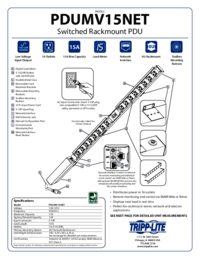
Tripp lite PDUMV15NET Manuale Utente (2 pagine)
Marchio: Tripp-lite | Categoria: Power distribution units (PDUs) | Dimensione: 0.63 MB |
Indice
Più prodotti e manuali per Multiprese Tripp Lite
| Modelli | Tipo di Documento |
|---|---|
| PDUMH20NET2 |
Manuale Utente
Tripp Lite PDUMH20NET2 User's Manual,
4 pagine
|
| PDUMH20HVNET |
Manuale Utente
Tripp Lite PDUMH20HVNET User's Manual,
11 pagine
|
| PDUMH15ATNET |
Manuale Utente
  Tripp Lite PDUMH15ATNET User's Manual,
36 pagine |
| PDU Power Strips |
Manuale Utente
Tripp Lite PDU Power Strips User's Manual,
3 pagine
|
| OMNI1500XLNAFTA |
Manuale Utente
Tripp Lite OMNI1500XLNAFTA User's Manual,
5 pagine
|
| PDUNV |
Manuale Utente
Tripp Lite PDUNV User's Manual,
2 pagine
|
| 200904140 |
Manuale Utente
Tripp Lite 200904140 User's Manual [en] ,
9 pagine
|
| PDUMH15AT |
Manuale Utente
Tripp Lite PDUMH15AT User's Manual,
28 pagine
|
| PS-415-HG-OEM |
Manuale Utente
Tripp Lite PS-415-HG-OEM User's Manual,
2 pagine
|
| TRIPP.LITE PDUMV40 |
Manuale Utente
Tripp Lite TRIPP.LITE PDUMV40 User's Manual,
12 pagine
|
© 2020, manymanuals.de. Alle Rechte vorbehalten. | 0.029 s |
 Manymanuals.com
 Manymanuals.de
 Manymanuals.fr
 Manymanuals.it
 Manymanuals.pl
 Manymanuals.cz
 Manymanuals.es
 Manymanuals-pt.com
Kommentare zu diesen Handbüchern