Sharp FO-276 Spezifikationen Seite 37
- Seite / 101
- Inhaltsverzeichnis
- FEHLERBEHEBUNG
- LESEZEICHEN

- FACSIMILE 1
- WARRANTY 2
- Introduction 3
- Important safety information 5
- Table of Contents 7
- A Look at the Operation Panel 9
- 1. Installation 12
- Connections 13
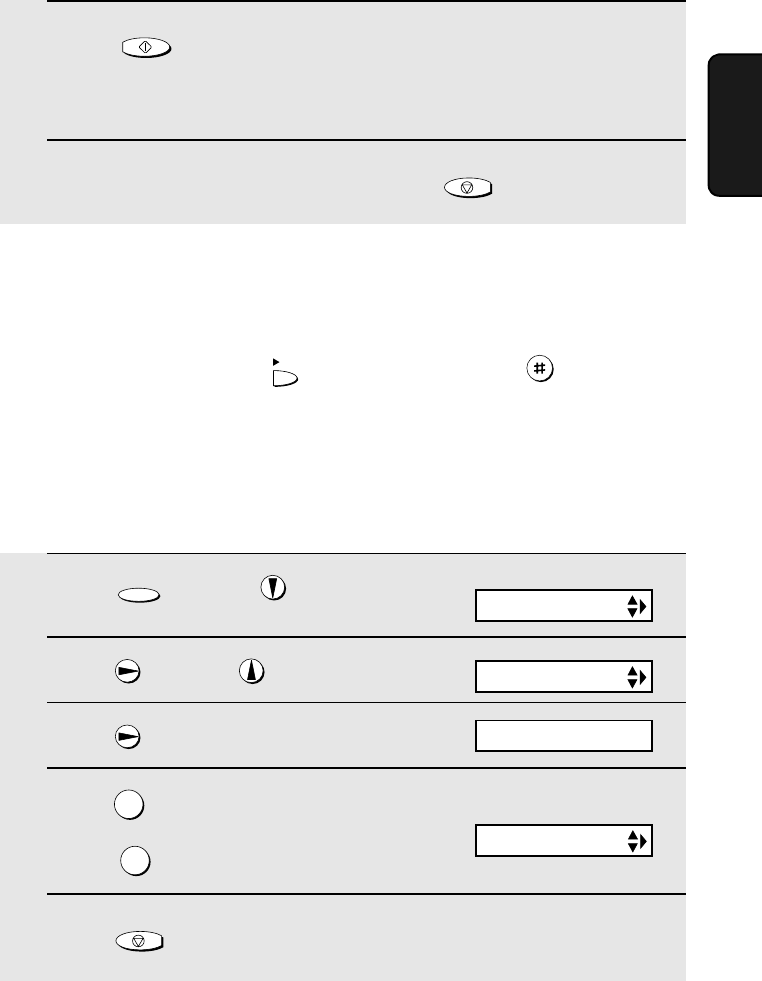
- 5 Press to exit 14
- 1 Press once and once 14
- 2 Press once and 3 times 14
- 3 Press once 14
- 4 Select the dial mode: 14
- Extension phone (optional) 16
- Loading the Imaging Film 17
- 5 Insert the green gears 18
- Loading Printing Paper 19
- 2 Press once and twice 20
- 4 Select the print contrast: 20
- 1 Press once and twice 21
- 2 Press once 21
- 7 Press 22
- Setting the Date and Time 23
- 8 Press to start the clock 24
- Setting the Reception Mode 25
- Volume Adjustment 26
- START/MEMORY 27
- RINGER: HIGH 27
- RINGER: MIDDLE 27
- RINGER: LOW 27
- RINGER: OFF OK ? 27
- OGM1(GENERAL) 28
- LIFT HANDSET OR 28
- PLAY: PLAYBACK 28
- Toll Saver Toll Saver 30
- 1 Press 31
- 2 The messages will play 31
- 2 Press once and once 33
- 3 Press 33
- OGM only mode 34
- Transfer Function 35
- OGM2(TRANSFER) 36
- A.M. SETTING 38
- OVERRIDE CODE 39
- REMOTE CODE 40
- Retrieving your messages 41
- Remote Operations 42
- Other remote operations 43
- Recording a "Memo" 45
- 3. Sending Faxes 46
- Loading the Document 47
- Resolution settings 48
- 1 Load the document(s) 49
- READY TO SEND 50
- ENTER FAX # 51
- <NEW NUMBER> 51
- 6 Press 52
- 1=EDIT, 2=CLEAR 53
- 2 Press once and 4 times 57
- Memory transmission 59
- If the memory becomes full 59
- OPTION SETTING 60
- Using A.M. Mode 61
- Using TEL Mode 63
- RECEIVING 64
- FAX SIGNAL RX 65
- Optional Reception Settings 66
- RATIO: 125% 69
- 6. Special Functions 71
- JOHN DOE 525-8693 72
- <REVIEW CALLS> 73
- Priority Call 74
- Blocking voice calls 75
- Service) 76
- 6. Special 77
- Functions 77
- LISTING MODE 78
- TEL # LIST 78
- PRESS START KEY 78
- Telephone Number List 79
- Setup List 79
- Message List 79
- Caller-ID List 79
- Transaction Report 80
- 8. Maintenance 82
- Scanning glass and rollers 83
- The housing 84
- 9. Troubleshooting 85
- Problems and Solutions 86
- General problems 88
- Messages and Signals 90
- Audible signals 92
- Clearing Paper Jams 94
- Quick Reference Guide 95
- REMOTE OPERATION CARD 99
- REMOTE COMMANDS 100
- SHARP CORPORATION 101
Verwandte Produkte und Handbücher für Faxgeräte Sharp FO-276
 (80 Seiten)
(12 Seiten)
(136 Seiten)
(156 Seiten)
(128 Seiten)
(150 Seiten)
(104 Seiten)
(92 Seiten)
(4 Seiten)
(138 Seiten)
(98 Seiten)
(104 Seiten)
(119 Seiten)
(6 Seiten)
(102 Seiten)
(100 Seiten)
(11 Seiten)
(98 Seiten)
(155 Seiten)
(80 Seiten)
(12 Seiten)
(136 Seiten)
(156 Seiten)
(128 Seiten)
(150 Seiten)
(104 Seiten)
(92 Seiten)
(4 Seiten)
(138 Seiten)
(98 Seiten)
(104 Seiten)
(119 Seiten)
(6 Seiten)
(102 Seiten)
(100 Seiten)
(11 Seiten)
(98 Seiten)
(155 Seiten)
© 2020, manymanuals.de. Alle Rechte vorbehalten. | 0.027 s |
 Manymanuals.com
 Manymanuals.de
 Manymanuals.fr
 Manymanuals.it
 Manymanuals.pl
 Manymanuals.cz
 Manymanuals.es
 Manymanuals-pt.com
Kommentare zu diesen Handbüchern