Sharp PC-A820 Spezifikationen Seite 12
- Seite / 53
- Inhaltsverzeichnis
- FEHLERBEHEBUNG
- LESEZEICHEN


- HP Photosmart A820 series 1
- Contents 4
- 1 Get started 5
- Use the touch screen 6
- “9-up” and “1-up” views 7
- The printer status bar 7
- Photo icons 8
- 2 Print basics 9
- Load your paper 10
- Insert a memory card 10
- Print from a memory card 11
- Enhance or edit your photos 12
- Print from a computer 13
- Protect the touch screen 14
- 3 Creative projects 15
- Draw on photos 16
- Add frames 17
- Use Design Gallery 17
- Add captions 18
- Add clip art 19
- Create albums 20
- 4 Troubleshooting and support 21
- Find more information 22
- HP support 23
- HP Warranty 24
- Printer specifications 24
- Chapter 4 26
- 26 HP Photosmart A820 series 26
- Contenido 28
- 1Introducción 29
- Usar la pantalla táctil 30
- Vistas 9 en 1 y 1 en 1 31
- Iconos de fotografía 32
- Figura 1-4 Menús de impresora 33
- 2 Introducción a la impresión 34
- 1 xD-Picture Card 35
- Imprimir desde un equipo 37
- Proteja la pantalla táctil 38
- 3 Proyectos creativos 40
- Dibujar en fotografías 41
- Agregar marcos 41
- Usar la Galería de diseño 42
- Agregar títulos 43
- Agregar imagen prediseñada 44
- Crear álbumes 44
- Creatividad 45 45
- 4 Solución de problemas y 46
- Cómo buscar más información 48
- Asistencia técnica de HP 48
- SDGOA-0703 49
- Garantía de HP 50
- Capítulo 4 52
- 52 HP Photosmart A820 series 52
Verwandte Produkte und Handbücher für Notebooks Sharp PC-A820
 (160 Seiten)
(48 Seiten)
(120 Seiten)
(123 Seiten)
(72 Seiten)
(46 Seiten)
(90 Seiten)
(296 Seiten)
(97 Seiten)
(76 Seiten)
(413 Seiten)
(59 Seiten)
Tripp Lite PDUMV15NET manuali
Manuali dei proprietari e guide per l'utente per Multiprese Tripp Lite PDUMV15NET.
We fornisce 1 manuali pdf Tripp Lite PDUMV15NET per scaricare gratuitamente in base al tipo di documento: Manuale Utente
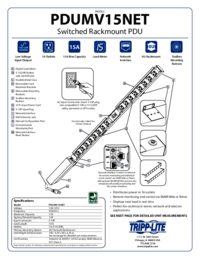
Tripp lite PDUMV15NET Manuale Utente (2 pagine)
Marchio: Tripp-lite | Categoria: Power distribution units (PDUs) | Dimensione: 0.63 MB |
Indice
Più prodotti e manuali per Multiprese Tripp Lite
| Modelli | Tipo di Documento |
|---|---|
| PDUMH20NET2 |
Manuale Utente
Tripp Lite PDUMH20NET2 User's Manual,
4 pagine
|
| PDUMH20HVNET |
Manuale Utente
Tripp Lite PDUMH20HVNET User's Manual,
11 pagine
|
| PDUMH15ATNET |
Manuale Utente
  Tripp Lite PDUMH15ATNET User's Manual,
36 pagine |
| PDU Power Strips |
Manuale Utente
Tripp Lite PDU Power Strips User's Manual,
3 pagine
|
| OMNI1500XLNAFTA |
Manuale Utente
Tripp Lite OMNI1500XLNAFTA User's Manual,
5 pagine
|
| PDUNV |
Manuale Utente
Tripp Lite PDUNV User's Manual,
2 pagine
|
| 200904140 |
Manuale Utente
Tripp Lite 200904140 User's Manual [en] ,
9 pagine
|
| PDUMH15AT |
Manuale Utente
Tripp Lite PDUMH15AT User's Manual,
28 pagine
|
| PS-415-HG-OEM |
Manuale Utente
Tripp Lite PS-415-HG-OEM User's Manual,
2 pagine
|
| TRIPP.LITE PDUMV40 |
Manuale Utente
Tripp Lite TRIPP.LITE PDUMV40 User's Manual,
12 pagine
|
© 2020, manymanuals.de. Alle Rechte vorbehalten. | 0.030 s |
 Manymanuals.com
 Manymanuals.de
 Manymanuals.fr
 Manymanuals.it
 Manymanuals.pl
 Manymanuals.cz
 Manymanuals.es
 Manymanuals-pt.com
Kommentare zu diesen Handbüchern