Sharp MX-4100N Spezifikationen Seite 104
- Seite / 120
- Inhaltsverzeichnis
- FEHLERBEHEBUNG
- LESEZEICHEN

- Quick Start Guide 1
- Printed manuals 2
- Manuals in PDF format 3
- CHECKING THE IP ADDRESS 4
- Opening the Web pages 5
- TABLE OF CONTENTS 6
- Scanning 7
- Document filing 8
- Before using the machine 9
- PART NAMES AND FUNCTIONS 10
- OPERATION PANEL 12
- USING THE TOUCH PANEL 14
- Job status display 15
- USER AUTHENTICATION 16
- HOME SCREEN 17
- Image Check 18
- Display Rotation 18
- PLACING ORIGINALS 19
- CHANGING PAPER IN A TRAY 20
- Loading paper in a tray 21
- Changing the tray settings 22
- Loading paper in other trays 23
- Large capacity tray 24
- BASE SCREEN OF COPY MODE 26
- MAKING COPIES 27
- 2-SIDED COPYING 28
- (Automatic Document Feeder) 28
- COPYING ON SPECIAL PAPER 29
- (Bypass Copy) 29
- Selecting a tray 30
- 3 Set the number of copies 34
- ENLARGEMENT/REDUCTION 35
- (Preset Ratios / Zoom) 35
- INTERRUPTING A COPY RUN 37
- (Interrupt Copy) 37
- Storing a job program 38
- Using a job program 38
- Deleting a job program 39
- SPECIAL MODES 40
- SELECTING A SPECIAL MODE 41
- CONVENIENT COPY FUNCTIONS 42
- Original Tab paper 44
- CONFIDENTIAL 45
- Original) 48
- Printing 49
- PRINTING 50
- 3 Select print settings 51
- 4 Click the [Print] button 51
- Using printer driver help 52
- Setting the paper size 53
- Macintosh 53
- Printing a file 54
- CANCELLING PRINTING 55
- (AT THE MACHINE) 55
- SELECTING PRINT SETTINGS 56
- (N-Up Printing) 58
- BASE SCREEN OF FAX MODE 62
- SENDING A FAX 63
- CHANGING THE SIZE OF A FAX 64
- Correct a mistake 65
- Cancel scanning 65
- CHANGING THE EXPOSURE 66
- CHANGING THE RESOLUTION 67
- STORING A FAX NUMBER 68
- Data" 70
- (4) Touch the [OK] key 70
- CONVENIENT DIALLING METHODS 71
- Resending 72
- Speed dialling 72
- Dialling using the speaker 73
- [OK] key 75
- SPECIAL FAX MODES 76
- Transmission 79
- Scan modes 82
- USB memory mode 82
- Internet fax mode 82
- PC scan mode 82
- Data entry mode 82
- BASE SCREEN OF SCAN MODE 83
- SCANNING AN ORIGINAL 84
- ORIGINAL IMAGE TYPE 85
- CHANGING THE EXPOSURE AND 85
- CHANGING THE FILE FORMAT 87
- STORING A DESTINATION 88
- (9) Touch the [OK] key 89
- One-touch key 90
- Search number sending 91
- SPECIAL SCAN MODES 93
- CONVENIENT SCANNER FUNCTIONS 95
- DOCUMENT FILING 98
- Document filing is convenient 99
- In this situation 99
- Document filing is 99
- 1 Place the originals 100
- APPENDING INFORMATION WHEN 101
- STORING A FILE (File) 101
- START] key 102
- SAVING A DOCUMENT ONLY 103
- (Scan to HDD) 103
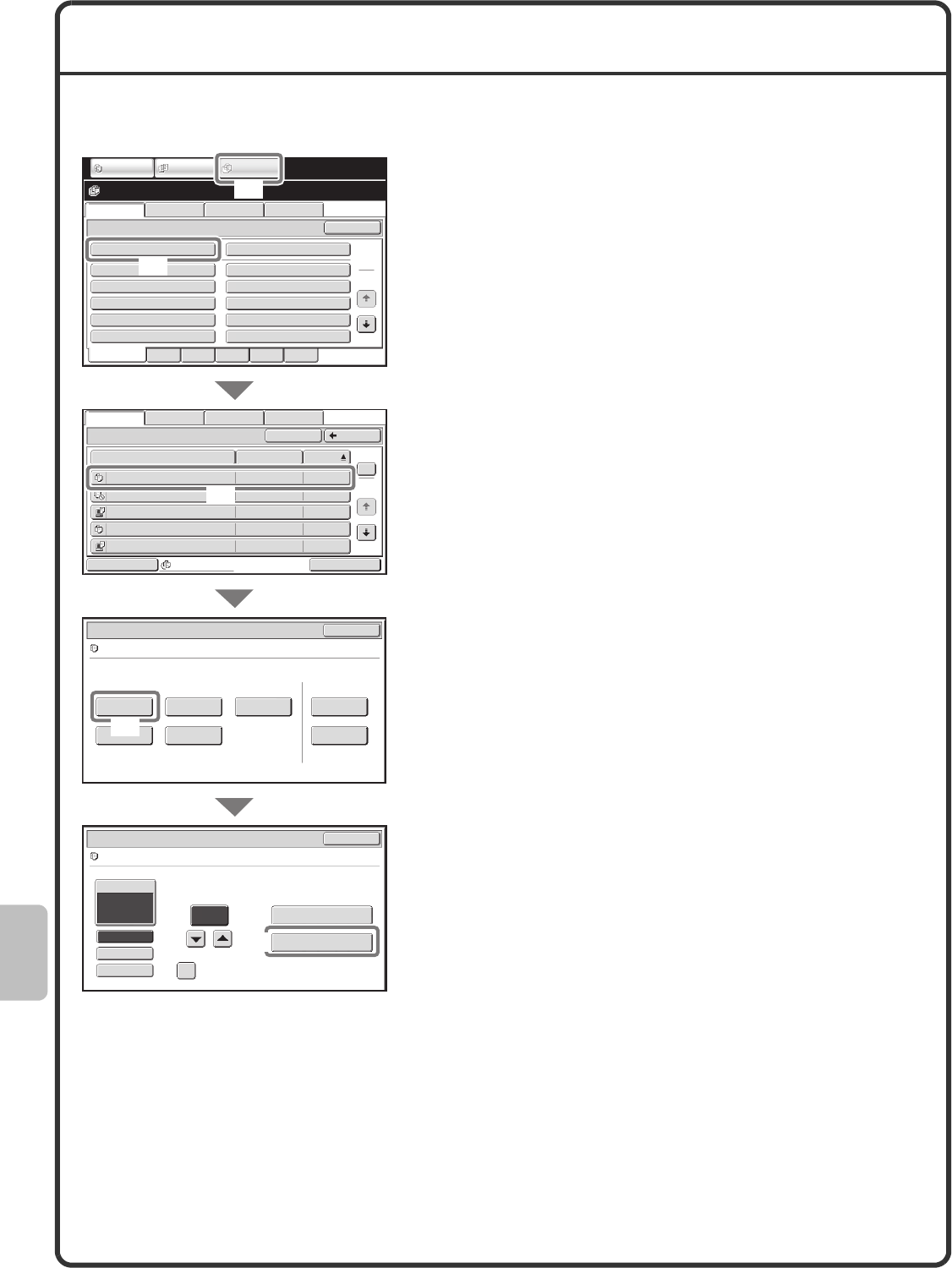
- PRINTING A SAVED FILE 104
- System settings 105
- SYSTEM SETTINGS 106
- SYSTEM SETTINGS MENU 108
- Switching from Manual to 109
- Automatic Reception 109
- Troubleshooting 111
- FREQUENTLY ASKED QUESTIONS 112
- 2 Tray Settings 113
- 1 Check details on the job 114
- REMOVING MISFEEDS 116
- Please note 117
- Green G+ 119
Verwandte Produkte und Handbücher für Multifunktionsgeräte Sharp MX-4100N
 (91 Seiten)
 (210 Seiten)
© 2020, manymanuals.de. Alle Rechte vorbehalten. | 0.030 s |
 Manymanuals.com
 Manymanuals.de
 Manymanuals.fr
 Manymanuals.it
 Manymanuals.pl
 Manymanuals.cz
 Manymanuals.es
 Manymanuals-pt.com
Kommentare zu diesen Handbüchern