Sharp MX-M362N Spezifikationen Seite 32
- Seite / 56
- Inhaltsverzeichnis
- LESEZEICHEN

- START GUIDE 1
- Notice for users in the UK 2
- SOFTWARE LICENCE 3
- Contents 4
- CAUTIONS 5
- Installation notes 6
- About consumables 7
- Handling precautions 8
- Laser information 9
- Operation Guide 10
- Opening the Web pages 11
- CHECKING THE IP ADDRESS 12
- PART NAMES AND FUNCTIONS 13
- INTERIOR 15
- (3) (4) (5) (6) (7) 16
- SIDE AND BACK 17
- OPERATION PANEL 18
- Turning on the power 20
- Turning off the power 20
- Restarting the machine 20
- PLACING ORIGINALS 21
- USEABLE PAPER 22
- Paper that cannot be used 23
- Non-recommended paper 23
- LOADING PAPER IN A TRAY 24
- Changing the tray settings 25
- Loading paper in other trays 26
- Large capacity tray 27
- CD-ROMS AND SOFTWARE 28
- • PC-Fax driver 29
- VERIFYING SYSTEM REQUIREMENTS 30
- CONNECTING THE MACHINE 31
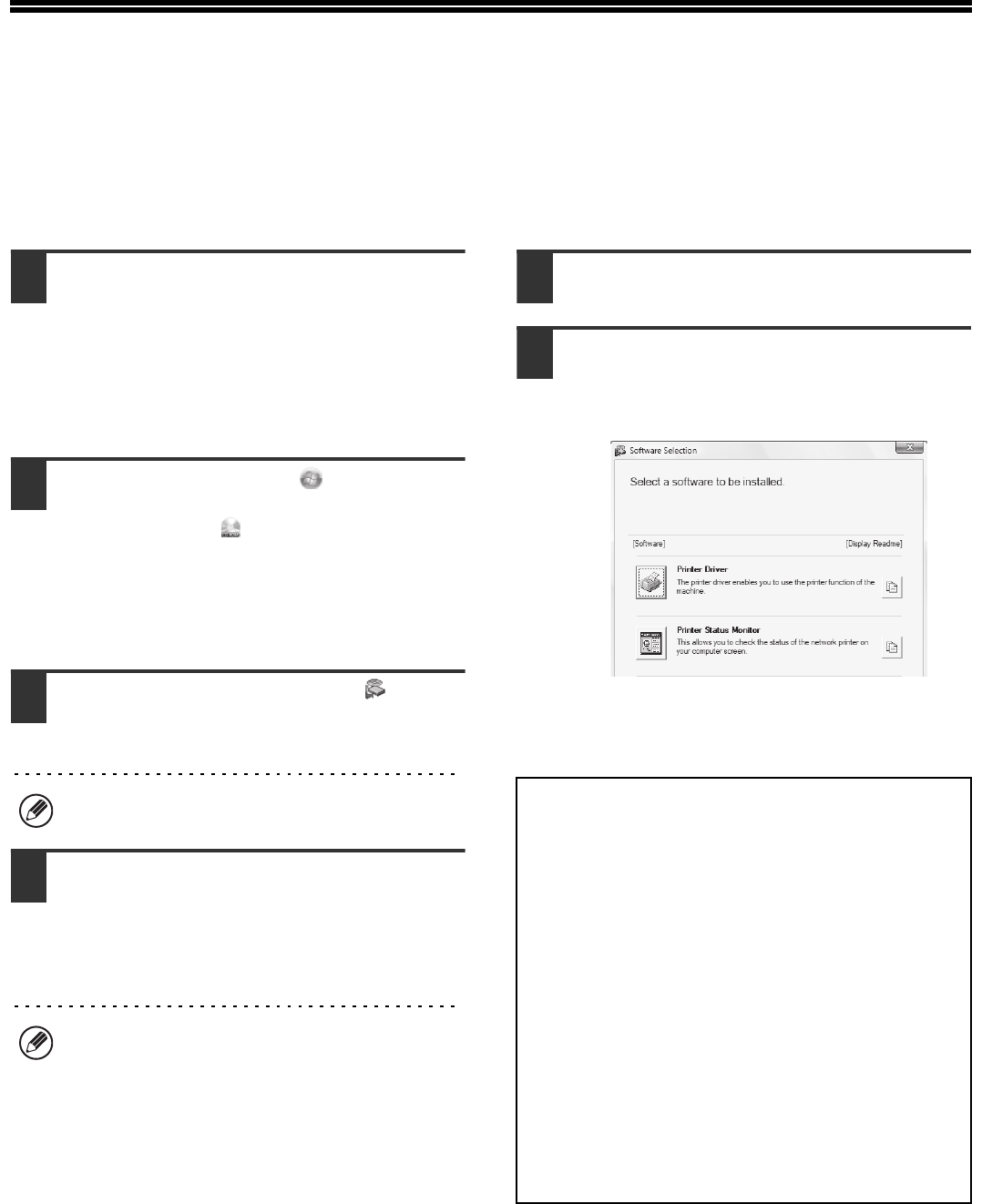
- ALL SOFTWARE) 32
- Standard installation 33
- MAINTENANCE 36
- CLEANING THE BYPASS FEED 37
- CLEANING THE ORIGINAL FEED 37
- In copy mode 38
- Open the front cover 39
- Close the front cover 40
- REPLACING THE STAMP CARTRIDGE 43
- Push the stamp unit back in 44
- REMOVING MISFEEDS 45
- GENUINE SUPPLIES 46
- SPECIFICATIONS 47
- Continuous copying speeds* 49
- Ambient environment 49
- A (actual measurement) 50
- TO THE ADMINISTRATOR OF THE 52
- Important safety instructions 53
- INFORMATION ON DISPOSAL 54
- Trademark acknowledgments 55
- PRINTED IN FRANCE 56
Verwandte Produkte und Handbücher für Multifunktionsgeräte Sharp MX-M362N
 (20 Seiten)
 (161 Seiten)
(148 Seiten)
DeWalt DW101 Handbücher
Bedienungsanleitungen und Benutzerhandbücher für Elektrowerkzeuge DeWalt DW101.
Wir stellen 1 PDF-Handbücher DeWalt DW101 zum kostenlosen herunterladen nach Dokumenttypen zur Verfügung Bedienerhandbuch
Inhaltsverzeichnis
Weitere Produkte und Handbücher für Elektrowerkzeuge DeWalt
| Modelle | Dokumententyp |
|---|---|
| DW744 |
Bedienerhandbuch
  DeWalt DW744 Instruction Manual,
35 Seiten |
| DW331 |
Bedienerhandbuch
DeWalt DW331 Instruction Manual,
6 Seiten
|
| DW705 |
Bedienungsanleitung
DeWalt DW705 User's Manual,
52 Seiten
|
| D26411 |
Bedienerhandbuch
 DeWalt D26411 Instruction Manual,
32 Seiten |
| DWM120 |
Bedienungsanleitung
DeWalt DWM120 User's Manual,
7 Seiten
|
| DW321 |
Bedienerhandbuch
DeWalt DW321 Instruction Manual,
5 Seiten
|
| DW130V |
Bedienungsanleitung
DeWalt DW130V User's Manual,
5 Seiten
|
| D21002 |
Bedienerhandbuch
DeWalt D21002 Instruction Manual,
7 Seiten
|
| DWD024 |
Bedienerhandbuch
DeWalt DWD024 Instruction Manual,
32 Seiten
|
| DWP611 |
Bedienungsanleitung
DeWalt DWP611 User's Manual,
7 Seiten
|
| 616974-00 |
Bedienerhandbuch
DeWalt 616974-00 Instruction Manual,
4 Seiten
|
| DW308M |
Bedienungsanleitung
DeWalt DW308M User's Manual,
4 Seiten
|
| DW511 |
Bedienerhandbuch
DeWalt DW511 Instruction Manual,
5 Seiten
|
| D24000 |
Bedienerhandbuch
DeWalt D24000 Instruction Manual,
42 Seiten
|
| 36-714 |
Bedienerhandbuch
DeWalt 36-714 Instruction Manual,
80 Seiten
|
| a22946 |
Bedienerhandbuch
DeWalt a22946 Instruction Manual,
6 Seiten
|
| D28710 |
Bedienerhandbuch
DeWalt D28710 Instruction manual,
44 Seiten
|
| DCH213 |
Bedienerhandbuch
DeWalt DCH213 Instruction manual,
53 Seiten
|
| DW680 |
Bedienerhandbuch
DeWalt DW680 Instruction manual,
7 Seiten
|
| DWE315 |
Wartungshandbuch
DeWalt DWE315 Technical data,
15 Seiten
|
© 2020, manymanuals.de. Alle Rechte vorbehalten. | 0.046 s |
 Manymanuals.com
 Manymanuals.de
 Manymanuals.fr
 Manymanuals.it
 Manymanuals.pl
 Manymanuals.cz
 Manymanuals.es
 Manymanuals-pt.com
Kommentare zu diesen Handbüchern