Sharp YO-500 Spezifikationen Seite 6
- Seite / 36
- Inhaltsverzeichnis
- LESEZEICHEN


- ELECTRONIC ORGANIZER 1
- OPERATION MANUAL 1
- CAUTIONS 2
- Auto Power Off Function 3
- Backlight 3
- Adjusting the LCD Contrast 4
- Turning the “beep” On and Off 4
- Part Names 5
- 1.Moving the Cursor 6
- 2.Entering Characters 6
- 3.Making Corrections 7
- 1.Setting the Home Clock 8
- 2.Using the World Clock 9
- 5. Selecting the Date Format 10
- 1.Designating the File Names 10
- 2.Selecting the Weekly Format 11
- SCHEDULE 12
- 2.Schedule Alarm 13
- 1.Storing the Listings 14
- 1.Storing the Memo Listings 14
- 1,200.00 15
- Anniversary Mode 16
- 2.Sequential Search 17
- 3.Direct Search 18
- 4.Keyword Search 18
- 5.Index Search 18
- 6.Date Search 18
- 1.Editing the Listings 19
- 2.Creating a New Listing 19
- 1.Deleting One Listing 19
- Calculator Mode 20
- CALC/CONV 20
- Conversion Mode 21
- 2.Setting the Rate 22
- 4.Converting Currency/Unit 22
- 1. Registering a Password 23
- <Example> 24
- Battery Replacement 25
- 1.Precautions 25
- Specifications 26
- Ajuste del reloj 29
- Selección del formato semanal 30
- Llamada de los listines 31
- Edición de los listines 32
- Borrado de los listines 32
- Modo de conversión 32
- 33
- CONVERSION 1 33
- $ £ 33
- 0.6 33
- PRODUCT SUPPORT 34
- LIMITED WARRANTY 35
- SHARP ELECTRONICS CORPORATION 36
Verwandte Produkte und Handbücher für PC / Workstation Barebones Sharp YO-500
Tripp Lite PDUMV15NET manuali
Manuali dei proprietari e guide per l'utente per Multiprese Tripp Lite PDUMV15NET.
We fornisce 1 manuali pdf Tripp Lite PDUMV15NET per scaricare gratuitamente in base al tipo di documento: Manuale Utente
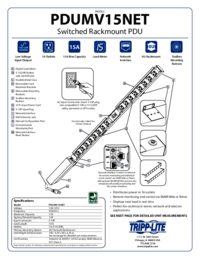
Tripp lite PDUMV15NET Manuale Utente (2 pagine)
Marchio: Tripp-lite | Categoria: Power distribution units (PDUs) | Dimensione: 0.63 MB |

Indice
Più prodotti e manuali per Multiprese Tripp Lite
| Modelli | Tipo di Documento |
|---|---|
| PDUMH20NET2 |
Manuale Utente
Tripp Lite PDUMH20NET2 User's Manual,
4 pagine
|
| PDUMH20HVNET |
Manuale Utente
Tripp Lite PDUMH20HVNET User's Manual,
11 pagine
|
| PDUMH15ATNET |
Manuale Utente
  Tripp Lite PDUMH15ATNET User's Manual,
36 pagine |
| PDU Power Strips |
Manuale Utente
Tripp Lite PDU Power Strips User's Manual,
3 pagine
|
| OMNI1500XLNAFTA |
Manuale Utente
Tripp Lite OMNI1500XLNAFTA User's Manual,
5 pagine
|
| PDUNV |
Manuale Utente
Tripp Lite PDUNV User's Manual,
2 pagine
|
| 200904140 |
Manuale Utente
Tripp Lite 200904140 User's Manual [en] ,
9 pagine
|
| PDUMH15AT |
Manuale Utente
Tripp Lite PDUMH15AT User's Manual,
28 pagine
|
| PS-415-HG-OEM |
Manuale Utente
Tripp Lite PS-415-HG-OEM User's Manual,
2 pagine
|
| TRIPP.LITE PDUMV40 |
Manuale Utente
Tripp Lite TRIPP.LITE PDUMV40 User's Manual,
12 pagine
|
© 2020, manymanuals.de. Alle Rechte vorbehalten. | 0.025 s |
 Manymanuals.com
 Manymanuals.de
 Manymanuals.fr
 Manymanuals.it
 Manymanuals.pl
 Manymanuals.cz
 Manymanuals.es
 Manymanuals-pt.com
Kommentare zu diesen Handbüchern