Sharp PN-70TA3 Betriebsanleitung Seite 17
- Seite / 72
- Inhaltsverzeichnis
- FEHLERBEHEBUNG
- LESEZEICHEN

- PN-70TA3 1
- PN-60TA3 1
- IMPORTANT INFORMATION 3
- SAFETY PRECAUTIONS 4
- DEAR SHARP CUSTOMER 4
- WARNING: 5
- Especially for child safety 5
- TIPS AND SAFETY INSTRUCTIONS 6
- MOUNTING PRECAUTIONS 7
- Contents 8
- Supplied Components 9
- System Requirements 9
- Part Names 10
- Remote control unit 11
- Connecting the Power Cord 14
- Binding Cables 14
- Installing the batteries 15
- Removing the Handles 16
- Mounting a web camera 16
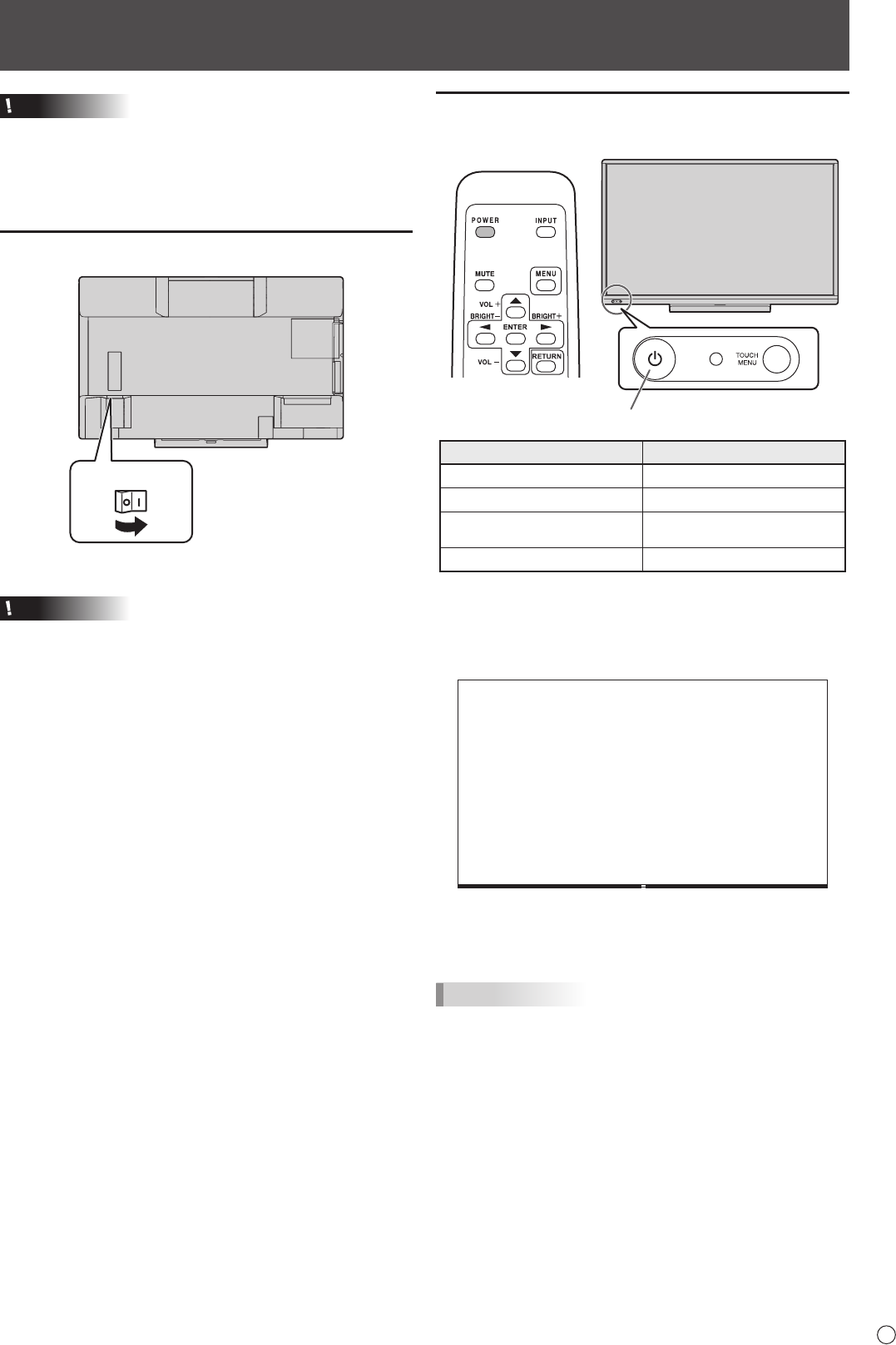
- Turning Power On/Off 17
- Turning power off 18
- Touch Pen Preparations 19
- Computer preparations 19
- Calibration 19
- Touch pen actions 20
- Adding touch pens (pairing) 20
- Touch action 21
- Finger actions 22
- Other functions 23
- Cautionary points 23
- Basic Operation 24
- Using the remote control unit 25
- Switching the screen size 26
- Launcher 27
- Using les 27
- Displayingale 28
- Viewer menu 29
- Erasing data 30
- WHITEBOARD mode settings 31
- Menu Items 32
- Menu item details 33
- PIP/PbyP 39
- Dual screen display 41
- ZOOM2 SPECIAL SETTING 41
- SCHEDULE 42
- Automatic adjustment 43
- Screen display for adjustment 43
- FUNCTION 44
- Settings to connect to a LAN 45
- ■ To set from a PC 46
- Controlling with a PC 47
- ■ INFORMATION 48
- ■ CONTROL 48
- ■ ADJUSTMENT 48
- ■ NETWORK (LAN SETUP) 49
- ■ NETWORK (SECURITY) 49
- ■ NETWORK (GENERAL) 50
- ■ MAIL (ORIGINATOR) 50
- ■ MAIL (RECIPIENT) 51
- ■ MAIL (PERIODICAL) 51
- ■ SERVICE & SUPPORT 52
- (URL INFORMATION) 52
- [Advanced operation] 53
- Command-based control 53
- Communication procedure 53
- Response code format 54
- Communication interval 54
- SCREEN menu 56
- PICTURE menu 56
- AUDIO menu 57
- SETUP menu 58
- MONITOR menu 59
- PIP/PbyP menu 59
- OTHERS menu 60
- Troubleshooting 63
- Specications 65
- Dimensional Drawings 66
- Compatible signal timing (AV) 68
- D-sub input terminal pins 69
- HDMI input terminal pins 69
- Appendix: System Settings 70
- Mounting Precautions 71
- PN-70TA3-60TA3 M EN14E(2) 72
Verwandte Produkte und Handbücher für Öffentliche Anzeigen Sharp PN-70TA3
 (42 Seiten)
 (40 Seiten)
© 2020, manymanuals.de. Alle Rechte vorbehalten. | 0.049 s |
 Manymanuals.com
 Manymanuals.de
 Manymanuals.fr
 Manymanuals.it
 Manymanuals.pl
 Manymanuals.cz
 Manymanuals.es
 Manymanuals-pt.com
Kommentare zu diesen Handbüchern