Sharp UP-3515 Bedienungsanleitung Seite 50
- Seite / 60
- Inhaltsverzeichnis
- LESEZEICHEN

- D’INSTRUCTIONS 1
- TABLE DES MATIERES 2
- Introduction 4
- 1. Affichage de messages 5
- (2) Messages d’erreurs 6
- 4. Système des employés 8
- REG/mode MGR) 12
- (1) Téléchargement initial 13
- Machine principale 18
- (en option) 22
- Rapports regroupés et 24
- REMISE A ZERO) 26
- Type de rapport Description 27
- Modes d’exploitation 27
- Données requises/Remarques 27
- OPXZ X1/Z1 X2/Z2 27
- Type de rapport Description 29
- 5. Rapport d’un employé 32
- Symbole de copie 33
- 6. Rapport d’un caissier 34
- (CCD) est autorisée 35
- X2/Z2) – machine principale 36
- Programmation du système 37
- IRC (communication directe 37
- 5. Sélectionnez “1.SAVE” 48
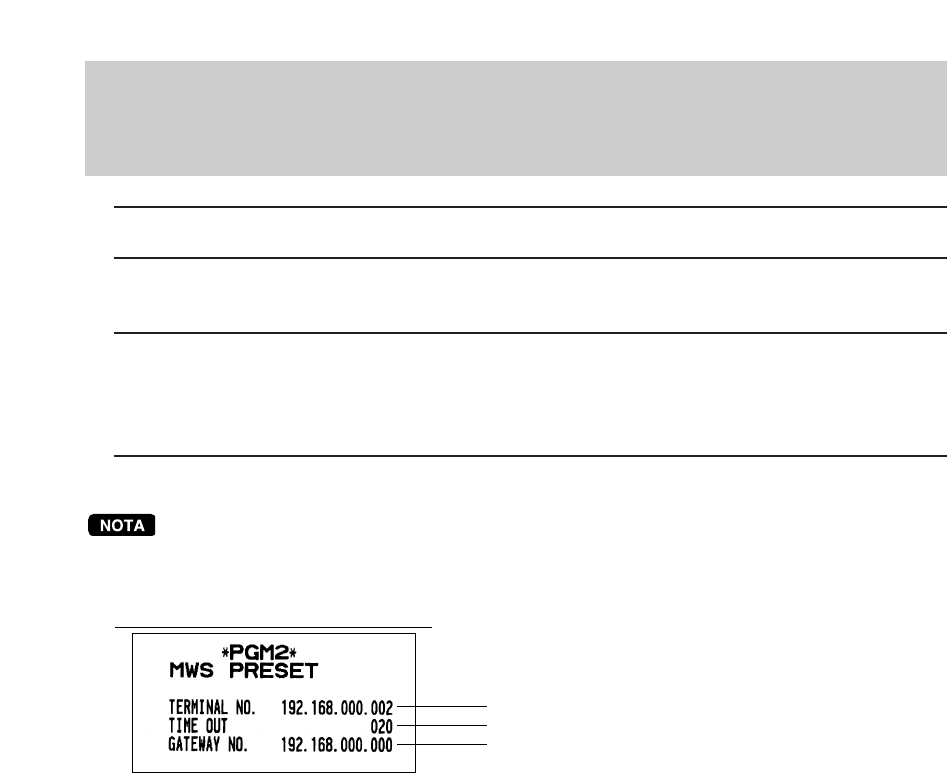
- N° du terminal 50
- Durée d’attente (20 sec.) 50
- N° de la passerelle 50
- Système de sauvegarde 51
- 3. Déclaration de reprise 54
- Reprise en cas d’une erreur 56
- DONNEES TECHNIQUES DE 59
- BASE POUR LAN (réseau 59
- UP3515V_2IF10 60
Verwandte Produkte und Handbücher für Video Sharp UP-3515

 (2 Seiten)
(8 Seiten)
(86 Seiten)
(2 Seiten)
(2 Seiten)
(2 Seiten)
(8 Seiten)
(2 Seiten)
(2 Seiten)
(12 Seiten)
(2 Seiten)
(4 Seiten)
(2 Seiten)
(2 Seiten)
(12 Seiten)
(2 Seiten)
(8 Seiten)
(86 Seiten)
(2 Seiten)
(2 Seiten)
(2 Seiten)
(8 Seiten)
(2 Seiten)
(2 Seiten)
(12 Seiten)
(2 Seiten)
(4 Seiten)
(2 Seiten)
(2 Seiten)
(12 Seiten)
© 2020, manymanuals.de. Alle Rechte vorbehalten. | 0.038 s |
 Manymanuals.com
 Manymanuals.de
 Manymanuals.fr
 Manymanuals.it
 Manymanuals.pl
 Manymanuals.cz
 Manymanuals.es
 Manymanuals-pt.com
Kommentare zu diesen Handbüchern