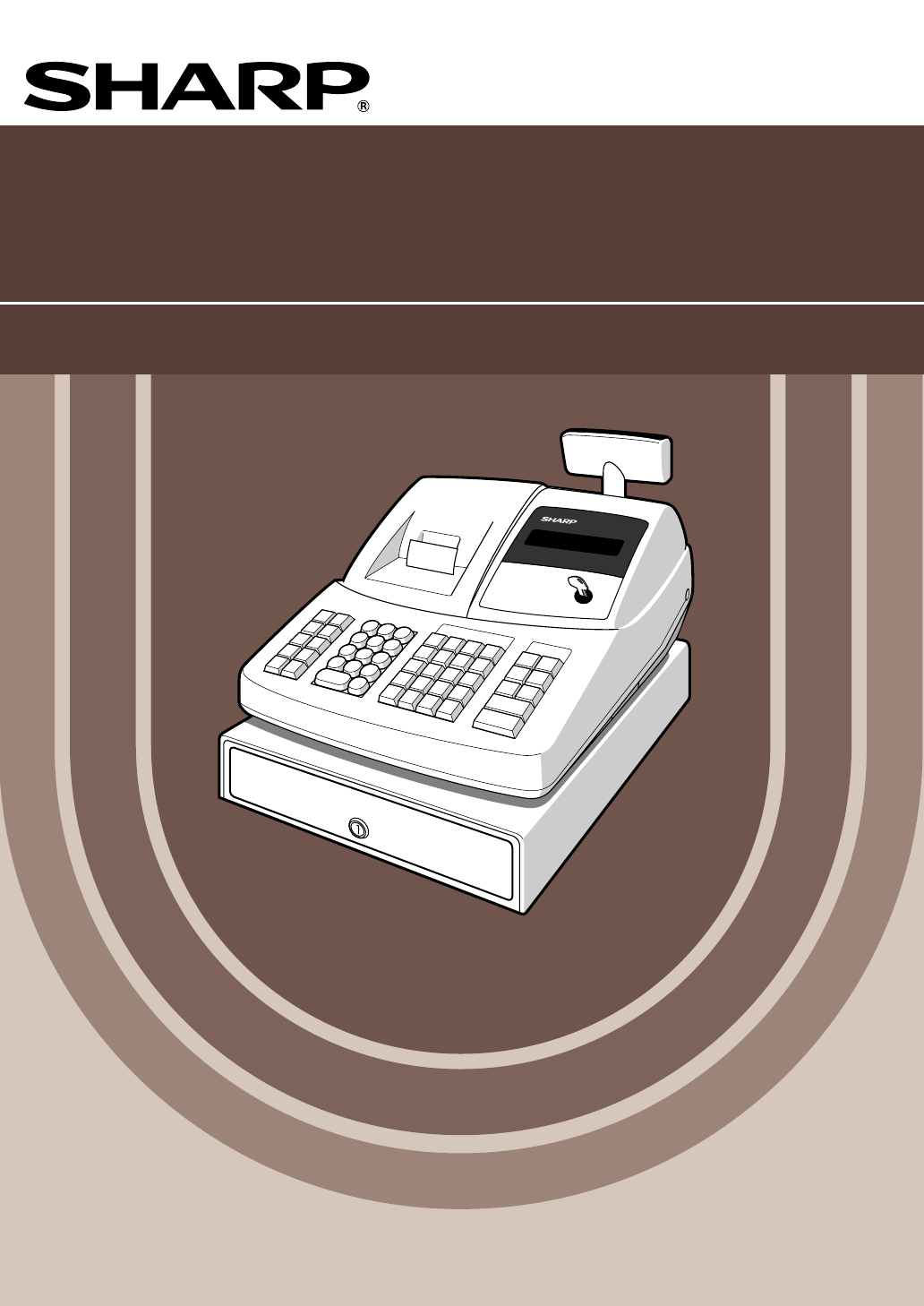
Sharp XE-A203 Bedienungsanleitung
Stöbern Sie online oder laden Sie Bedienungsanleitung nach Video Sharp XE-A203 herunter. Sharp XE-A203 User Manual Benutzerhandbuch
- Seite / 454
- Inhaltsverzeichnis
- LESEZEICHEN

- With Quick Start Guide 1
- Mit Schnellstartanleitung 1
- Con Guía de inicio rápido 1
- Met Gids voor snel starten 1
- CONTENTS 4
- Part2 FOR THE OPERATOR 5
- Part3 FOR THE MANAGER 6
- Part1 QUICK START GUIDE 7
- Keyboard layout 8
- Key names 8
- Mode Switch and Mode Keys 8
- Keyboard 8
- Operator display 9
- Customer display 9
- (Pop-up type) 9
- Drawer Lock Key 9
- PREPARING THE CASH REGISTER 10
- Installing Batteries 11
- Installing a Paper Roll 12
- Part2 Part3 13
- BASIC FUNCTION PROGRAMMING 14
- Guidance for text programming 15
- Language Selection 16
- Date and Time Programming 16
- Tax rate programming 17
- Tax Programming 17
- Department Programming 18
- From left, ABC 22
- Unit price 24
- PLU/subdept. 1/0PLU code 24
- Item name 24
- Associated dept 24
- Clerk names (12 digits) 25
- Text Programming 25
- BASIC SALES ENTRY 27
- PLU Entry 28
- CORRECTION 29
- Subtotal Void 30
- FULL SALES REPORT (Z REPORT) 32
- Periodic consolidation 33
- Part2 FOR THE OPERATOR 34
- Single item entries 35
- Item Entries 35
- Repeat entries 36
- Multiplication entries 37
- Cash or cheque tendering 38
- Finalization of Transaction 38
- Displaying Subtotals 38
- Credit sale 39
- Mixed-tender sale 39
- VAT/ tax system 39
- (When the manual 40
- VAT 1-4 system 40
- is selected) 40
- OPTIONAL FEATURES 41
- Refund entries 42
- Currency exchange 43
- Auxiliary Payment Treatment 43
- Received-on account entries 44
- Paid-out entries 44
- No sale (exchange) 44
- Automatic Sequence Key ( 44
- Part3 FOR THE MANAGER 45
- Part2Part1 47
- Programming for 48
- Miscellaneous Key Programming 48
- Percent rate 52
- Percentage rate limit 52
- Function parameters for 56
- Other Text Programming 57
- Function text (12 digits) 58
- List of function texts 59
- ADVANCED FUNCTION PROGRAMMING 60
- Print format 62
- Receipt print format 62
- Other programming 63
- Job code: 63 64
- * Item: Selection: Entry: 64
- Job code: 64 64
- FOR THE MANAGER 65
- Power save mode 68
- Logo message print format 68
- Thermal printer density 69
- EJ memory type 69
- Transaction 70
- (key entry) 70
- EURO system settings 71
- EURO Programming 71
- Reading Stored Programs 72
- Sample printouts 73
- 2 Programming report 2 74
- 6 PLU programming report 74
- TRAINING MODE 75
- READING (X) AND RESETTING (Z) 76
- OF SALES TOTALS 76
- Hourly report 77
- Individual clerk report 77
- Full clerk report 77
- Daily Sales Totals 77
- EJ report title 78
- EJ report end title 78
- OVERRIDE ENTRIES 79
- EURO MIGRATION FUNCTION 80
- Preset data and time 82
- Remaining days 82
- EURO status 82
- OPERATOR MAINTENANCE 83
- To the printer 84
- Incorrect 84
- Paper positioning guides 86
- Opening the Drawer by Hand 88
- Error message table 89
- Before Calling for Service 89
- SPECIFICATIONS 90
- EINLEITUNG 93
- Teil 2 FÜR DEN BEDIENER 95
- Teil 1 SCHNELLSTARTANLEITUNG 97
- Tastaturanordnung 98
- Tastenbezeichnungen 98
- Tastatur 98
- Stromsparsymbol 99
- NO BATTERY 100
- Einsetzen der Batterien 101
- Einsetzen einer Papierrolle 102
- Teil2 Teil3 103
- PROGRAMMIERUNG DER 104
- GRUNDLEGENDEN FUNKTIONEN 104
- ABCD_ Wa1 105
- Einstellung des Datums 106
- Einstellung der Uhrzeit 106
- Sprachauswahl 106
- Mehrwertsteuerprogrammierung 107
- MWSt-Nummer (1 bis 4) 108
- Von links, ABC 112
- Artikel 112
- Steuerstatus Einzelpreis 112
- Einzelpreis 114
- Artikelbezeichnung 114
- Zugehörige Warengruppe 114
- Bedienernamen (12 Stellen) 115
- Textprogrammierung 115
- GRUNDLEGENDE REGISTRIERUNGEN 117
- PLU-Registrierung 118
- KORREKTUREN 119
- Zwischensummenstorno 120
- Gesamtumsatzbericht 122
- Periodische Berichte 123
- Teil 2 FÜR DEN BEDIENER 124
- Einzelpostenregistrierung 125
- Postenregistrierungen 125
- Wiederholungsregistrierung 126
- Multiplikationsregistrierung 127
- Im Fall von Scheckverkauf 1 128
- Kreditverkauf 129
- Gemischte Zahlung 129
- MWSt/Aufschlagssteuersystem 129
- (Wenn das manuelle 130
- MWSt-System 1-4 130
- OPTIONALE MERKMALE 131
- Retourenregistrierung 132
- Fremdwährungsumrechnung 133
- Registrierung ist 133
- Zahlungshandhabung 133
- Einzahlungsregistrierungen 134
- Auszahlungsregistrierungen 134
- Kein Verkauf (Geldwechsel) 134
- VOR DER PROGRAMMIERUNG 135
- S H A R P 136
- Teil2 Teil1 137
- PROGRAMMIERUNG 138
- ZUSÄTZLICHER FUNKTIONEN 138
- Programmierung der 140
- Programmierung der Taste 143
- Andere Textprogrammierung 147
- Funktionstext (12 Stellen) 148
- Funktionstextliste 149
- WEITERFÜHRENDE 150
- FUNKTIONSPROGRAMMIERUNG 150
- Druckformat 152
- Kassenbon-Druckformat 152
- Sonstige Programmierung 153
- Job-Code: 63 154
- * Positionen: Wahl: Eingabe: 154
- Job-Code: 64 154
- FÜR DEN GESCHÄFTSINHABER 155
- Stromsparmodus 158
- Logodruckformat 158
- Thermodrucker-Druckdichte 159
- Schulungsmodus 159
- Automatik 160
- Einstellung 160
- EURO-Programmierung 161
- Uhrzeit (Stunde) (00 - 23) 162
- Druckbeispiele 163
- 2 Programmierbericht 2 164
- 6 PLU-Programmierbericht 164
- SCHULUNGSBETRIEBSART 165
- ABRUF (X) UND NULLSTELLUNG 166
- (Z) VON UMSÄTZEN 166
- PLU-Bericht (von - bis) 167
- Einzelbedienerbericht 167
- Gesamtbedienerbericht 167
- Tagesumsatzberichte 167
- Stundenumsatzbericht 167
- ABRUF UND NULLSTELLUNG DES 168
- ELEKTRONISCHEN JOURNALS (EJ) 168
- AUSGABE (Storno Modus) 169
- ÜBERSCHREIBUNG VON BETRAGS 169
- EINGABE-BEGRENZUNGEN 169
- EURO-UMRECHNUNGSFUNKTION 170
- Noch verbleibende Tage 172
- EURO-Status 172
- WARTUNG DURCH DEN BEDIENER 173
- Zum Drucker 174
- Papierführungen 176
- Öffnen der Schublade von Hand 178
- Liste der Fehlermeldungen 179
- TECHNISCHE DATEN 180
- INTRODUCTION 183
- IMPORTANT 183
- TABLE DES MATIERES 184
- Partie 2 POUR L’OPERATEUR 185
- Partie 3 POUR LE DIRECTEUR 186
- COMPOSANTS ET LEURS FONCTIONS 187
- Disposition du clavier 188
- Noms des touches 188
- Affichage de l’opérateur 189
- Affichage du client 189
- (Type à éjection) 189
- Affichages 189
- Clé de verrouillage du tiroir 189
- Installation des piles 191
- Partie1 193
- Partie2 Partie3 193
- Choix d’une langue 196
- Programmation de taxes 197
- Programmation de rayons 198
- Programmation d’un texte 205
- PLU.0001 1.50 208
- PLU.0071 15.00 208
- PLU.0141 36.20 208
- ESPECES 52.70 208
- RECTIFICATION 209
- Annulation d’un total partiel 210
- 0.00 212
- Regroupement périodique 213
- Partie 2 POUR L’OPERATEUR 214
- Entrées d’un seul article 215
- Entrées d’articles 215
- Entrées répétées 216
- Entrées multiplicatives 217
- Vente à crédit 219
- Vente contre une offre mixte 219
- Système de T.V.A./taxes 219
- (Cuando se selecciona 220
- FONCTIONS FACULTATIVES 221
- Entrées de remboursements 222
- Change d’une monnaie 223
- Partie 3 POUR LE DIRECTEUR 225
- Partie3 227
- Partie2Partie1 227
- Programmation pour 228
- A partir de la 234
- Paramètres de fonction pour 236
- Touches des caractères 237
- (4 chiffres max.) 237
- Liste des textes de fonctions 239
- Numéro de l’enregistreuse 240
- Numéro consécutif 240
- Autres programmations 243
- Code de travail: 63 244
- * Article: Sélection: Entrée: 244
- Code de travail: 64 244
- POUR LE DIRECTEUR 245
- Mode d’économie d’énergie 248
- Réglage 250
- AUTOMATIQUE 250
- Réglages du système de l’EURO 251
- Programmation de l’EURO 251
- 01072009 252
- Exemples d’impressions 253
- MODE DE FORMATION 255
- LECTURE (X) ET REMISE A ZERO 256
- (Z) DES TOTAUX DE VENTES 256
- Titre du rapport EJ 258
- Titre de la fin du rapport EJ 258
- ENTREES DE SURPASSEMENTS 259
- Date et heure préréglées 262
- Jours restants 262
- Statut de l’Euro 262
- ENTRETIEN PAR L’OPERATEUR 263
- Guides de 266
- Ouverture du tiroir à la main 268
- Table des messages d’erreurs 269
- DONNEES TECHNIQUES 270
- INTRODUCCION 273
- IMPORTANTE 273
- Parte 2 PARA EL OPERADOR 275
- PARTES Y SUS FUNCIONES 277
- Disposición del tecladot 278
- Nombres de las teclas 278
- Desbloqueo 279
- Instalación de las pilas 281
- Parte2 Parte3 283
- Selección del idioma 286
- Programación de los impuestos 287
- Programación de secciones 288
- Precio unitario 294
- Nombre de artículo 294
- Sección asociada 294
- Programación de texto 295
- REGISTRO BASICO DE VENTAS 297
- Registro de códigos de PLU 298
- Registro de PLU 298
- CORRECCION 299
- Cancelación del subtotal 300
- Informe de ventas completo 302
- Consolidación periódica 303
- Registros de un solo artículo 305
- Registros de artículos 305
- Registros repetidos 306
- Registros de multiplicación 307
- Ventas a crédito 309
- Sistema IVA/impuestos 309
- CARACTERISTICAS OPCIONALES 311
- Registros de devolución 312
- Cambio de divisas 313
- Tratos de pagos auxiliares 313
- ANTES DE LA PROGRAMACION 315
- Parte2Parte1 317
- Programación para 318
- Desde la 324
- Parámetros de función para 326
- Otras programaciones de texto 327
- Texto de función (12 dígitos) 328
- Lista de textos de función 329
- Número de caja registradora 330
- Número consecutivo 330
- Formato de impresión 332
- Otras programaciones 333
- Código de tarea: 63 334
- Código de tarea: 64 334
- PARA EL ADMINISTRADOR 335
- Modo de ahorro de energía 338
- Tipo de memoria de EJ 339
- Transacción 340
- (entrada de teclas) 340
- Ajustes del sistema del EURO 341
- Programación del EURO 341
- Tiempo (Hora) (00 a 23) 342
- Fecha (Día-Mes-Año) 342
- (siete u ocho dígitos) 342
- Para ajustar todo ceros 342
- Impresiones de muestra 343
- 2 Informe de programación 2 344
- MODO DE INSTRUCCION 345
- LOS TOTALES DE VENTAS 346
- Título de informe EJ 348
- Título de fin de informe EJ 348
- REGISTROS DE ANULACION 349
- FUNCION DE MIGRACION DEL EURO 350
- Fecha y hora preajustadas 352
- Días restantes 352
- Estado de EURO 352
- A la impresora 354
- Incorrecto 354
- Correcto 354
- Guías de papel 356
- Abertura manual del cajón 358
- Tabla de mensajes de error 359
- ESPECIFICACIONES 360
- INTRODUCTIE 363
- BELANGRIJK 363
- INHOUDSOPGAVE 364
- Deel 3 VOOR DE MANAGER 366
- ONDERDELEN EN FUNCTIES 367
- Overzicht van toetsenbord 368
- Namen van toetsen 368
- Toetsenbord 368
- Winkelbediende-display 369
- Klantdisplay 369
- (Omhoog-klap type) 369
- Displays 369
- Ladeslot en sleutel 369
- VOORBEREIDING VOOR DE KASSA 370
- Plaatsen van batterijen 371
- Plaatsen van een papierrol 372
- Deel2 Deel3 373
- PROGRAMMEREN VAN 374
- BASISFUNCTIES 374
- Taalkeuze 376
- Programmeren van belasting 377
- Programmeren van afdeling 378
- Unit-prijs 384
- PLU/subafd. 1/0PLU code 384
- Artikelnaam 384
- Overeenkomende 384
- Programmeren van tekst 385
- Kop met 3-regels 386
- 3-regels 386
- (fabrieksinstelling) 386
- Invoeren van PLU 388
- CORRECTIES 389
- Annuleren van subtotaal 390
- VOLLEDIG VERKOOPOVERZICHT 392
- (Z OVERZICHT) 392
- Periodiek overzicht 393
- INFORMATIE VOOR INVOEREN VAN 394
- EENVOUDIGE VERKOPEN 394
- Invoeren van onderdelen 395
- Invoeren van herhalingen 396
- Invoer met vermenigvuldiging 397
- Contante betaling of cheque 398
- Voltooien van een transactie 398
- Tonen van subtotaal 398
- Verkoop op krediet 399
- Verkoop met gemengde betaling 399
- BTW/belastingsysteem 399
- (Indien het handmatige 400
- BTW 1-4 systeem is 400
- EXTRA FUNCTIES 401
- Invoeren van terugbetalingen 402
- Buitenlands geld 403
- Invoeren van uitbetalingen 404
- Geen verkoop (wisselen) 404
- Deel 3 VOOR DE MANAGER 405
- Deel2Deel1 407
- Programmeren van 408
- Vanaf links 414
- Functieparameters voor 416
- Lijst met tekst voor functies 419
- GEAVANCEERDE FUNCTIES 420
- Printformaat 422
- Bon printformaat 422
- Overige programmering 423
- Taak-code: 63 424
- * Onderdeel: Keuze: Invoer: 424
- Taak-code: 64 424
- VOOR DE MANAGER 425
- Energiebesparingsfunctie 428
- Dichtheid thermische printer 429
- EJ geheugentype 429
- Transactie 430
- (invoer door toets) 430
- Programmering voor de EURO 431
- Voorbeeld van afdrukken 433
- 2 Programmeringsoverzicht 2 434
- TRAININGSFUNCTIE 435
- LEZEN (X) EN TERUGSTELLEN (Z) 436
- VAN VERKOOPTOTALEN 436
- Volledig bediende-overzicht 437
- Totaal dagelijkse verkopen 437
- Uuroverzicht 437
- EJ overzicht) 438
- OVERSCHRIJVEN VAN INVOER 439
- FUNCTIE VOOR EURO-MODIFICATIE 440
- Ingestelde datum en tijd 442
- Resterend aantal dagen 442
- EURO fase 442
- ONDERHOUD VOOR BEDIENING 443
- Naar de printer 444
- Papiergeleiders 446
- Handmatig openen van de lade 448
- Foutcodetabel 449
- Voordat u voor reparatie belt 449
- TECHNISCHE GEGEVENS 450
- Geräuschpegel LpA: 64,7 dB 453
- TINSM2549RCZZ 454
Inhaltsverzeichnis
XE-A203ELECTRONIC CASH REGISTERELEKTRONISCHE REGISTRIERKASSECAISSE ENREGISTREUSE ELECTRONIQUECAJA REGISTRADORA ELECTRONICAELEKTRONISCHE KASSAINSTRUCTI
8PREPARING THE CASH REGISTERUnpack the cash register and make sure all accessories are included. For details of accessories, please refer to“SPECIFIC
8VORBEREITUNG DER REGISTRIERKASSEPacken Sie die Registrierkasse aus und stellen Sie sicher, dass sämtliche Zubehörteile vorhanden sind.Bezüglich der Z
9Teil1 SCHNELLSTARTANLEITUNG Teil2 Teil3Sie müssen drei neue Mignon-Alkalibatterien (LR6) in die Registrierkasse einsetzen, um einem Verlust derDaten
10Vorsicht: Die Bonabtrennvorrichtung ist in die Druckwerkabdeckung eingebaut. Lassen Sie daher beimAbnehmen und Anbringen der Abdeckung die erforderl
11Teil1 SCHNELLSTARTANLEITUNG Teil2 Teil35. Wenn die Aufwickelspule nicht verwendet wird (Verwendungals Kassenbonpapier):• Schneiden Sie den übersteh
12PROGRAMMIERUNG DERGRUNDLEGENDEN FUNKTIONENBevor Sie mit der Verkaufsregistrierung beginnen, müssen Sie zuerst die Registrierkasse gemäss IhrenAnford
13Teil1 SCHNELLSTARTANLEITUNG Teil2 Teil3Leitfaden zur TextprogrammierungDie Registrierkasse ermöglicht Ihnen das Programmieren der Texte für die War
14*Sprache: 0: Englisch 1: Deutsch 2: Französisch 3. SpanischDie Vorgabeeinstellung ist Englisch.Wenn Sie die Sprache ändern, werden d
15Teil1 SCHNELLSTARTANLEITUNG Teil2 Teil3Sind MWSt-Sätze programmiert, berechnet die Registrierkasse die Mehrwertsteuer automatisch. DieRegistrierkas
16• Der niedrigste steuerpflichtige Betrag ist nur gültig, wenn Sie dasAufschlagssteuersystem wählen. Bei der Wahl des voreingestelltenautomatischen M
17Teil1 SCHNELLSTARTANLEITUNG Teil2 Teil32. Textprogrammierung (Zum Überspringen die s-Taste drücken./Zum Beenden die A-Taste drücken.)3. Einzelpreis
9Part1 QUICK START GUIDEPart2 Part3Three new alkaline batteries LR6 (“AA”size) must be installed in the cash register to prevent the data and user-pro
185. Programmierung des MWSt1-Status (Zum Überspringen die s-Taste drücken./ZumBeenden die A-Taste drücken.)6. Programmierung des MWSt2-Status (Zum Üb
19Teil1 SCHNELLSTARTANLEITUNG Teil2 Teil38. Programmierung des MWSt4-Status (Zum Überspringen die s-Taste drücken./ZumBeenden die A-Taste drücken.)9.
2011. Programmierung der Eingabestellenbegrenzung (Zum Überspringen die s-Tastedrücken./Zum Beenden die A-Taste drücken.)Zur Programmierung der nächst
21Teil1 SCHNELLSTARTANLEITUNG Teil2 Teil3Die PLU-Funktion gestattet eine schnelle Tasteneingabe, bei der der Preis automatisch aufgerufen wird, wennS
224. Programmierung der zugehörigen Warengruppen (Zum Überspringen die s-Tastedrücken./Zum Beenden die A-Taste drücken.)5. PLU-Typ Programmierung (Zum
23Teil1 SCHNELLSTARTANLEITUNG Teil2 Teil3Richten Sie sich bezüglich der Eingabe von Zeichen nach den Angaben im Abschnitt „Leitfaden zurTextprogrammi
24Logodruckformat (3 Typen)Programmierung von „THANK YOU“ in doppelter Größe und mittig ausgerichtet in der dritten Zeile.Vor der Auslieferung wurde e
25Teil1 SCHNELLSTARTANLEITUNG Teil2 Teil3GRUNDLEGENDE REGISTRIERUNGENNachfolgend ist ein Beispiel für die grundlegende Registrierung beim Verkauf von
26Geben Sie einen PLU-Code mit der Zehnertastatur ein und drücken dann die p-Taste.PLU.0001 1.50PLU.0071 15.00PLU.0141 36.20BAR 52.701 p
27Teil1 SCHNELLSTARTANLEITUNG Teil2 Teil3KORREKTURENWenn Sie bei der Eingabe von Ziffern einen Fehler machen, können Sie die Eingabe durch einen Druc
10Precaution: The paper cutter is mounted on the printer cover. Take caution when removing and installingthe cover.The register can print receipts or
28Sie können jede falsche Warengruppen-, PLU/Sub-Warengruppen- oder Artikel-Retourenregistrierung währendeiner Transaktion stornieren, falls Sie die f
29Teil1 SCHNELLSTARTANLEITUNG Teil2 Teil3Wenn ein Fehler entdeckt wird, nachdem Sie die gesamte Transaktion abgeschlossen haben, oder währendeine Zah
30GESAMTUMSATZBERICHT (Z-BERICHT)Zum Abrufen und Nullstellen von Umsätzen verwenden Sie die Nullstellungsfunktion (Z). Bei der Nullstellungwerden alle
31Teil1 SCHNELLSTARTANLEITUNG Teil2 Teil3Periodische BerichteStecken Sie den Managerschlüssel in das Funktionsschloss und drehen Sie ihn indie Positi
32Teil 2 FÜR DEN BEDIENERANDERE GRUNDLEGENDEN REGISTRIERUNGENBedienerzuordnungVor jeder Registrierung muss der jeweilige Bediener seinen Bedienercode
33Teil2 FÜR DEN BEDIENER Teil3 Teil1• Wenn die Zwischensumme einschließlich Steuer acht Stellen überschreitet: Die Zwischensumme mit der l-Taste lösch
34Die Registrierkasse wurde werkseitig für die Benutzung von 210 PLU-Codes (PLU-Codes 1 bis 210)programmiert. Diese 210 PLU-Codes sind als Artikel(PLU
35Teil2 FÜR DEN BEDIENER Teil3 Teil1MultiplikationsregistrierungWenn Sie eine große Stückzahl eines Postens verkaufen, dann ist die Multiplikationsreg
36Die Zwischensumme wird angezeigt, wenn Sie die s-Taste drücken. Bei Betätigung dieser Taste wird dieZwischensumme sämtlicher Registrierungen angezei
37Teil2 FÜR DEN BEDIENER Teil3 Teil1KreditverkaufGeben Sie die Posten ein, und drücken Sie eine Kredittaste (coder b).Gemischte ZahlungSie können gemi
11Part1 QUICK START GUIDEPart2 Part35. When not using the take-up spool (using as receipt paper):• Cut off the excess paper using the edge of the inne
38Manuelles Aufschlagssteuersystem 1-4 (Manuelle Eingabemethode mit programmierten Prozentsätzen)Dieses System ermöglicht die Berechnung der Steuer fü
39Teil2 FÜR DEN BEDIENER Teil3 Teil1OPTIONALE MERKMALEProzentrechnungen (Aufschlag und Abschlag) Ihre Registrierkasse ermöglicht Prozentberechnungen f
40Abzug für PostenregistrierungenRetourenregistrierungFalls der Retourenposten in der Warengruppe 1 bis 16 registriert wurde, den Retourenbetrag einge
41Teil2 FÜR DEN BEDIENER Teil3 Teil1Fremdwährungsumrechnung*Umrechnungskurs: 0.000000 bis 999.999999• Drücken Sie die l-Taste nach der V-Taste, um die
42EinzahlungsregistrierungenWenn Sie eine Einzahlung von einem Kunden bekommen, verwenden Sie die r-Taste. Für die Registrierungder Einzahlung (RA) ge
43Teil 3 FÜR DEN GESCHÄFTSINHABERVOR DER PROGRAMMIERUNGVorgang für die Programmierung1. Überprüfen Sie, ob sich eine Papierrolle in der Registrierkas
44Beispiel 2: Programmierung des Job-Codetyps (Programmierung, die mit der Betätigung der s-Taste beginnt.)Eingabe von Zeichencodes mit den Ziffernta
45Teil3 FÜR DEN GESCHÄFTSINHABER Teil2 Teil1Alphanumerische Zeichencodetabelle*(DC): Code für Zeichen in doppelter Größe: Die schattiert unterlegten
46PROGRAMMIERUNGZUSÄTZLICHER FUNKTIONENDie Registrierkasse verfügt über eine Reihe verschiedener Tasten wie -,%,&,V,r,R,X,Y,c,bund A. Diese versch
47Teil3 FÜR DEN GESCHÄFTSINHABER Teil2 Teil14. Programmierung des Vorzeichens (Zum Überspringen die s-Taste drücken./Zum Beendendie A-Taste drücken.)5
12BASIC FUNCTION PROGRAMMINGBefore starting sales entries, you must first program necessary items so the cash register suits your salesneeds. In this
487. Programmierung der Eingabestellenbegrenzung (Zum Überspringen die s-Taste drücken./Zum Beenden die A-Taste drücken.)8. Beenden der Programmierung
49Teil3 FÜR DEN GESCHÄFTSINHABER Teil2 Teil13. Programmierung des Prozentsatzes (Zum Überspringen die s-Taste drücken./ZumBeenden die A-Taste drücken.
506. Programmierung der Rabattberechnung für Zwischensummen (Zum Überspringen die s-Taste drücken./Zum Beenden die A-Taste drücken.)7. Programmierung
51Teil3 FÜR DEN GESCHÄFTSINHABER Teil2 Teil1Programmierung der Taste V1. Angabe der zu programmierenden Taste2. Programmierung des Texts (Zum Überspri
525. Programmierung für feste Umrechnungskurseingabe (Zum Überspringen die s-Tastedrücken./Zum Beenden die A-Taste drücken.)6. Programmierung der Posi
53Teil3 FÜR DEN GESCHÄFTSINHABER Teil2 Teil12. Programmierung des Texts (Zum Überspringen die s-Taste drücken./Zum Beenden dieA-Taste drücken.)3. Prog
545. Programmierung der Eingabestellenbegrenzung (Zum Überspringen die s-Taste drücken./Zum Beenden die A-Taste drücken.)6. Beenden der Programmierung
55Teil3 FÜR DEN GESCHÄFTSINHABER Teil2 Teil1Fusszeilendruck• Diese Programmierung legt fest, ob die Registrierkasse beim Drücken der A-Taste eine Fuss
56Text im Schulungsmodus (12 Stellen)Jeder Kassenbon, der im Schulungsmodus ausgestellt wird, wird als Voreinstellung mit dem Text **TRAINING**ausdruc
57Teil3 FÜR DEN GESCHÄFTSINHABER Teil2 Teil1Funktionstextliste1_(–)2%1 %13%2 %24 Differenz DIFFER5Steuerpflichtige Zwischensumme 1TAX1 ST6Steuerpflic
13Part1 QUICK START GUIDEPart2 Part3Guidance for text programmingThe register allow you to program texts for department item names (page 16), PLU/subd
58WEITERFÜHRENDEFUNKTIONSPROGRAMMIERUNGDie Maschinennummer und die laufende Nummer werden auf jedem Kassenbon oder auf dem Journalstreifenausgedruckt.
59Teil3 FÜR DEN GESCHÄFTSINHABER Teil2 Teil1Die Registrierkasse bietet verschiedene detaillierte Funktionen, die nachfolgend aufgelistet sind.• Funkti
60DruckformatJob-Code: 6* Positionen: Wahl: Eingabe:A Druckformat Journaldruck 0Kassenbondruck* 1B Kassenbon-Druckformat Gesamt 0Detailliert* 1C Ausdr
61Teil3 FÜR DEN GESCHÄFTSINHABER Teil2 Teil1Sonstige ProgrammierungAls Führungstext für sonstige Programmierungen wird „ANDERE + die letzte Stelle des
62Job-Code: 63* Positionen: Wahl: Eingabe:A Bonausdruck bei „Kein Verkauf“- Ja* 0RegistrierungNein 1B „Kein Verkauf“ nach nichtaddierender Sperren 0
63Teil3 FÜR DEN GESCHÄFTSINHABER Teil2 Teil1Job-Code: 66* Positionen: Wahl: Eingabe:A Nachträgliche Bonausgabe Nur Totalsumme 0Details* 1B Ausdruck de
64Ausdrucken des Rundungsbetrags (A)Rundung des Gesamtbetrags, wenn eine Transaktion direkt durch die X-,Y-,c-oderb-Tasteabgeschlossen wird (B)• Wenn
65Teil3 FÜR DEN GESCHÄFTSINHABER Teil2 Teil1Vorübergehender E-Journalausdruck bei einer Transaktion• Wenn „Ermöglichen“ ausgewählt wird, lassen sich d
66Die Registrierkasse bietet weitere verschiedene Optionen, so dass Sie die Registrierkasse noch individuellereinsetzen können.In diesem Abschnitt kön
67Teil3 FÜR DEN GESCHÄFTSINHABER Teil2 Teil1Thermodrucker-Druckdichte* Die Voreinstellung ist 50 (100%). Um den Druck dunkler zu machen, stellen Sie e
14*Language: 0: English 1: German 2: French 3: SpanishBy default, English is set.When you change the language, the texts such as cle
68Programmierung der Automatik-Eingabetaste Wenn Sie die a-Taste für häufig durchgeführte Transaktionen oder Berichtserstellungen programmieren,können
69Teil3 FÜR DEN GESCHÄFTSINHABER Teil2 Teil1Für Einzelheiten über die EURO-Umrechnungsoperation siehe den Abschnitt „EURO-UMRECHNUNGS-FUNKTION“.Einste
70Datumseinstellung für EURO-Modifikationsoperation• Falls Sie das Datumsformat mit Job-Code 61 geändert haben, folgen Sie dem Format, das Sie fürdie
71Teil3 FÜR DEN GESCHÄFTSINHABER Teil2 Teil1ModusFunktionsnummer und zugehöriger TextFunktionsparameterFunktionsparameterRabattbetrag mit VorzeichenPr
722 Programmierbericht 2Job-CodeA bis H von linksBediener für SchulungsmodusInlandswährungssymbolText für Schulungs-modusSprachauswahlElektronisches
73Teil3 FÜR DEN GESCHÄFTSINHABER Teil2 Teil1SCHULUNGSBETRIEBSARTDie Schulungsbetriebsart dient dem Bediener und Geschäftsinhaber zum Üben von Registri
74ABRUF (X) UND NULLSTELLUNG(Z) VON UMSÄTZEN• Wenn Sie die Umsätze seit der letzten Nullstellung abrufen möchten, die Abruffunktion (X) verwenden. Di
75Teil3 FÜR DEN GESCHÄFTSINHABER Teil2 Teil1PLU-Bericht (von - bis)• BerichtsbeispielPLU-CodeModustitel*BerichtstitelBereichBereichssummeUmsatzmenge u
76ABRUF UND NULLSTELLUNG DESELEKTRONISCHEN JOURNALS (EJ)Die Registrierkasse verfügt über ein elektronisches Journal (EJ). Diese Funktion zeichnet die
77Teil3 FÜR DEN GESCHÄFTSINHABER Teil2 Teil1ÜBERSCHREIBUNG VON BETRAGS-EINGABE-BEGRENZUNGENProgrammierte Grenzen für Funktionen (wie maximale Höchstbe
15Part1 QUICK START GUIDEPart2 Part3If you program the VAT/tax, the cash register can calculate the sales tax. In the VAT system, the tax is included
78EURO-UMRECHNUNGSFUNKTION• Dieser Abschnitt ist für Benutzer jener Ländern bestimmt, die der Europäischen Währungsunionbeitreten werden.Ihre Registri
79Teil3 FÜR DEN GESCHÄFTSINHABER Teil2 Teil1Die Einzelheiten der Modifikationen für die Registrierkasse sind nachfolgend aufgeführt: A=1 A=2 A=3 Gege
80Überprüfen des gegenwärtigen EURO-Status Sie können den gegenwärtig an der Registrierkasse eingestellten EURO-Status überprüfen. Drehen Sie denManag
81Teil3 FÜR DEN GESCHÄFTSINHABER Teil2 Teil1WARTUNG DURCH DEN BEDIENERAuch bei einem Stromausfall während der Geschäftsstunden bleiben die Speicherinh
82Die Registrierkasse zeigt „BATTERIESCHWACH“ für niedrige Batteriespannung an, wenn die Batteriespannungunter einen bestimmten Pegel abgesunken ist.
83Teil3 FÜR DEN GESCHÄFTSINHABER Teil2 Teil1Herausnehmen der PapierrolleRote Streifen auf der Papierrolle weisen auf das Ende der Papierrolle hin. Die
84Einsetzen der PapierrolleVorsicht: Da die Bonabtrennvorrichtung an der Druckwerkabdeckung befestigt ist, vorsichtig verfahren,damit Sie keine Schni
85Teil3 FÜR DEN GESCHÄFTSINHABER Teil2 Teil17. Führen Sie das Ende des Papierstreifens in den Schlitz derAufwickelspule ein. (Drücken Sie ggf. die F-T
86Der Schubladeneinsatz kann aus der Registrierkasse entfernt werden. Nach Geschäftsschluss sollte derSchubladeneinsatz täglich entfernt werden, um Di
87Teil3 FÜR DEN GESCHÄFTSINHABER Teil2 Teil1Die in der linken Spalte der nachfolgenden Tabelle aufgeführten „Fehlermerkmale“ sind nicht unbedingt aufS
16• The lowest taxable amount is valid only when you select add on tax system. If you select VAT(Value added system), it is ignored.• If you make an i
88TECHNISCHE DATENModell: XE-A203Außenabmessungen: 355 (B) x 430 (T) x 312 (H) mmGewicht: 11 kgStromversorgung: Offizielle (örtliche) Netzspannung und
89Teil3 FÜR DEN GESCHÄFTSINHABER Teil2 Teil1Achtung: Ihr Produktträgt dieses Symbol. Esbesagt, dass Elektro-und Elektronikgerätenicht mit demHaushalts
90NOTIZ A203_3 FOR THE MANAGER(De) 06.5.6 7:24 PM Page 90
1INTRODUCTIONNous vous remercions beaucoup pour votre achat de la Caisse Enregistreuse Electronique SHARP, ModèleXE-A203.Veuillez lire attentivement c
TABLE DES MATIERESINTRODUCTION...
AUTRES ENTREES DE VENTES DE BASE ...321 Informations supplé
4AVANT UNE PROGRAMMATION ...43PROGRAMMATION
5Partie 1 GUIDE DE DEMARRAGE RAPIDECOMPOSANTS ET LEURS FONCTIONSVue frontale Vue arrièreL’imprimante est une imprimante thermique de type uniposte e
6Le commutateur de mode peut être mis en marche en y introduisant l’une des deux clés de mode fournies – clédu directeur (MA) ou de l’opérateur (OP).
7Partie1 GUIDE DE DEMARRAGE RAPIDEPartie2 Partie3Affichage de l’opérateur• Zone d’affichage d’un nombre répétéLe nombre de répétitions est affiché, dé
17Part1 QUICK START GUIDEPart2 Part32. Text programming (Press sto skip. / Press Ato terminate.)3. Unit price programming (Press sto skip. / Press Ato
8PREPARATIFS DE LA CAISSE ENREGISTREUSEDéballez la caisse enregistreuse et assurez-vous que tous les accessoires y soient. Pour des détails sur lesacc
9Partie1 GUIDE DE DEMARRAGE RAPIDEPartie2 Partie3Trois piles alcalines neuves LR6 (dimension “AA”) doivent être installées dans la caisse enregistreus
10Précaution: Un coupoir pour le papier est installé sur le capot de l’imprimante. Faites attention lors del’enlèvement et de l’installation du capot.
11Partie1 GUIDE DE DEMARRAGE RAPIDEPartie2 Partie35. Lorsqu’on n’utilise pas la bobine enrouleuse (utilisée en tantque bobine pour le papier des reçus
12PROGRAMMATION DES FONCTIONS DE BASEAvant de commencer des entrées de ventes, vous devez tout d’abord programmer les articles nécessaires, demanière
13Partie1 GUIDE DE DEMARRAGE RAPIDEPartie2 Partie3Guidage pour la programmation d’un texteL’enregistreuse vous permet de programmer des textes pour le
14*Langue: 0: Anglais 1: Allemand 2: Français 3: EspagnolImplicitement, le réglage est fait sur l’anglais.Lorsque vous changez de langue,
15Partie1 GUIDE DE DEMARRAGE RAPIDEPartie2 Partie3Si vous programmez une T.V.A./taxe, la caisse enregistreuse peut calculer la taxe sur les ventes. Da
16• Le montant taxable le plus faible n’est valable que si vous sélectionnez le système de taxeadditionnelle. Si vous sélectionnez la T.V.A. (système
17Partie1 GUIDE DE DEMARRAGE RAPIDEPartie2 Partie32. Programmation d’un texte (Appuyez sur la touche spour sauter./Appuyez sur la toucheApour achever.
CAUTION:CAUTION:VORSICHT:ATTENTION:AVISO:VARNING:LET OP:CAUTION:VORSICHT:ATTENTION:AVISO:VARNING:LET OP:WarningThis is a Class A product. In a domest
185. VAT/tax 1 status programming (Press sto skip. / Press Ato terminate.)6. VAT/tax2 status programming (Press sto skip. / Press Ato terminate.)7. VA
185. Programmation du statut de T.V.A. /taxe 1 (Appuyez sur la touche spour sauter./Appuyezsur la touche Apour achever.)6. Programmation du statut de
19Partie1 GUIDE DE DEMARRAGE RAPIDEPartie2 Partie38. Programmation du statut de T.V.A. /taxe 4 (Appuyez sur la touche spour sauter./Appuyezsur la touc
2011. Programmation pour une limitation numérique d’entrée (Appuyez sur la touchespoursauter./Appuyez sur la toucheApour achever.)Pour programmer le c
21Partie1 GUIDE DE DEMARRAGE RAPIDEPartie2 Partie3La fonction de PLU permet des entrées de touches rapides si un prix est automatiquement appelé lorsq
224. Programmation d’un rayon associé (Appuyez sur la touche spour sauter./Appuyez sur latouche Apour achever.)5. Programmation d’une fonction (Appu
23Partie1 GUIDE DE DEMARRAGE RAPIDEPartie2 Partie3Veuillez vous réferer à “Guidage pour la programmation d’un texte” à la page 13 quant à la manière d
24Disposition d’impression d’un message logotypePour imprimer le message logotype “THANK YOU” en utilisant des caractères à double dimension et en cen
25Partie1 GUIDE DE DEMARRAGE RAPIDEPartie2 Partie3ENTREES POUR DES VENTES DE BASECi-dessous est montré un exemple d’entrée de ventes lorsque des artic
26Introduisez un code PLU en utilisant les touches numériques et appuyez sur la touche p.PLU.0001 1.50PLU.0071 15.00PLU.0141 36.20ESPECES 52
27Partie1 GUIDE DE DEMARRAGE RAPIDEPartie2 Partie3RECTIFICATIONSi vous effectuez une entrée numérique incorrecte, vous ne pouvez effacer l’entrée qu’e
19Part1 QUICK START GUIDEPart2 Part38. VAT/tax4 status programming (Press sto skip. / Press Ato terminate.)9. Registration type programming (Press sto
28Vous pouvez annuler l’entrée incorrecte d’un rayon, l’entrée d’un PLU/rayon auxiliaire ou l’entrée duremboursement d’un article faite durant une opé
29Partie1 GUIDE DE DEMARRAGE RAPIDEPartie2 Partie3N’importe quelle erreur découverte après que l’entrée d’une opération a été achevée ou pendant l’ent
30RAPPORT TOTAL SUR LES VENTES (RAPPORT Z)Pour la leture et la remise à zéro des données sur les ventes, utilisez la fonction de remise à zéro (Z). La
31Partie1 GUIDE DE DEMARRAGE RAPIDEPartie2 Partie3Regroupement périodique Placer la clé du directeur dans le commutateur de mode et tournez-la sur la
32Partie 2 POUR L’OPERATEURAUTRES ENTREES DE VENTES DE BASEAffectation d’un employéAvant n’importe quelle entrée d’articles, les employés doivent in
33Partie2 POUR L’OPERATEURPartie3Partie1• Entrée au-delà de la limitation d’entrée d’un montant programmé: Vérifiez si le montant est correct. S’il l’
34Implicitement, la caisse enregistreuse est préprogrammée pour être capable d’utiliser 1 à 210 codes, et ces 210codes sont réglés sur le mode PLU et
35Partie2 POUR L’OPERATEURPartie3Partie1Entrées multiplicativesLorsque vous vendez une grande quantité d’articles, il est pratique d’utiliser la métho
36Le total partiel est affiché en appuyant sur la touche s. Lorsque vous appuyez dessus, le total partiel detoutes les entrées qui ont été effectuées
37Partie2 POUR L’OPERATEURPartie3Partie1Vente à créditIntroduisez les articles et appuyez sur une touche de crédit d’achats (cou b).Vente contre une o
2011. Entry digit limit programming (Press sto skip. / Press Ato terminate.)To program for the incremented dept. code, return to the step 2.When you w
38Système de taxes 1-4 manuel (Méthode d’entrée manuelle utilisant des pourcentages préréglés)Ce système permet le calcul d’une taxe pour des totaux p
39Partie2 POUR L’OPERATEURPartie3Partie1FONCTIONS FACULTATIVESCalculs de pourcentages (primes ou rabais)Votre enregistreuse permet le calcul d’un pour
40Déduction pour des entrées d’articles Entrées de remboursementsPour les rayons 1 à 16, introduisez le montant du remboursement et appuyez sur la tou
41Partie2 POUR L’OPERATEURPartie3Partie1Change d’une monnaie*Taux de change: 0.000000 à 999.999999• Appuyez sur la touche laprès avoir appuyé sur la t
42Entrées de comptes admisLorsque vous recevez une somme d’un client, utilisez le touche r. Pour l’entrée d’un compte admis (RA),introduisez le monta
43Partie 3 POUR LE DIRECTEURAVANT UNE PROGRAMMATIONProcédure pour la programmation1. Vérifiez si un rouleau de papier est installé dans la machine. S
44Exemple 2: Pour la programmation type d’un code de travail (programmation commençant en appuyantsur la touche s)Introduction des codes de caractères
45Partie3 POUR LE DIRECTEURPartie2Partie1Table de caractères alphanumériques*(DC): Code d’un caractère à double dimension: Les caractères ombrés ne pe
46PROGRAMMATION DE FONCTIONS AUXILIAIRESLa caisse enregistreuse possède divverses touches telles que -, %, &, V, r, R, X, Y, c, betA. Les touches
47Partie3 POUR LE DIRECTEURPartie2Partie14. Programmation d’un signe (Appuyez sur spour sauter./Appuyez sur la touche Apourachever.)5. Programmation p
21Part1 QUICK START GUIDEPart2 Part3The PLU function allows speedy key entries whereby a price is automatically called up when a code is entered.The s
487. Programmation de la limitation numérique d’entrée (Appuyez sur spour sauter./Appuyezsur la touche Apour achever.)8. Achèvement de la programmatio
49Partie3 POUR LE DIRECTEURPartie2Partie13. Programmation d’un taux (Appuyez sur spour sauter./Appuyez sur la touche Apourachever.)4. Programmation d’
506. Programmation d’un rabais (pour des totaux partiels) (Appuyez sur spoursauter./Appuyez sur la touche Apour achever.)7. Programmation de la limite
51Partie3 POUR LE DIRECTEURPartie2Partie1Programmation pour V1. Spécifie la touche à programmer2. Programmation d’un texte (Appuyez sur la touche spou
525. Programmation de l’entrée d’un taux préréglé (Appuyez sur la touche spour sauter./Appuyez sur la touche Apour achever.)6. Position de la programm
53Partie3 POUR LE DIRECTEURPartie2Partie12. Programmation d’un texte (Appuyez sur la touche spour sauter./Appuyez sur la toucheApour achever.)3. Progr
545. Entrée de la programmation d’une limitation numérique (Appuyez sur spour sauter./Appuyez sur la touche Apour achever.) 6. Achèvement de la progra
55Partie3 POUR LE DIRECTEURPartie2Partie1Impressesion au bas d’un reçu• Cette programmation décide si la machine imprimera un message au bas d’un reçu
56Texte pour le mode de formation (12 chiffres)Pour chaque reçu établi sur le mode de formation, **TRAINING** est imprimé implicitement. Lorsque vousd
57Partie3 POUR LE DIRECTEURPartie2Partie1Liste des textes de fonctionsFunction no.Key or functionDefaultsettingFunction no.Key or functionDefaultsetti
224. Associated dept. programming (Press sto skip. / Press Ato terminate.)5. Function programming (Press sto skip. / Press Ato terminate.)To program f
58PROGRAMMATION DE FONCTIONS AVANCEESLe numéro de l’enregistreuse et les numéros consécutifs sont imprimés sur chaque reçu ou bande de détailsquotidie
59Partie3 POUR LE DIRECTEURPartie2Partie1La caisse enregistreuse permet diverses fonctions, énumérées ci-dessous.• Sélection d’une fonction pour des t
60Disposition pour une impressionCode de travail: 6* Article: Sélection: Entrée:A Type d’impression Impression de la bande de détails quotidiens 0Reçu
61Partie3 POUR LE DIRECTEURPartie2Partie1Autres programmationsEn tant que messages de guidage pour d’autres programmations, “OTHERS + le chiffre le pl
62Code de travail: 63* Article: Sélection: Entrée:A Etablissement d’un reçu au moment Oui* 0d’une entrée de “non-vente”Non 1B Pas de vente après l’en
63Partie3 POUR LE DIRECTEURPartie2Partie1Code de travail: 66* Article: Sélection: Entrée:A Reçu après une opération Total seulement 0Détails* 1B Impre
64Impression d’un montant arrondi (A)Arrondi d’un montant total lorsqu’une opération est achevée directement avec la touche (B) X, Y, coub.• Si vous h
65Partie3 POUR LE DIRECTEURPartie2Partie1Impression temporaire de la bande de détails électronique (EJ) pendant une opération• Si vous choisissez “aut
66La caisse enregistreuse fournit diverses options, de manière à ce que vous puissiez les utiliser pour qu’elless’adaptent à vos besoins concernant le
67Partie3 POUR LE DIRECTEURPartie2Partie1Densité de l’imprimante thermique* 50 (100%) est le réglage implicite. Pour rendre l’impression plus noire, r
23Part1 QUICK START GUIDEPart2 Part3Please refer to "Guidance for text programming" on page 13 as for how to entering characters.When you pr
68Programmation de la touche AUTO – Touche de mise en séquenceautomatique Si vous programmez fréquemment l’exécution d’opérations ou de séquences de r
69Partie3 POUR LE DIRECTEURPartie2Partie1Pour les détails concernant l’opération de transition de l’EURO, veuillez vous référer à “FONCTION DETRANSITI
70Réglage de la date pour une opération de modification de l’EURO• Dans le cas où vous changez la disposition de la date en utilisant le code travail
71Partie3 POUR LE DIRECTEURPartie2Partie1ModeN° de la fonction et son texteParamètres de la fonctionParamètres de la fonctionMontant du rabais avec si
722 Rapport sur la programmation 2Code du travailA à H à partir de la gaucheSpécifications pour la formation d’un employéSymbole de la monnaie domest
73Partie3 POUR LE DIRECTEURPartie2Partie1MODE DE FORMATIONLe mode de formation est utilisé lorsque l’opérateur ou le directeur s’entraîne en faisant d
74LECTURE (X) ET REMISE A ZERO(Z) DES TOTAUX DE VENTES• Utilisez la fonction de lecture (X) lorsque vous avez besoin d’obtenir une lecture d’informat
75Partie3 POUR LE DIRECTEURPartie2Partie1Rapport de PLU sur une plagedésignée• Exemple d’un rapportCode du PLUTitre du mode*Titre du rapportPlageMont
76LECTURE ET REMISE A ZERO D’UN RAPPORT DE LABANDE DE DETAILS QUOTIDIENS ELECTRONIQUE (EJ)La caisse enregistreuse permet la fonction d’une bande de dé
77Partie3 POUR LE DIRECTEURPartie2Partie1ENTREES DE SURPASSEMENTSUne limitation programmée pour des fonctions (tels que pour des montants maximums) pe
24Logo message print format (3 types)To print the logo message “THANK YOU” using double sized characters and centering on the third line.A 6-line logo
78FUNCTION DE TRANSITION DE L’EURO• La programmation EURO décrite dans cette section est à l’intention des utilisateurs dont les paysse joindront aux
79Partie3 POUR LE DIRECTEURPartie2Partie1Les détails sur la modification du système de l’enregistreuse sont montrés ci-dessous:A=1 A=2 A=3 Articles(S
80Vérification du statut en cours de l’EUROVous pouvez vérifier le statut en cours de l’EURO réglé sur la caisse enregistreuse. Placez la clé du direc
81Partie3 POUR LE DIRECTEURPartie2Partie1ENTRETIEN PAR L’OPERATEURLorsqu’il y a une panne de courant, la machine conserve les contenus de sa mémoire e
82Lorsque les piles sont affaiblies, la caisse enregistreuse affichera un message d’avertissement “LOWBATTERY” et si les piles deviennent extrêmement
83Partie3 POUR LE DIRECTEURPartie2Partie1Enlèvement du rouleau de papierLorsqu’une teinte rouge apparaît sur le rouleau de papier, il est temps de rem
84Installation du rouleau de papierPrécaution: Un coupoir pour papier est monté sur le capot de l’imprimante. Faites attention de ne pasvous couper v
85Partie3 POUR LE DIRECTEURPartie2Partie17. Introduisez l’extrémité du papier dans l’encoche de la bobineenrouleuse. (Appuyez sur la touche Fpour fair
86Le tiroir de l’enregistreuse est détachable. Après la fermeture de votre commerce, retirez le casier pour l’argentdu tiroir et laissez le tiroir ouv
87Partie3 POUR LE DIRECTEURPartie2Partie1Les défaillances montrées dans la colonne de gauche ci-dessous, sous le titre de "Panne”, n’indiquent pa
25Part1 QUICK START GUIDEPart2 Part3BASIC SALES ENTRYListed below is a basic sales entry example when selling items by cash. For operation details, p
88DONNEES TECHNIQUESModèle: XE-A203Dimensions: 355 (L) x 430 (P) x 312 (H) mmPoids: 11 kgAlimentation: Fréquence et tension officielles (nominale)Cons
89Partie3 POUR LE DIRECTEURPartie2Partie1Attention : votre produitcomporte ce symbole. Ilsignifie que les produitsélectriques etélectroniques usagés n
90MEMO A203_3 FOR THE MANAGER(Fr) 06.5.6 7:28 PM Page 90
1INTRODUCCIONLe agradecemos la adquisición de la caja registradora electrónica SHARP modelo XE-A203.Sírvase leer este manual detenidamente antes de ha
INDICEINTRODUCCION...
OTROS REGISTROS BASICOS DE VENTAS...321 Informe adicional par
4ANTES DE LA PROGRAMACION ...43PROGRAMACION
5Parte 1 GUIA DE INICIO RAPIDOPARTES Y SUS FUNCIONESVista delantera Vista traseraLa impresora es una impresora térmica de una estación, y por lo tan
6El selector de modo funciona insertando una de las dos llaves de modo suministradas: la llave del administrador(MA) y la del operador (OP). Estas lla
7Parte1 GUIA DE INICIO RAPIDOParte2 Parte3Visualizador para el operador• Area de visualización del número de repeticionesSe visualiza el número de rep
26Enter a PLU code using numeric keys and press the pkey.PLU.0001 1.50PLU.0071 15.00PLU.0141 36.20CASH 52.70pppAReceipt printOperator dis
PREPARACION DE LA CAJA REGISTRADORADesembalaje la caja registradora y asegúrese de que no falte ninguno de los accesorios suministrados. Para losdetal
9Parte1 GUIA DE INICIO RAPIDOParte2 Parte3Las tres pilas alcalinas nuevas LR6 (tamaño “AA”) se deben colocar en la caja registradora para evitar que l
10Precaución: El cortador de papel está montado en la cubierta de la impresora. Tenga mucho cuidado alextraer e instalar la cubierta.La caja registrad
11Parte1 GUIA DE INICIO RAPIDOParte2 Parte35. Cuando no emplee el carrete de toma (empleo como papel derecibos):• Corte el papel sobrante empleando el
12PROGRAMACION DE LAS FUNCIONES BASICASAntes de iniciar los registros de ventas, deberá programar primero los elementos necesarios de modo que lacaja
13Parte1 GUIA DE INICIO RAPIDOParte2 Parte3Guía para la programación de textoLa caja registradora le permite programar textos para los nombres de artí
14*Idioma: 0: Inglés 1: Alemán 2: Francés 3: EspañolComo ajuste predeterminado, está ajustado el inglés.Cuando cambie el idioma, lo
15Parte1 GUIA DE INICIO RAPIDOParte2 Parte3Si programa el IVA/impuestos, la caja registradora puede calcular el impuesto de ventas. En el sistema IVA,
16• La cantidad imponible más bajo es valida sólo cuando selecciona el sistema de impuestoadicional. Si selecciona el sistema IVA (impuesto al valor a
17Parte1 GUIA DE INICIO RAPIDOParte2 Parte32. Programación de texto (Pulse spara saltar. / Pulse Apara terminar.)3. Programación del precio unitario (
27Part1 QUICK START GUIDEPart2 Part3CORRECTIONIf you make an incorrect numeric entry, you can clear the entry by pressing the lkey only before pressin
185. Programación del estado de IVA/impuestos 1 (Pulse spara saltar. / Pulse Aparaterminar.)6. Programación del estado de IVA/impuestos 2 (Pulse spar
19Parte1 GUIA DE INICIO RAPIDOParte2 Parte38. Programación del estado de IVA/impuestos 4 (Pulse spara saltar. / Pulse Aparaterminar.)9. Programación d
2011. Programación del límite de dígitos de entrada (Pulse spara saltar. / Pulse Aparaterminar.)Para programar el código de sección incrementado, reto
21Parte1 GUIA DE INICIO RAPIDOParte2 Parte3La función de PLU permite realizar registros rápidos con las teclas en los que el precio se buscaautomática
224. Programación de secciones asociadas (Pulsespara saltar. / Pulse Apara terminar.)5. Programación de funciones (Pulsespara saltar. / Pulse Apara te
23Parte1 GUIA DE INICIO RAPIDOParte2 Parte3Consulte el apartado “Guía para la programación de texto” de la página 13 para la forma de introducircaract
24Formato de impresión de mensaje del membrete (3 tipos)Para imprimir el mensaje de membrete “THANK YOU” empleando caracteres de tamaño doble y centra
25Parte1 GUIA DE INICIO RAPIDOParte2 Parte3REGISTRO BASICO DE VENTASA continuación se muestra un ejemplo de registro básico de ventas en metálico de a
26Registro de códigos de PLUIntroduzca un código de PLU empleando las teclas numéricas y pulse la tecla p.PLU.0001 1.50PLU.0071 15.00PLU.0141 3
27Parte1 GUIA DE INICIO RAPIDOParte2 Parte3CORRECCIONSi hace un registro numérico incorrecto, podrá cancelar el registro pulsando sólo la tecla lantes
1EnglishEnglishINTRODUCTIONThank you very much for your purchase of the SHARP Electronic Cash Register, Model XE-A203. Please read this manual carefu
28You can void any incorrect department entry, PLU/subdepartment entry or item refund entry made during atransaction if you find it before finalizing
28Podrá cancelar cualquier registro de sección incorrecto, registro de PLU/subsección o registro de devolución deartículo hechos durante una transacci
29Parte1 GUIA DE INICIO RAPIDOParte2 Parte3Cualquier error que encuentre después de haber terminado el registro de una transacción o durante el regist
30INFORME DE VENTAS COMPLETO (INFORME Z)Para leer y reponer los datos de ventas, emplee la función de reposición (Z). La reposición imprime toda lainf
31Parte1 GUIA DE INICIO RAPIDOParte2 Parte3Consolidación periódicaPonga la llave del administrador en el selector de modo y gírelo a la posición X2/Z2
32Parte 2 PARA EL OPERADOROTORS REGISTROS BASICOS DE VENTASAsignación de dependienteAntes de los registros de artículos, los dependientes deberán in
33Parte2 PARA EL OPERADORParte3Parte1• Un registro más allá del límite de registro de importes programado: Vea si el importe registrado es correcto. S
34En el ajuste predeterminado, la caja registradora ya está programada para poder usar de 1 a 210 códigos, yestos 210 códigos están ajustados al modo
35Parte2 PARA EL OPERADORParte3Parte1Registros de multiplicaciónCuando venda una gran cantidad de artículos, es conveniente emplear el método de regis
36El subtotal se visualiza al pulsar la tecla s. Cuando la pulse, se visualizará el subtotal de todos losregistros que se hayan hecho con el mensaje d
37Parte2 PARA EL OPERADORParte3Parte1Ventas a créditoRegistre los artículos y pulse una tecla de crédito (co b).Ventas con importe recibido mixtoPodrá
29Part1 QUICK START GUIDEPart2 Part3Any errors found after the entry of a transaction has been completed or during an amount tendered entry cannotbe v
38Sistema de impuestos 1 - 4 manual (método de registro manual usando los porcentajes preajustados)Este sistema proporciona el cálculo de los impuesto
39Parte2 PARA EL OPERADORParte3Parte1CARACTERISTICAS OPCIONALESCálculos de porcentaje (recargo o descuento)La caja registradora proporciona el cálculo
40Deducción para registros de artículosRegistros de devoluciónPara las secciones 1 a 16, introduzca el importe de devolución y pulse la tecla f, y lue
41Parte2 PARA EL OPERADORParte3Parte1Cambio de divisas*Tasa de cambio: 0,000000 a 999,999999• Pulse la tecla ldespués de pulsar la tecla Vpara cancela
42Registros de recibido a cuentaCuando reciba un pago a cuenta, emplee la tecla r. Para el registro de recibido a cuenta (RA), introduzca elimporte y
43Parte 3 PARA EL ADMINISTRADORANTES DE LA PROGRAMACIONProcedimiento para la programación1. Compruebe si un rollo de papel esté instalado en la caja
44Ejemplo 2: Para la programación del tipo de códigos de tarea (inicio de la programación desde lapulsación de s)Introducción de códigos de caractere
45Parte3 PARA EL ADMINISTRADORParte2Parte1Tabla de códigos de caracteres alfanuméricos*(DC): Código de carácter de doble tamaño: No se pueden visuali
46PROGRAMACION DE FUNCIONES AUXILIARESLa caja registradora proporciona teclas misceláneas tales como -, %, &, V, r, R, X, Y, c, byA.Las teclas mis
47Parte3 PARA EL ADMINISTRADORParte2Parte14. Programación de signo (Pulse spara saltar. / Pulse Apara terminar.)5. Programación del cálculo de descuen
30FULL SALES REPORT (Z REPORT)For reading and resetting the sales data, use the resetting function (Z). Resetting prints all sales information andcle
487. Programación del límite de dígitos de entrada (Pulsespara saltar. / PulseAparaterminar.)8. Terminación de la programaciónElemento: Selección: Reg
49Parte3 PARA EL ADMINISTRADORParte2Parte13. Programación de la tasa (Pulse spara saltar. / Pulse Apara terminar.)4. Programación de signo (Pulse spar
506. Programación del cálculo de descuento (para los subtotales) (Pulse spara saltar. /Pulse Apara terminar.)7. Programación del límite de la tasa de
51Parte3 PARA EL ADMINISTRADORParte2Parte1Programación para V1. Especifique la tecla para programar.2. Programación de texto (Pulse spara saltar. / Pu
525.Programación del registro de tasa preajustada(Pulse spara saltar. / Pulse Apara terminar.)6.Programación de la posición del punto decimal(Pulse sp
53Parte3 PARA EL ADMINISTRADORParte2Parte12. Programación de texto (Pulse spara saltar. / Pulse Apara terminar.)3.Programación de la impresión de pie
545.Programación del límite de dígitos de entrada(Pulse spara saltar. / Pulse Apara terminar.)6. Terminación de la programaciónElemento: Selección: Re
55Parte3 PARA EL ADMINISTRADORParte2Parte1Impresión de pie del recibo• Esta programación decide si la caja registradora debe imprimir un mensaje en la
56Texto del modo de instrucción (12 dígitos)Para todos los recibos emitidos en el modo de instrucción, se imprime **TRAINING** en el ajustepredetermin
57Parte3 PARA EL ADMINISTRADORParte2Parte1Lista de textos de funciónTecla o funciónNúmerode funciónTecla o funciónAjuste predeterminadoNúmerode funció
31Part1 QUICK START GUIDEPart2 Part3Periodic consolidationPut the manager key in the mode switch and turn it to the X2/Z2 position.The subsequent prin
58PROGRAMACION DE FUNCIONES AVANZADASEl número de caja registradora y el número consecutivo se imprimen en el recibo o en el registro diario.Cuando su
59Parte3 PARA EL ADMINISTRADORParte2Parte1La caja registradora ofrece varias funciones detalladas como las que se mencionan a continuación.• Selección
60Formato de impresiónCódigo de tarea: 6* Elemento: Selección: Registro:A Estilo de impresión Impresión de registro diario 0Recibos* 1B Estilo de impr
61Parte3 PARA EL ADMINISTRADORParte2Parte1Otras programacionesComo los mensajes de guía para otras programaciones, se visualiza “OTHERS + el número de
62Código de tarea: 63* Elemento: Selección: Registro:A Recibo en caso de registro “no venta" Sí*0No 1B Registro de no venta después del código In
63Parte3 PARA EL ADMINISTRADORParte2Parte1Código de tarea: 66* Elemento: Selección: Registro:A Recibo después de la transacciónSólo el total 0Detalles
64Impresión del importe de redondeo (A)Redondeo del importe total cuando se finaliza directamente una transacción con la tecla X, Y, cob(B)• Si usted
65Parte3 PARA EL ADMINISTRADORParte2Parte1Impresión temporal de EJ durante la transacción• Si selecciona “Habilitar”, podrá imprimir los datos del reg
66La caja registradora ofrece diversas opciones para poder adaptarla a sus necesidades de ventas.En esta sección, podrá programar las características
67Parte3 PARA EL ADMINISTRADORParte2Parte1Densidad de la impresora térmica* En el ajuste predeterminado se ajusta 50 (100%). Para oscurecer la impresi
32Part2 FOR THE OPERATOROTHER BASIC SALES ENTRIESClerk assignmentPrior to any item entries, clerks must enter their clerk codes into the register. Ho
68Programación de la tecla AUTO — Tecla de secuencia automática Si se programan transacciones que se realizan con frecuencia o secuencias de informes
69Parte3 PARA EL ADMINISTRADORParte2Parte1Para los detalles de la operación de migración del EURO, consulte el apartado “FUNCION DE MIGRACIONDEL EURO”
70Ajuste de la fecha para la operación de modificación para el EURO• En caso de que haya cambiado el formato de la fecha empleando el código de tarea
71Parte3 PARA EL ADMINISTRADORParte2Parte1ModoNúmero de función y su textoParámetros de funciónParámetros de funciónImporte de descuento con signoLími
722 Informe de programación 2Código de tareaA a H desde la izquierdaEspecificación del dependiente de instrucciónSímbolo de moneda nacionalTexto del
73Parte3 PARA EL ADMINISTRADORParte2Parte1MODO DE INSTRUCCIONEl modo de instrucción se utiliza cuando el operador o el administrador practica las oper
74LECTURA (X) Y REPOSICION (Z) DELOS TOTALES DE VENTAS• Utilice la función de lectura (X) cuando necesite leer la información de ventas registrada de
75Parte3 PARA EL ADMINISTRADORParte2Parte1Informe de PLU por margendesignado• Informe de muestraCódigo de PLUTítulo del modo*Título del informeMargenS
76LECTURA Y REPOSICION DE INFORMES EJLa caja registradora está provista de la función de registro diario electrónico (EJ). Esta función sirve pararegi
77Parte3 PARA EL ADMINISTRADORParte2Parte1REGISTROS DE ANULACIONEl límite programado para las funciones (tales como importes máximos) puede anularse h
33Part2 FOR THE OPERATORPart3Part1Error escape functionTo quit a transaction due to an error or an unforeseen event, use the error escape function as
78FUNCION DE MIGRACION DEL EURO• La programación del EURO descrita en esta sección es para usuarios de los países que se unirána los miembros de la Un
79Parte3 PARA EL ADMINISTRADORParte2Parte1Los detalles de la modificación del sistema de la caja registradora se muestran a continuación:A=1 A=2 A=3
80Comprobación del estado actual de EUROPodrá comprobar el estado de EURO actualmente ajustado en la caja registradora. Ponga la llave deladministrado
81Parte3 PARA EL ADMINISTRADORParte2Parte1MANTENIMIENTO PARA EL OPERADORSi se corta la alimentación, la máquina retiene el contenido de su memoria y t
82Esta caja registradora muestra un mensaje de aviso de pilas gastadas “LOW BATTERY” cuando las pilas estáncasi gastadas, y visualiza un mensaje de av
83Parte3 PARA EL ADMINISTRADORParte2Parte1Extracción del rollo de papelCuando aparezca tinta de color rojo en el rollo de papel, será indicación de qu
84Instalación del rollo de papelPrecaución: El cortador de papel está montado en la cubierta de la impresora. Tenga mucho cuidado deno cortarse por a
85Parte3 PARA EL ADMINISTRADORParte2Parte17. Inserte el extremo del papel en la ranura del carrete de papel.(Pulse la tecla Fpara hacer avanzar más pa
86El separador de dinero de la caja registradora es separable. Después de terminar la jornada laboral, extraiga elseparador de dinero del cajón y deje
87Parte3 PARA EL ADMINISTRADORParte2Parte1Los casos de mal funcionamiento de la columna de la izquierda de la tabla siguiente, indicados bajo el títul
34By default, the cash register is preprogrammed to be able to use 1 to 210 codes, and these 210 codes are set toPLU mode and zero for unit price.To e
88ESPECIFICACIONESModelo: XE-A203Dimensiones: 355 (An) x 430 (Prf) x 312 (Al) mmPeso: 11 kgAlimentación: Tensión y frecuencia oficiales (nominales)Con
89Parte3 PARA EL ADMINISTRADORParte2Parte1Atención: su productoestá marcado con estesímbolo. Significa quelos productos eléctricosy electrónicos usado
90NOTAS A203_3 FOR THE MANAGER(Sp) 06.5.6 7:31 PM Page 90
1INTRODUCTIEDank u voor de aanschaf van de SHARP elektronische kassa, model XE-A203.Lees deze gebruiksaanwijzing alvorens de kassa in gebruik te nemen
INHOUDSOPGAVEINTRODUCTIE...
INVOEREN VAN EENVOUDIGE VERKOPEN...321 Extra informatie voor
4ALVORENS TE PROGRAMMEREN ...43PROGRAMMEREN VA
5Deel 1 GIDS VOOR SNEL STARTENONDERDELEN EN FUNCTIESVooraanzicht AchteraanzichtDe printer is van het thermische, één-station type en heeft dus geen i
6De functieschakelaar kan worden gebruikt door één van de twee bijgeleverde functiesleutels – manager (MA) enwinkelbediende (OP) sleutels – in te stek
7Deel1 GIDS VOOR SNEL STARTENDeel2 Deel3Winkelbediende-display• Aantal herhalingenHet aantal herhalingen wordt getoond, beginnend met “2”, en wordt bi
35Part2 FOR THE OPERATORPart3Part1Multiplication entriesWhen selling a large quantity of items, it is convenient to use the multiplication entry metho
8VOORBEREIDING VOOR DE KASSAPak de kassa uit en controleer dat alle accessoires aanwezig zijn. Zie “Technische gegevens” op bladzijde 88voor details a
9Deel1 GIDS VOOR SNEL STARTENDeel2 Deel3U moet drie nieuwe alkaline LR6 batterijen (“AA” formaat) in de kassa plaatsen zodat data en door ugeprogramme
10Voorzorg: De papiersnijder is op de printerafdekking gemonteerd. Wees voorzichtig bij het plaatsen enverwijderen van de afdekking.De kassa kan bonne
11Deel1 GIDS VOOR SNEL STARTENDeel2 Deel35. Indien u de oprolspoel niet gebruikt (voor het afdrukken vanbonnen):• Snijd overtollig papier met de rand
12PROGRAMMEREN VANBASISFUNCTIESU moet bepaalde vereiste instellingen programmeren zodat de kassa naar uw behoeften en verkopenfunctioneert alvorens he
13Deel1 GIDS VOOR SNEL STARTENDeel2 Deel3Belegeiding voor programmeren van tekstMet de kassa kunt u tekst voor bijvoorbeeld de namen van onderdelen va
14*Taal: 0: Engels 1: Duits 2: Frans 3: SpaansEngels is de fabrieksinstelling.Teksten als bijvoorbeeld de winkelbediende-naam (bladzijde 2
15Deel1 GIDS VOOR SNEL STARTENDeel2 Deel3Indien u de BTW/belasting heeft geprogrammeerd, zal de kassa automatisch de BTW (belasting toegevoegdewaarde)
16• Het laagste belastbare bedrag is uitsluitend geldig indien u het “toevoegen” belastingsysteemheeft gekozen. Dit bedrag wordt genegeerd indien u he
17Deel1 GIDS VOOR SNEL STARTENDeel2 Deel32. Programmeren van tekst (Druk op som deze stap over te slaan. / Druk op Aom tebeëindigen.)3. Programmeren v
36The subtotal is displayed by pressing the skey. When you press it, the subtotal of all entries which havebeen made is displayed with the function me
185. Programmeren van BTW/belasting 1 status (Druk op som deze stap over te slaan. / Drukop Aom te beëindigen.)6. Programmeren van BTW/belasting 2 sta
19Deel1 GIDS VOOR SNEL STARTENDeel2 Deel38. Programmeren van BTW/belasting 4 status (Druk op som deze stap over te slaan. / Drukop Aom te beëindigen.)
2011. Programmeren van invoerlimiet voor cijfers (Druk op som deze stap over te slaan. /Druk op Aom te beëindigen.)Ga terug naar stap 2 voor het progr
21Deel1 GIDS VOOR SNEL STARTENDeel2 Deel3Met de PLU functie kunnen verkopen snel worden ingevoerd en wordt de prijs automatisch door het invoerenvan e
224. Programmeren van overeenkomende afdeling (Druk op som deze stap over te slaan. /Druk op Aom te beëindigen.)5. Programmeren van functie (Druk op s
23Deel1 GIDS VOOR SNEL STARTENDeel2 Deel3Zie “Begeleiding voor het programmeren van tekst” op bladzijde 13 voor details aangaande het invoeren vanteke
24Printformaat voor logo-mededeling (3 types)Voorbeeld voor het afdrukken van “THANK YOU” als logo met gebruik van dubbel-formaat tekens engecentreerd
25Deel1 GIDS VOOR SNEL STARTENDeel2 Deel3INVOEREN VAN EENVOUDIGE VERKOPENHieronder is een voorbeeld voor het invoeren van eenvoudige, contant te betal
26Voer een PLU code met gebruik van de cijfertoetsen in en druk vervolgens op de ptoets.PLU.0001 1.50PLU.0071 15.00PLU.0141 36.20CASH 52.
27Deel1 GIDS VOOR SNEL STARTENDeel2 Deel3CORRECTIESIndien u een fout maakt bij het invoeren van een cijfer, kunt u het cijfer direct wissen door op de
37Part2 FOR THE OPERATORPart3Part1Credit saleEnter items and press a credit key (cor b).Mixed-tender saleYou can perform mixed-tendering of cheque and
28U kunt iedere fout na het invoeren voor een afdeling, PLU/subafdeling of terugbetaling annuleren indien detransactie nog niet is voltooid (met ander
29Deel1 GIDS VOOR SNEL STARTENDeel2 Deel3Fouten die u na het invoeren en voltooien van een transactie opmerkt of tijdens het invoeren van het ontvange
30VOLLEDIG VERKOOPOVERZICHT(Z OVERZICHT)Gebruik de terugstelfunctie (Z) indien u de verkoopdata wilt lezen en terugstellen. Door het terugstellen word
31Deel1 GIDS VOOR SNEL STARTENDeel2 Deel3Periodiek overzichtSteek de managersleutel in de functieschakelaar en draai naar de X2/Z2 stand.De achtereenv
32Deel 2 VOOR DE WINKELBEDIENDEINFORMATIE VOOR INVOEREN VANEENVOUDIGE VERKOPENInvoeren van winkelbediende-codeAlvorens onderdelen in te voeren, moete
33Deel2 VOOR DE WINKELBEDIENDEDeel3Deel1• Invoer hoger dan de geprogrammeerde limiet voor een bedrag: Controleer of het ingevoerde bedrag juist is.Ind
34Met de fabrieksinstelling is de kassa voorgeprogrammeerd voor het gebruik van 1 t/m 210 codes en deze codeszijn ingesteld voor de PLU functie en nul
35Deel2 VOOR DE WINKELBEDIENDEDeel3Deel1Invoer met vermenigvuldigingIndien u een hoog aantal, dezelfde artikelen verkoopt, kunt u de vermenigvuldiging
36Het subtotaal wordt getoond door een druk op de stoets. Na een druk op deze toets verschijnt hetsubtotaal van alle ingevoerde onderdelen (artikelen)
37Deel2 VOOR DE WINKELBEDIENDEDeel3Deel1Verkoop op kredietVoer de onderdelen in en druk op een krediettoets (cof b).Verkoop met gemengde betalingEen g
CONTENTSINTRODUCTION...
38Manual tax 1-4 system (Manual entry method using preset percentages)This system provides the tax calculation for taxable 1 through 4 subtotals. This
38Handmatig BTW 1-4 systeem (Handmatige invoermethode met gebruik van ingestelde percentages)Dit systeem berekent de belasting voor belastbare 1 t/m 4
39Deel2 VOOR DE WINKELBEDIENDEDeel3Deel1EXTRA FUNCTIESBerekenen van percentage (premie of korting)Met de kassa kunt u een percentage van het subtotaal
40Aftrekken van ingevoerd artikelInvoeren van terugbetalingenVoor een terugbetaling voor een artikel van een afdeling 1 t/m 16 start u met het invoere
41Deel2 VOOR DE WINKELBEDIENDEDeel3Deel1Buitenlands geld*Koers: 0.000000 t/m 999.999999• Druk na een druk op de ltoets op de Vtoets indien u de betali
42Invoeren van ontvangen-op-rekeningGebruik de rtoets indien u op-rekening van een klant ontvangt. Voor het invoeren van ontvangen-op-rekening, voert
43Deel 3 VOOR DE MANAGERALVORENS TE PROGRAMMERENProcedure voor programmeren1. Controleer dat een papierrol in de kassa is geplaatst. Plaats een nieuw
44Voorbeeld 2: Programmeren van taak-code (programmeren starten vanaf een druk op s.)Invoeren van tekencodes met gebruik van de cijfertoetsen op het
45Deel3 VOOR DE MANAGERDeel2Deel1Tabel met codes voor tekens, letters, cijfers en symbolen*(DC): Code voor dubbel-formaat: De grijs gekleurde tekens
46PROGRAMMEREN VAN EXTRA FUNCTIESDe kassa heeft toetsen voor diverse functies, bijvoorbeeld -, %, &,V, r, R, X, Y, c, benA. De diverse toetsen, ui
47Deel3 VOOR DE MANAGERDeel2Deel14. Programmeren van teken (Druk op som deze stap over te slaan. / Druk op Aom tebeëindigen.)5. Programmeren van de ko
39Part2 FOR THE OPERATORPart3Part1OPTIONAL FEATURESPercent calculations (premium or discount)Your register provides the percent calculation for the su
487. Programmeren van de cijfer-invoerlimiet (Druk op som deze stap over te slaan. / Druk opAom te beëindigen.)8. Beëindig het programmerenOnderdeel:
49Deel3 VOOR DE MANAGERDeel2Deel13. Programmeren van percentage (Druk op som deze stap over te slaan. / Druk op Aomte beëindigen.)4. Programmeren van
506. Programmeren van de kortingsberekening (voor subtotalen) (Druk op som deze stapover te slaan. / Druk op Aom te beëindigen.)7. Programmeren van de
51Deel3 VOOR DE MANAGERDeel2Deel1Programmeren van V1. Kies de te programmeren toets.2. Programmeren van tekst (Druk op som deze stap over te slaan. /
525. Programmeren van invoeren van vastgestelde koers (Druk op som deze stap over teslaan. / Druk op Aom te beëindigen.)6. Programmeren van de plaats
53Deel3 VOOR DE MANAGERDeel2Deel12. Programmeren van tekst (Druk op som deze stap over te slaan. / Druk op Aom tebeëindigen.)3. Programmeren van het a
545. Programmeren van de cijfer-invoerlimiet (Druk op som deze stap over te slaan. / Druk opAom te beëindigen.)6. Beëindig het programmerenOnderdeel:
55Deel3 VOOR DE MANAGERDeel2Deel1Afdrukken van voetnoot• U kunt programmeren of de kassa wel of niet een voetnoot moet afdrukken op de bon na een druk
56Tekst voor trainingfunctie (12 tekens)Als fabrieksinstelling wordt “TRAINING” afgedrukt voor iedere bon die met de trainingfunctie wordt afgedrukt.V
57Deel3 VOOR DE MANAGERDeel2Deel1Lijst met tekst voor functiesFunction no.Key or functionDefaultsettingFunction no.Key or functionDefaultsetting1_(–)2
40Deduction for item entriesRefund entriesFor departments 1 to 16, enter the refund amount and press the fkey, and then press the correspondingdepartm
58PROGRAMMEREN VANGEAVANCEERDE FUNCTIESHet kassanummer en volgnummer wordt op iedere bon of overzicht afgedrukt.Indien u twee of meer kassa’s heeft, i
59Deel3 VOOR DE MANAGERDeel2Deel1De kassa heeft diverse gedetailleerde functies die hierna worden beschreven.• Functiekeuze voor diverse toetsen• Prin
60PrintformaatTaak-code: 6* Onderdeel: Keuze: Invoer:A Drukstijl Afdrukken overzicht 0Bon* 1B Drukstijl bon Total 0Gedetailleerd* 1C Afdrukken tijd o
61Deel3 VOOR DE MANAGERDeel2Deel1Overige programmeringDe begeleidingsmededeling voor het programmeren van overige onderdelen, “OTHERS + heteenheidsget
62Taak-code: 63* Onderdeel: Keuze: Invoer:A Afdruk bij “geen verkoop” invoer Ja* 0Nee 1B Geen verkoop na “niet-toevoegen” code Uitgeschakeld 0invoer
63Deel3 VOOR DE MANAGERDeel2Deel1Taak-code: 66* Onderdeel: Keuze: Invoer:A Bon na transactie Alleen totaal 0Details* 1B Afdrukken bedrag indien PLU u
64Afdrukken afgeronde bedrag (A)Totaal afgerond bedrag indien een transactie direct met de X,Y,cofbtoets wordt voltooid (B)• Indien u in Australië woo
65Deel3 VOOR DE MANAGERDeel2Deel1Tijdelijk afdrukken EJ tijdens transactie• Indien u “geactiveerd” kiest, kunnen de overzichtdata van een huidige in h
66De kassa beschikt over diverse opties die u kunt kiezen voor een voor uw verkopen geschikt gebruik.In dit gedeelte kunt u de volgende functies progr
67Deel3 VOOR DE MANAGERDeel2Deel1Dichtheid thermische printer* 50 (100%) is de fabrieksinstelling. Voor een donkerdere afdruk moet u een hoger nummer
41Part2 FOR THE OPERATORPart3Part1Currency exchange*Exchange rate: 0.000000 to 999.999999• Press the lkey after pressing the Vkey to cancel payment in
68Programmeren van de AUTO toets – Toets voor automatisch opeenvolgendehandelingenIndien u transacties of handelingen voor overzichten die u vaak gebr
69Deel3 VOOR DE MANAGERDeel2Deel1Zie “FUNCTIE VOOR EURO-MODIFICATIE” voor details aangaande het veranderen naar de EURO.Instellingen voor EURO systeem
70Instellen van datum voor EURO-modificatie• Indien u het datumformaat met taak-code 61 heeft ingesteld, dient u het gekozen formaat voor hetinstellen
71Deel3 VOOR DE MANAGERDeel2Deel1FunctieFunctienummer & bijbehorende tekstFunctieparameters Functieparameters Kortingsbedrag met tekenPercentageli
722 Programmeringsoverzicht 2Taak-codeA t/m H vanaf linksSpecificatie training bediendeNationale valuta symboolTekst trainingsfunctieTaalkeuzeEJ gehe
73Deel3 VOOR DE MANAGERDeel2Deel1TRAININGSFUNCTIEDe trainingsfunctie kan voor de manager en winkelbediende worden gebruikt voor het oefenen vankassabe
74LEZEN (X) EN TERUGSTELLEN (Z)VAN VERKOOPTOTALEN• Gebruik de leesfunctie (X) indien u de verkoopinformatie wilt lezen die werd ingevoerd na de laats
75Deel3 VOOR DE MANAGERDeel2Deel1PLU overzicht per bepaald bereik• Voorbeeld van overzichtPLU codeArtikelnaam(label)Functietitel*OverzichttitelBereikT
76LEZEN EN TERUGSTELLEN VAN EJ OVERZICHTDe kassa heeft een elektronische overzichtsfunctie (EJ = Electronic Journal). Deze functie is ontworpen voor h
77Deel3 VOOR DE MANAGERDeel2Deel1OVERSCHRIJVEN VAN INVOERGeprogrammeerde limieten voor bepaalde functies (bijvoorbeeld voor het maximale bedrag) kunne
42Received-on account entriesWhen you receive on account from a customer, use the rkey. For the received-on-account (RA) entry, enterthe amount, and
78FUNCTIE VOOR EURO-MODIFICATIE• De uitleg in dit gedeelte voor de programmering voor de EURO is uitsluitend bedoeld voor landendie nog geen lid van d
79Deel3 VOOR DE MANAGERDeel2Deel1Hieronder vindt u de details voor de modificatie met de kassa:A=1 A=2 A=3 Onderdelen (EURO fase 1) (EURO fase 2) (EU
80Controleren van de huidige EURO faseU kunt controleren welke EURO fase op het moment voor de kassa is ingesteld. Draai de manager-sleutel (MA)naar d
81Deel3 VOOR DE MANAGERDeel2Deel1ONDERHOUD VOOR BEDIENINGHet geheugen en alle informatie van de ingevoerde verkopen van de kassa blijven behouden wann
82De kassa toont de “LOW BATTERY” waarschuwing wanneer de batterijen uitgeput raken. “NO BATTERY”verschijnt wanneer de batterijen vrijwel leeg zijn of
83Deel3 VOOR DE MANAGERDeel2Deel1Verwijderen van de papierrolU moet de papierrol vervangen wanneer een rode streep op de afdruk zichtbaar is. Vervang
84Plaatsen van de papierrolLet op: De papiersnijder is op de printerafdekking gemonteerd. Voorkom snijwonden en wees dusvoorzichtig.Plaatsen van de p
85Deel3 VOOR DE MANAGERDeel2Deel17. Steek het uiteinde van het papier in het gleufje in de spoel. (Drukop de Ftoets om indien nodig meer papier toe te
86De lade in de kassa kunt u verwijderen. Na het sluiten van de winkel kunt u de lade uit de ladehouder halen ende lade geopend laten. De 8-muntenvakj
87Deel3 VOOR DE MANAGERDeel2Deel1De problemen die links bij “Probleem” in de volgende tabel worden beschreven, duiden niet altijd op een defectvan de
43Part3 FOR THE MANAGERPRIOR TO PROGRAMMINGProcedure for programming1. Check to see whether a paper roll is present in the machine. If there is not e
88TECHNISCHE GEGEVENSModel: XE-A203Afmetingen: 355 (B) x 430 (H) x 312 (D) mmGewicht: 11 kgStroombron: Officiële (nominale) voltage en frequentieStroo
89Deel3 VOOR DE MANAGERDeel2Deel1Let op: Uw product isvan dit merktekenvoorzien. Dit betekentdat afgedankteelektrische enelektronische apparatuurniet
90MEMO A203_3 FOR THE MANAGER(Ne) 06.5.6 7:34 PM Page 90
BLUE: BROWN:NeutralLiveBLUENBROWNLEnvironment ProtectionUmweltschutzProtection de l’environnementMiijöskyddBescherming van het milieuFOR CUSTOMERS IN
Printed in China / Imprimé en Chine / Gedruckt in China / Impreso en China / Gedrukt in ChinaTINSM2549RCZZ ➂ SHARP ELECTRONICS (Europe) GmbHSonninstra
44Example 2: Job code type programming (programming starting from the press of s.)Entering character codes with numeric keys on the keyboardFor enter
45Part3 FOR THE MANAGERPart2Part1Alphanumeric character code table*(DC): Double-size character code: The shaded characters cannot be correctly display
46AUXILIARY FUNCTION PROGRAMMINGThe cash register provides miscellaneous keys such as -, %, &, V, r, R, X, Y, c, band A.Miscellaneous keys are pro
47Part3 FOR THE MANAGERPart2Part14. Sign programming (Press sto skip. / Press Ato terminate.)5. Discount calculation (for the items) programming (Pres
OTHER BASIC SALES ENTRIES ...321 Additiona
487. Entry digit limit programming (Press sto skip. / Press Ato terminate.)8. Terminate programmingItem: Selection: Print:A Discount calculation Enab
49Part3 FOR THE MANAGERPart2Part13. Rate programming (Press sto skip. / Press Ato terminate.)4. Sign programming (Press sto skip. / Press Ato terminat
506. Discount calculation (for the subtotals) programming (Press sto skip. / Press Ato terminate.)7. Percent rate limit programming (Press sto skip. /
51Part3 FOR THE MANAGERPart2Part1Programming for V1. Specify the key to program.2. Text programming (Press sto skip. / Press Ato terminate.)3. Rate pr
525. Preset rate entry programming (Press sto skip. / Press Ato terminate.)6. Position of decimal point programming (Press sto skip. / Press Ato termi
53Part3 FOR THE MANAGERPart2Part12. Text programming (Press sto skip. / Press Ato terminate.)3. Footer print on receipt programming (Press sto skip. /
545. Entry digit limit programming (Press sto skip. / Press Ato terminate.)6. Terminate programmingItem: Selection: Print:A Footer print No* 0Yes 1B A
55Part3 FOR THE MANAGERPart2Part1Footer printing• This programming decides whether or not the machine should print a message at the foot of a receipt
56Training mode text (12 digits)For every receipts issued in the training mode, **TRAINING** is printed by default. When you want to changethe text,
57Part3 FOR THE MANAGERPart2Part1List of function textsFunction no.Key or functionDefaultsettingFunction no.Key or functionDefaultsetting1_(–)2%1 %13%
4PRIOR TO PROGRAMMING ...43AUXILIAR
58ADVANCED FUNCTION PROGRAMMINGThe register number and consecutive numbers are printed on every receipt or journal.When your store has two or more reg
59Part3 FOR THE MANAGERPart2Part1The cash register provides various detailed functions listed below.• Function selection for miscellaneous keys• Print
60Print formatJob code: 6* Item: Selection: Entry:A Printing style Journal printing 0Receipt* 1B Receipt print style Total 0Detailed* 1C Time print o
61Part3 FOR THE MANAGERPart2Part1Other programmingAs the guidance messages for other programming, “OTHERS + the lower digit number of job code”is disp
62Job code: 63* Item: Selection: Entry:A Receipting at the time of “no sale” entry Yes* 0No 1B No sale after non-add code entry Disable 0Enable* 1C N
63Part3 FOR THE MANAGERPart2Part1Job code: 66* Item: Selection: Entry:A After transaction receipt Total only 0Details* 1B Amount printing when PLU un
64Rounding amount printing (A)Total amount rounding when a transaction is finalized directly by X, Y, cor bkey(B)• When you live in Australia, set as
65Part3 FOR THE MANAGERPart2Part1Temporary EJ printing during a transaction• If selecting “enable”, you can print journal data of a current transactio
66The cash register provides various options so you can use the register to suit your sales needs.In this section, you can program the following featu
67Part3 FOR THE MANAGERPart2Part1Thermal printer density* 50 (100%) is the default setting. To make the print darker, set a larger number, and to mak
5Part1 QUICK START GUIDEPARTS AND THEIR FUNCTIONSFront view Rear viewThe printer is one station type thermal printer, therefore it does not require an
68AUTO key programming — Automatic sequence key If you program frequently performed transactions or report sequences for the akey, you can recall thos
69Part3 FOR THE MANAGERPart2Part1For details of EURO migration operation, please refer to “EURO MIGRATION FUNCTION”.EURO system settings* Item: Select
70Date setting for EURO modification operation• In case you changed the date format using job code 61, follow the format you selected for settingthe d
71Part3 FOR THE MANAGERPart2Part1ModeFunction no.& its textFunction parametrsFunction parametrsDiscount amt. w/signPercent limitLogo MessagePrint
722 Programming report 2Job codeA to H from the leftTraining clerk specificationDomestic currency symbolTraining mode textLanguage selectionEJ memory
73Part3 FOR THE MANAGERPart2Part1TRAINING MODEThe training mode is used when the operator or the manager practices register operations.When a clerk in
74READING (X) AND RESETTING (Z)OF SALES TOTALS• Use the reading function (X) when you need to take a reading of sales information entered since the l
75Part3 FOR THE MANAGERPart2Part1PLU report by designated range• Sample reportHourly report• Sample report*: When you take Z1 report, “Z1” is printed.
76EJ REPORT READING AND RESETTINGThe cash register provides an electronic journal (EJ) function. This function is intended to record the journaldata
77Part3 FOR THE MANAGERPart2Part1OVERRIDE ENTRIESProgrammed limit for functions (such as for maximum amounts) can be overridden by making an entry in
6The mode switch can be operated by inserting one of the two supplied mode keys - manager (MA) and operator(OP) keys. These keys can be inserted or r
78EURO MIGRATION FUNCTION• EURO programming described in this section are for users in the countries which will join to themembers of the European Cur
79Part3 FOR THE MANAGERPart2Part1The details of the register system modification are as shown below:A=1 A=2 A=3 Items (EURO status 1) (EURO status 2)
80Checking the current EURO statusYou can check the EURO status currently set on the cash register. Set the manager key (MA) to the X2/Z2position, an
81Part3 FOR THE MANAGERPart2Part1OPERATOR MAINTENANCEWhen power is lost, the machine retains its memory contents and all information on sales entries.
82This cash register displays a low battery warning message “LOW BATTERY” when the batteries are low, anddisplays a no battery warning message “NO BAT
83Part3 FOR THE MANAGERPart2Part1Removing the paper rollWhen a red dye appears on the paper roll, it is time to replace it. Replace the paper roll wi
84Installing the paper rollCaution: The paper cutter is mounted on the printer cover. Be careful not to cut yourself.Installing the receipt paper rol
85Part3 FOR THE MANAGERPart2Part17. Insert the end of the paper into the slit in the spool. (Press the Fkey to feed more paper if required.)8. Wind t
86The till in the register is detachable. After closing your business for the day, remove the till from the drawer andkeep the drawer open. The 8-den
87Part3 FOR THE MANAGERPart2Part1The malfunctions shown in the left-hand column below, labelled “Fault,” do not necessarily indicate functionalfaults
7Part1 QUICK START GUIDEPart2 Part3Operator display• Repeat number display areaThe number of repeats is displayed, starting at “2” and incremental wit
88SPECIFICATIONSModel: XE-A203Dimensions: 355 (W) x 430 (D) x 312 (H) mmWeight: 11 kgPower source: Official (nominal) voltage and frequencyPower consu
89Part3 FOR THE MANAGERPart2Part1Attention: Your productis marked with thissymbol. It means thatused electrical andelectronic productsshould not be mi
90MEMO A203_3 FOR THE MANAGER(SEEG) 06.5.6 8:08 PM Page 90
1EINLEITUNGWir danken Ihnen, dass Sie sich für die elektronische Registrierkasse Modell XE-A203 von SHARPentschieden haben.Lesen Sie bitte diese Bedie
INHALTEINLEITUNG...
ANDERE GRUNDLEGENDEN REGISTRIERUNGEN ...321 Zusätzliche Information für d
4VOR DER PROGRAMMIERUNG ...43PROGRAMMIERU
5Teil 1 SCHNELLSTARTANLEITUNGTEILE UND IHRE FUNKTIONENVorderansicht RückansichtAls Drucker wird ein 1 Stations-Thermodrucker verwendet, weshalb keine
6Das Funktionsschloss kann durch Einstecken mit einem von zwei mitgelieferten Funktionsschlüsseln gedrehtwerden: dem Managerschlüssel (MA) und dem Bed
7Teil1 SCHNELLSTARTANLEITUNG Teil2 Teil3Bedieneranzeige• WiederholungenDie Anzahl der Wiederholungen wird ab „2“ aufwärts angezeigt und mit jeder Wie
Weitere Dokumente für Video Sharp XE-A203

Verwandte Produkte und Handbücher für Video Sharp XE-A203
 (2 Seiten)
(6 Seiten)
(2 Seiten)
(2 Seiten)
(2 Seiten)
(2 Seiten)
(2 Seiten)
(2 Seiten)
(2 Seiten)
(2 Seiten)
(6 Seiten)
(2 Seiten)
(2 Seiten)
(2 Seiten)
(2 Seiten)
(2 Seiten)
(2 Seiten)
 (7 Seiten)
 (4 Seiten)
(2 Seiten)
(2 Seiten)
(2 Seiten)
(2 Seiten)
(93 Seiten)
(2 Seiten)
(4 Seiten)
(2 Seiten)
(2 Seiten)
(2 Seiten)
(2 Seiten)
(93 Seiten)
(2 Seiten)
© 2020, manymanuals.de. Alle Rechte vorbehalten. | 0.050 s |
 Manymanuals.com
 Manymanuals.de
 Manymanuals.fr
 Manymanuals.it
 Manymanuals.pl
 Manymanuals.cz
 Manymanuals.es
 Manymanuals-pt.com
Kommentare zu diesen Handbüchern