Sharp AR-160 Spezifikationen Seite 45
- Seite / 92
- Inhaltsverzeichnis
- LESEZEICHEN

- CONTENTS 3
- USER SETTINGS 4
- TROUBLESHOOTING 4
- ROUTINE MAINTENANCE 4
- APPENDIX 4
- CAUTIONS 5
- CAUTIONS ON HANDLING 6
- CAUTIONS ON LASER 6
- USING THE MANUAL 7
- SPF AND RSPF 8
- DIFFERENCES BETWEEN MODELS 8
- MAIN FEATURES 9
- BEFORE USING THE MACHINE 10
- OPERATION PANEL 12
- POWER ON AND OFF 14
- LOADING PAPER 15
- Loading the bypass tray 17
- Envelopes 18
- Left guide 19
- Front guide 19
- COPY FUNCTIONS 20
- Copying from the SPF/RSPF 21
- SELECTING THE TRAY 23
- REDUCTION/ENLARGMENT/ZOOM 24
- MANUAL RATIO SELECTION 25
- COPY RATIOS SEPARATELY 26
- TWO-SIDED COPYING USING THE 28
- BYPASS TRAY 28
- AUTOMATIC TWO-SIDED COPYING 29
- Using the document glass 30
- Using the RSPF 30
- Original Copy 32
- INTERRUPTING A COPY RUN 33
- CONVENIENT COPY FUNCTIONS 34
- Using the SPF/RSPF 35
- COPYING MULTIPLE ORIGINALS 36
- ONTO A SINGLE SHEET OF PAPER 36
- Setting the layout pattern 37
- CREATING MARGINS WHEN COPYING 38
- ERASING SHADOWS AROUND THE 39
- EDGES OF A COPY 39
- PRINTER/SCANNER FUNCTIONS 40
- USING THE PRINTER MODE 41
- USING THE SCANNER MODE 42
- OPERATION IN COPY, PRINTER 43
- AND SCANNER MODES 43
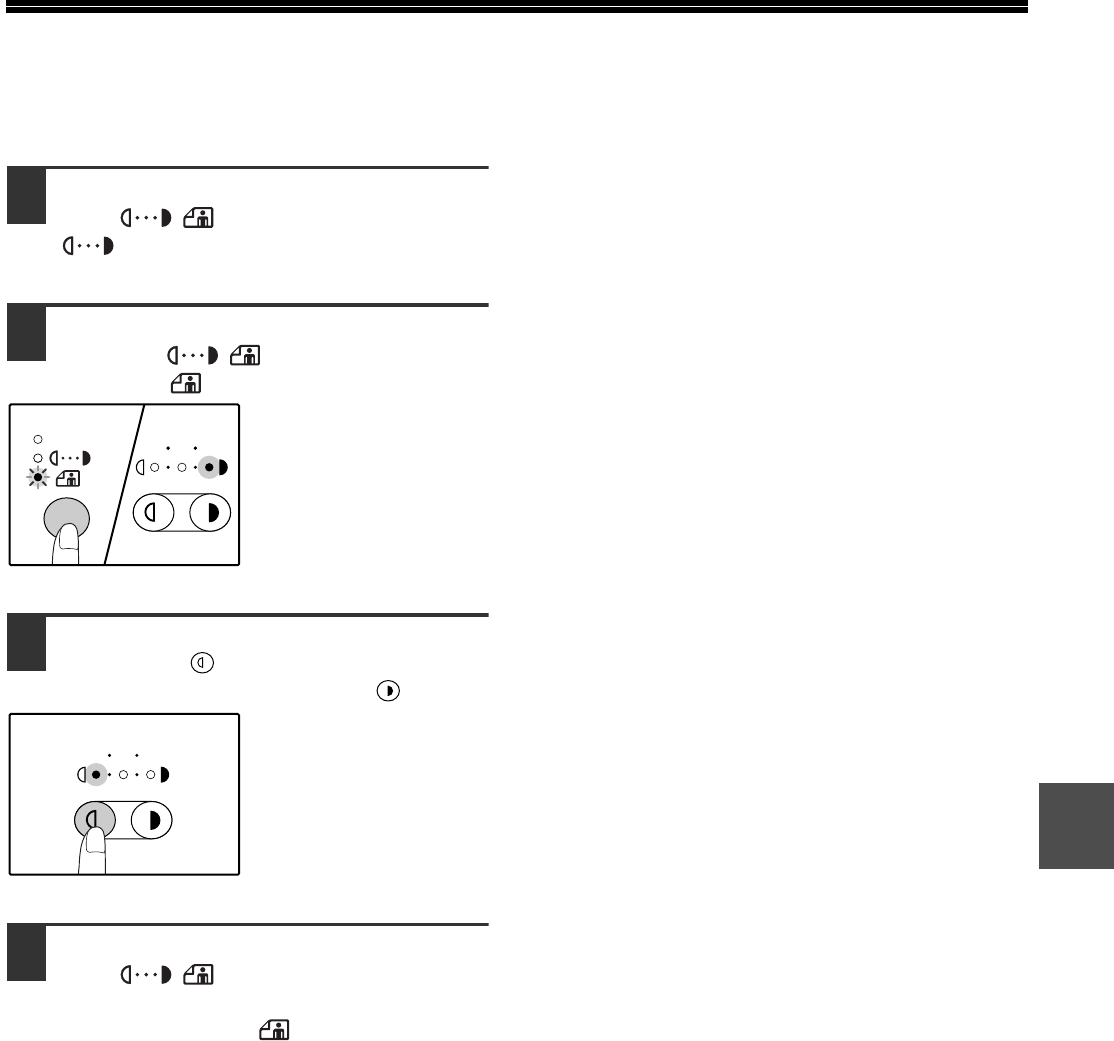
- ENABLING TONER SAVE MODE 45
- CUSTOMISING SETTINGS 46
- Base settings 49
- SETTINGS FOR AUDITING MODE 50
- READ-END 51
- Auditing mode 52
- Account number entry 52
- Account number change 52
- Account number deletion 52
- Number of copies per account 52
- Resetting account 53
- MACHINE/COPYING PROBLEMS 55
- Notice page printed 63
- Removing the software 63
- MISFEED REMOVAL 65
- MISFEED IN THE BYPASS TRAY 66
- MISFEED IN THE MACHINE 67
- B. Misfeed in the fusing area 68
- Close the upper paper tray 70
- (AR-M205 only) 71
- REPLACING THE TONER CARTRIDGE 72
- CLEANING THE TRANSFER CHARGER 75
- PERIPHERAL DEVICES 76
- SINGLE PASS FEEDER/ 77
- REVERSING SINGLE PASS FEEDER 77
- 250-SHEET PAPER FEED UNIT/ 77
- 2 X 250-SHEET PAPER FEED UNIT 77
- STORAGE OF SUPPLIES 78
- Printer Function 80
- Scanner Function 81
- SOFTWARE LICENSE 82
- LUOKAN 1 LASERLAITE 90
- KLASS 1 LASERAPPARAT 90
- For users in the USA 91
- WARNING: 91
- SHARP CORPORATION 92
Verwandte Produkte und Handbücher für Kopierer Sharp AR-160
 (104 Seiten)
(12 Seiten)
(4 Seiten)
(40 Seiten)
(12 Seiten)
(12 Seiten)
(88 Seiten)
(117 Seiten)
(12 Seiten)
(56 Seiten)
(44 Seiten)
(104 Seiten)
(12 Seiten)
(4 Seiten)
(40 Seiten)
(12 Seiten)
(12 Seiten)
(88 Seiten)
(117 Seiten)
(12 Seiten)
(56 Seiten)
(44 Seiten)

 (47 Seiten)
(160 Seiten)
(79 Seiten)
(36 Seiten)
(8 Seiten)
(16 Seiten)
(104 Seiten)
(6 Seiten)
(183 Seiten)
(47 Seiten)
(160 Seiten)
(79 Seiten)
(36 Seiten)
(8 Seiten)
(16 Seiten)
(104 Seiten)
(6 Seiten)
(183 Seiten)
© 2020, manymanuals.de. Alle Rechte vorbehalten. | 0.026 s |
 Manymanuals.com
 Manymanuals.de
 Manymanuals.fr
 Manymanuals.it
 Manymanuals.pl
 Manymanuals.cz
 Manymanuals.es
 Manymanuals-pt.com
Kommentare zu diesen Handbüchern