Sharp AR-150E Spezifikationen Seite 67
- Seite / 107
- Inhaltsverzeichnis
- LESEZEICHEN


- [1] GENERAL 2
- [2] SPECIFICATIONS 3
- [The reattachment procedure] 9
- B. Drum unit 10
- [6] Printing process 22
- (–580V/–400V) 23
- Semiconductor laser 24
- [7] OPERATIONAL DESCRIPTIONS 26
- To MCU PWB 27
- 1) Basic structure 28
- 2) Laser beam path 28
- 3) Composition 28
- Heat roller 29
- Thermistor 29
- Thermal fuse 29
- Heater lamp 29
- Separator pawl 29
- [8] DISASSEMBLY AND ASSEMBLY 34
- D. Charger wire cleaning 35
- E. Charger wire replacement 35
- Note that there are 13 pawls 36
- C. Assembly procedure 37
- Heat roller disassembly 39
- B. Disassembly procedure 40
- Wire treatment 45
- Multi cover 46
- [9] Adjustment 51
- (4) Image position adjustment 57
- 1. Lead edge adjustment 57
- Document guide 58
- Copy paper 58
- (A4 or 8 1/2″ × 11″) 58
- Test chart 59
- White paper 59
- (1) Main charger (Grid bias) 60
- Procedures 60
- (2) DV bias adjustment 60
- 2. List of simulation 62
- 3. Contents of simulations 63
- 4. Trouble Codes 72
- [11] USER PROGRAM 73
- [12] ELECTRICAL SECTION 74
- A. Maiin PWB (MCU) 76
- (1) CPU signal table 76
- (2) ASIC 79
- (3) Reset circuit 86
- (5) Driver circuit (Solenoid) 88
- (7) Main motor drive circuit 88
- Mirror motor 89
- Block diagram 90
- (2) FW signal 92
- (3) Heater lamp drive circuit 92
- CL (Xenon lamp) 93
- CL- (CNT) 93
- Input +24V 93
- Selector 94
- IC902,903 94
- [13] CIRCUIT DIAGRAM 95
- AL-1000/1010 100
- POWER SUPPLY (100V/110V) 103
- POWER SUPPLY (120V/127V) 104
- POWER SUPPLY (200V Series) 105
- ACTUAL WIRING DIAGRAM 106
- SHARP CORPORATION 107
Verwandte Produkte und Handbücher für Kopierer Sharp AR-150E
 (36 Seiten)
(9 Seiten)
(170 Seiten)
(2 Seiten)
(5 Seiten)
 (88 Seiten)
(34 Seiten)
(181 Seiten)
(12 Seiten)
(5 Seiten)
(1 Seiten)
(13 Seiten)
(9 Seiten)
(58 Seiten)
(8 Seiten)
(24 Seiten)
Tripp Lite PDUMV15NET manuali
Manuali dei proprietari e guide per l'utente per Multiprese Tripp Lite PDUMV15NET.
We fornisce 1 manuali pdf Tripp Lite PDUMV15NET per scaricare gratuitamente in base al tipo di documento: Manuale Utente
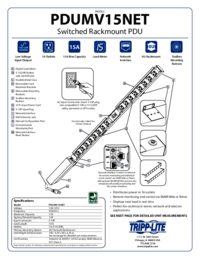
Tripp lite PDUMV15NET Manuale Utente (2 pagine)
Marchio: Tripp-lite | Categoria: Power distribution units (PDUs) | Dimensione: 0.63 MB |
Indice
Più prodotti e manuali per Multiprese Tripp Lite
| Modelli | Tipo di Documento |
|---|---|
| PDUMH20NET2 |
Manuale Utente
Tripp Lite PDUMH20NET2 User's Manual,
4 pagine
|
| PDUMH20HVNET |
Manuale Utente
Tripp Lite PDUMH20HVNET User's Manual,
11 pagine
|
| PDUMH15ATNET |
Manuale Utente
 Tripp Lite PDUMH15ATNET User's Manual,
36 pagine |
| PDU Power Strips |
Manuale Utente
Tripp Lite PDU Power Strips User's Manual,
3 pagine
|
| OMNI1500XLNAFTA |
Manuale Utente
Tripp Lite OMNI1500XLNAFTA User's Manual,
5 pagine
|
| PDUNV |
Manuale Utente
Tripp Lite PDUNV User's Manual,
2 pagine
|
| 200904140 |
Manuale Utente
Tripp Lite 200904140 User's Manual [en] ,
9 pagine
|
| PDUMH15AT |
Manuale Utente
Tripp Lite PDUMH15AT User's Manual,
28 pagine
|
| PS-415-HG-OEM |
Manuale Utente
Tripp Lite PS-415-HG-OEM User's Manual,
2 pagine
|
| TRIPP.LITE PDUMV40 |
Manuale Utente
Tripp Lite TRIPP.LITE PDUMV40 User's Manual,
12 pagine
|
© 2020, manymanuals.de. Alle Rechte vorbehalten. | 0.020 s |
 Manymanuals.com
 Manymanuals.de
 Manymanuals.fr
 Manymanuals.it
 Manymanuals.pl
 Manymanuals.cz
 Manymanuals.es
 Manymanuals-pt.com
Kommentare zu diesen Handbüchern