Sharp AR-D21 Spezifikationen Seite 62
- Seite / 92
- Inhaltsverzeichnis
- FEHLERBEHEBUNG
- LESEZEICHEN


- With the RSPF installed 1
- CONTENTS 3
- APPENDIX 4
- CAUTIONS 5
- CAUTIONS ON LASER 6
- USING THE MANUAL 7
- INDICATIONS 8
- MAIN FEATURES 9
- BEFORE USING THE MACHINE 10
- Interior 11
- The indicators of the 12
- COMPLETE 13
- 4 5 6 7 8 14
- POWER ON AND OFF 15
- INITIAL SETTINGS 16
- POWER SAVE MODES 16
- LOADING PAPER 17
- Special papers 18
- Landscape 20
- Portrait 20
- SETTINGS 21
- From the [PAPER SELECT] key 22
- COPY FUNCTIONS 23
- Original scale Original scale 24
- COPYING FROM THE RSPF 25
- Document glass and RSPF 26
- Removing the document cover 26
- 2-SIDED COPY 27
- SPECIAL MODES 27
- BYPASS FEED (special paper) 28
- AUTOMATIC TWO-SIDED COPYING 29
- USING THE RSPF 30
- EXPOSURE ADJUSTMENT 31
- REDUCTION/ENLARGEMENT/ZOOM 32
- MANUAL RATIO SELECTION 33
- PAPER SELECT 34
- COPY RATIO 34
- EXPOSURE 35
- AUTO A4 35
- X-50% Y-70% 35
- INTERRUPTING A COPY RUN 36
- CONVENIENT COPY FUNCTIONS 37
- STAPLE SORT 39
- POSITIONS 39
- FUNCTIONS 42
- RIGHT LEFT DOWN 43
- CANCEL OK 44
- This page 45
- PAMPHLET COPY 46
- JOB BUILD MODE 47
- MULTI SHOT COPY 48
- ORIGINAL SIZE 49
- COVER COPY 50
- B/W REVERSE COPY 52
- USER SETTINGS 53
- B STATUS 54
- CUSTOM SETTINGS 54
- JOB PROGRAM MEMORY 56
- EXECUTING A JOB PROGRAM 57
- DELETING A STORED JOB PROGRAM 57
- AUDITING MODE 58
- Chapter 5 59
- DISPLAY MESSAGES 60
- TROUBLESHOOTING 62
- Paper feeding problems 64
- Image quality problems 65
- A MISFEED HAS OCCURRED 66
- MISFEED IN THE RSPF 67
- Roller rotating knob 68
- Fusing unit release levers 69
- MISFEED IN THE CENTRE TRAY 70
- tray is being used, remove 73
- REPLACING THE TONER CARTRIDGE 74
- STAPLE CARTRIDGE REPLACEMENT 75
- CHECKING THE TONER QUANTITY 76
- AND TOTAL OUTPUT COUNT 76
- Scanning glass for RSPF 77
- PERIPHERAL DEVICES 78
- FINISHER (AR-FN5N) 79
- 500-SHEET PAPER FEED UNIT/ 80
- 2 x 500-SHEET PAPER FEED UNIT 80
- STORAGE OF SUPPLIES 81
- INDEX BY PURPOSE 87
- LASER PRODUCT 90
- LASER KLASSE 1 90
- 2003H KS➀ 92
- TINSE1003QSZZ 92
- SHARP CORPORATION 92
Verwandte Produkte und Handbücher für Kopierer Sharp AR-D21


 (112 Seiten)
 (52 Seiten)
(8 Seiten)
(109 Seiten)
(28 Seiten)
(91 Seiten)
(84 Seiten)
(120 Seiten)
(56 Seiten)
(160 Seiten)
(88 Seiten)
(8 Seiten)
(24 Seiten)
(28 Seiten)
(132 Seiten)
(178 Seiten)
(113 Seiten)
(108 Seiten)
Tripp Lite PDUMV15NET manuali
Manuali dei proprietari e guide per l'utente per Multiprese Tripp Lite PDUMV15NET.
We fornisce 1 manuali pdf Tripp Lite PDUMV15NET per scaricare gratuitamente in base al tipo di documento: Manuale Utente
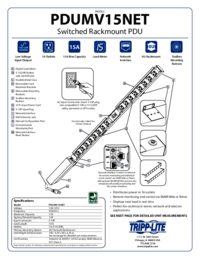
Tripp lite PDUMV15NET Manuale Utente (2 pagine)
Marchio: Tripp-lite | Categoria: Power distribution units (PDUs) | Dimensione: 0.63 MB |
Indice
Più prodotti e manuali per Multiprese Tripp Lite
| Modelli | Tipo di Documento |
|---|---|
| PDUMH20NET2 |
Manuale Utente
Tripp Lite PDUMH20NET2 User's Manual,
4 pagine
|
| PDUMH20HVNET |
Manuale Utente
Tripp Lite PDUMH20HVNET User's Manual,
11 pagine
|
| PDUMH15ATNET |
Manuale Utente
 Tripp Lite PDUMH15ATNET User's Manual,
36 pagine |
| PDU Power Strips |
Manuale Utente
Tripp Lite PDU Power Strips User's Manual,
3 pagine
|
| OMNI1500XLNAFTA |
Manuale Utente
Tripp Lite OMNI1500XLNAFTA User's Manual,
5 pagine
|
| PDUNV |
Manuale Utente
Tripp Lite PDUNV User's Manual,
2 pagine
|
| 200904140 |
Manuale Utente
Tripp Lite 200904140 User's Manual [en] ,
9 pagine
|
| PDUMH15AT |
Manuale Utente
Tripp Lite PDUMH15AT User's Manual,
28 pagine
|
| PS-415-HG-OEM |
Manuale Utente
Tripp Lite PS-415-HG-OEM User's Manual,
2 pagine
|
| TRIPP.LITE PDUMV40 |
Manuale Utente
Tripp Lite TRIPP.LITE PDUMV40 User's Manual,
12 pagine
|
© 2020, manymanuals.de. Alle Rechte vorbehalten. | 0.033 s |
 Manymanuals.com
 Manymanuals.de
 Manymanuals.fr
 Manymanuals.it
 Manymanuals.pl
 Manymanuals.cz
 Manymanuals.es
 Manymanuals-pt.com
Kommentare zu diesen Handbüchern