Sharp XG-C68X Datenblatt Seite 22
- Seite / 106
- Inhaltsverzeichnis
- FEHLERBEHEBUNG
- LESEZEICHEN

- Model No.: 2
- Serial No.: 2
- “QUICK GUIDE” Label 6
- Outstanding Features 7
- Contents 8
- IMPORTANT SAFEGUARDS 10
- Introduction 11
- Part Names 14
- Projector (Rear View) 15
- Remote Control (Front View) 16
- Remote Control (Top View) 16
- Using the Remote Control 17
- Accessories 18
- Connections and Setup 19
- Before Connecting 20
- Connecting the Power 21
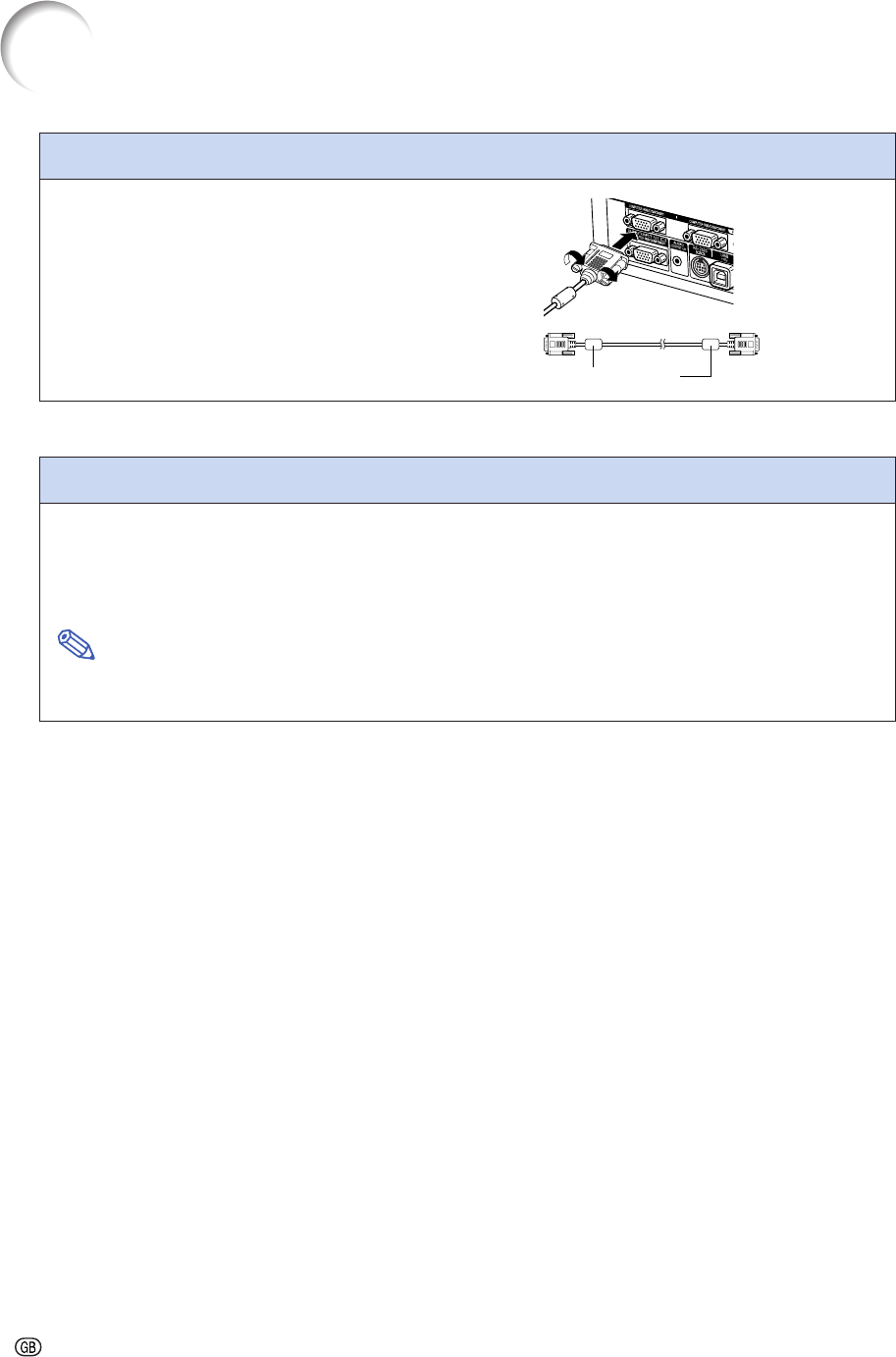
- Connecting to a Computer 21
- Using the RGB Cable 21
- Connecting to Video Equipment 23
- Connecting to 24
- Component Video 24
- Equipment 24
- Connecting to an Amplifier 25
- 1 Connect the supplied DIN-D 26
- Connecting to a Monitor 27
- 2 Press 28
- 1 Press HEIGHT ADJUST 29
- 2 Zooming is adjusted by mov 30
- Example of Standard Setup 31
- Standard Lens 32
- Throw ratio 32
- 1:1.77 to 2.25 32
- AN-C41MZ (Optional accessory) 33
- 1:4.1 to 5.8 33
- AN-C27MZ (Optional accessory) 34
- 1:2.7 to 4.3 34
- AN-C12MZ (Optional accessory) 35
- 1:1.18 to 1.48 35
- Projection using a mirror 36
- Basic Operation 37
- Image Projection 38
- 3 Press , , or on 39
- 1 Press 40
- Turning the Power off 41
- 1 Press 42
- Menu Bar Items 44
- Using the Menu Screen 46
- 3 Press 47
- 4 Press 49
- 5 Press 49
- 6 Press 49
- Adjusting the Picture 50
- Progressive Mode 51
- Adjusting Computer Images 52
- Selecting Adjustment Settings 53
- Special Mode Settings 53
- Checking the Input Signal 53
- Auto Sync Adjustment 54
- Easy to Use Functions 55
- Switching the Picture 56
- Display Using Different 56
- Input Signals 56
- Displaying a Still Image 58
- Gamma Correction Function 60
- Black Screen Function 62
- 2 To return to the original 62
- Displaying the Break Timer 63
- 1 Press . The break timer 63
- Selecting the Color 64
- Reproduction Mode 64
- Selecting the Target 64
- Resetting User-Defined 66
- Color Settings 66
- Overview of All Color 66
- Settings 66
- Setting the Audio Output Type 67
- Auto Search Function 68
- Setting On-screen Display 69
- Setting the Video System 70
- Saving Projected Images 71
- Setting a Background Image 72
- Selecting a Startup Image 72
- Selecting the Economy Mode 73
- Checking the Remaining 74
- Lamp Life (Percentage) 74
- Auto Power Off Function 74
- Selecting the Fan Mode 75
- Setting up the Keylock 76
- Canceling the Keylock 76
- Setting up a Password 77
- Setting the Anti-Theft 79
- 3 Enter the same keycode once 80
- Initializing the Settings 81
- Overview of All Menu 82
- Maintenance 84
- Replacing the Air Filter 85
- 5 Clean the air filter 86
- 6 Replace the air filter 86
- 7 Replace the filter cover 86
- Maintenance Indicators 87
- Regarding the Lamp 89
- U.S.A. ONLY 89
- 5 Remove the lamp unit 91
- 6 Insert the new lamp unit 91
- 7 Attach the lamp unit cover 91
- 1 Connect the power cord 91
- 2 Reset the lamp timer 91
- Connecting Pin Assignments 92
- PC control 93
- Communication conditions 93
- Basic format 93
- Commands 93
- PICTUREFINE SYNC 94
- C. M. S 94
- 1 = 2.10 ms 96
- Computer Compatibility Chart 97
- Troubleshooting 98
- For SHARP Assistance 100
- Specifications 101
- Dimensions 102
- Glossary 103
- Appendix 105
- SHARP CORPORATION 106
Verwandte Produkte und Handbücher für Datenprojektoren Sharp XG-C68X
 (73 Seiten)
(82 Seiten)
(75 Seiten)
(86 Seiten)
(75 Seiten)
(72 Seiten)
(66 Seiten)
(70 Seiten)
(45 Seiten)
(74 Seiten)
(73 Seiten)
(73 Seiten)
(82 Seiten)
(75 Seiten)
(86 Seiten)
(75 Seiten)
(72 Seiten)
(66 Seiten)
(70 Seiten)
(45 Seiten)
(74 Seiten)
© 2020, manymanuals.de. Alle Rechte vorbehalten. | 0.031 s |
 Manymanuals.com
 Manymanuals.de
 Manymanuals.fr
 Manymanuals.it
 Manymanuals.pl
 Manymanuals.cz
 Manymanuals.es
 Manymanuals-pt.com
Kommentare zu diesen Handbüchern