Sharp FO-5550 Bedienungsanleitung Seite 3

  • Herunterladen
  • Zu meinen Handbüchern hinzufügen
  • Drucken
  • Seite
    / 4
  • Inhaltsverzeichnis
  • LESEZEICHEN
  • Bewertet. / 5. Basierend auf Kundenbewertungen
Seitenansicht 2
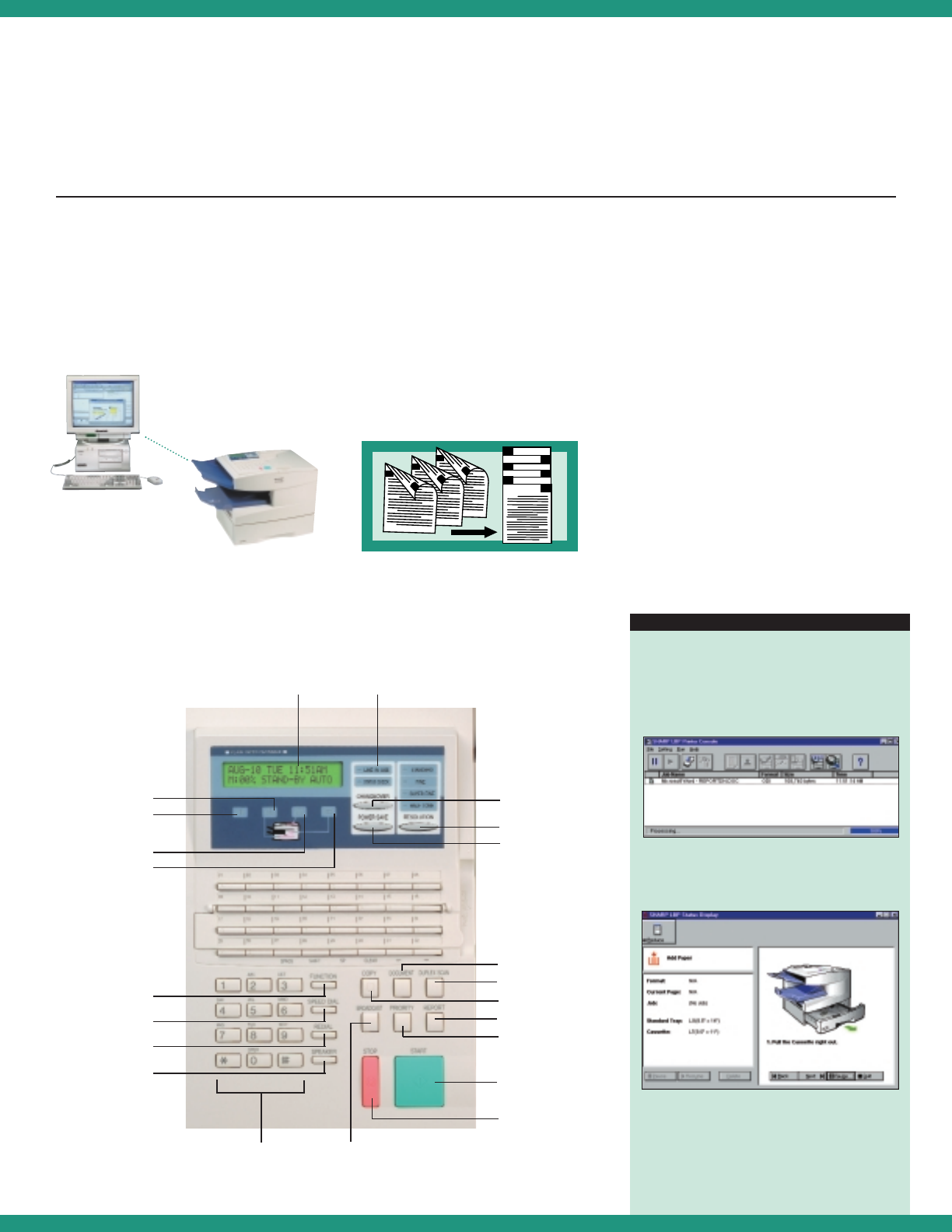
Optional Laser Printing
The optional print driver
transforms the FO-5550 into a
600 dpi laser printer and even
offers animated directions for
changing toner and supplies.
Duplex Scanning For
True Efficiency
Standard duplex scanning lets
users quickly and efficiently send
two-sided documents–without a
trip to the copier to copy each
side first.The FO-5550 scans both
sides and then sends them in the
proper order.
Easy Operation
Supply replacement is quick and
easy with color-coded supplies
Functions are easy to program
User-friendly control panel is simple
to operate
F.A.S.T.
(Facsimile Automated Service Technology)
Sharp's proprietary remote fax
management system automatically
connects the FO-5550 to your
authorized Sharp dealer to alert for
low supplies,and even enables
technicians to program functions or
diagnose and solve problems right
over the fax line.
Resolution
Power Save
Document
Function
LCD Display
Need Paper
Call Service
Need Toner
Need Drum
Speed Dial
Redial
Speaker
Duplex Scan
Copy
Report
Priority
Broadcast
Numeric Keys
Display
Changeover
Line Condition
Indicator
Start
Stop
Productivity
Has Never
Been This
Easy
The optional print driver on the FO-5550 has user
friendly screens that allow a wide range of options
and information.
Besides showing the status of the FO-5550,the
print driver software provides animated instructions
for everything from adding paper to changing toner
and drum cartridges!
provides quick access to efficient features
E
ASY
-T
O
-F
OLLOW
C
ONTROL
P
ANEL
Transform the FO-5550 into a
connected laser printer with the
optional print driver and software.
5
6
3
4
1
2
2
1
3
4
5
6
Seitenansicht 2
1 2 3 4

Kommentare zu diesen Handbüchern

Keine Kommentare