Sharp AR-C250 Spezifikationen Seite 86
- Seite / 161
- Inhaltsverzeichnis
- FEHLERBEHEBUNG
- LESEZEICHEN

- DigitalDigital 1
- FOR YOUR RECORDS 2
- COLOR COPY SAMPLES 3
- KEY OPERATOR CODE NUMBER 6
- 3. Sharpness (See page 3-18.) 8
- Color Balance 10
- CONTENTS 11
- INTRODUCTION 12
- USING THIS MANUAL 12
- CHAPTER 1 13
- INSTALLATION REQUIREMENTS 14
- CAUTIONS 15
- Cautions on laser 16
- POWER ON AND OFF 17
- Power save modes 18
- INFORMATION FUNCTION 19
- USING THE TOUCH PANEL 20
- Function setting icons 21
- CHAPTER 2 23
- AUDITING ACCOUNTS 24
- Original size detector 26
- Centering scale 26
- USING THE RADF 28
- AUTO IMAGE 33
- Manual selection 34
- REDUCTION/ENLARGEMENT/ZOOM 34
- PAPER TYPE 36
- INTERRUPT 37
- EXPOSURE ADJUSTMENTS 38
- EXPOSURE PAPE 39
- Storing a job program 40
- Deleting a stored job program 41
- Recalling a job program 41
- JOB MEMORY 41
- CHAPTER 3 43
- SPECIAL FUNCTIONS XY zoom 45
- MARGIN SHIFT 46
- RIGHT LEFT 47
- READY TO 48
- SPECIAL FUNCTIONS Erase 49
- DUAL PAGE 51
- SPARENCY INSERTS 51
- CENTERING 52
- TRANSPARENCY INSERTS 53
- RANSPARENCY INSERTS 55
- T ON FRONT COVER? 57
- COLOR ADJUSTMENTS 58
- IMAGE EDITING FUNCTIONS 66
- INFORMATIO 73
- CHAPTER 4 81
- CHAPTER4 83
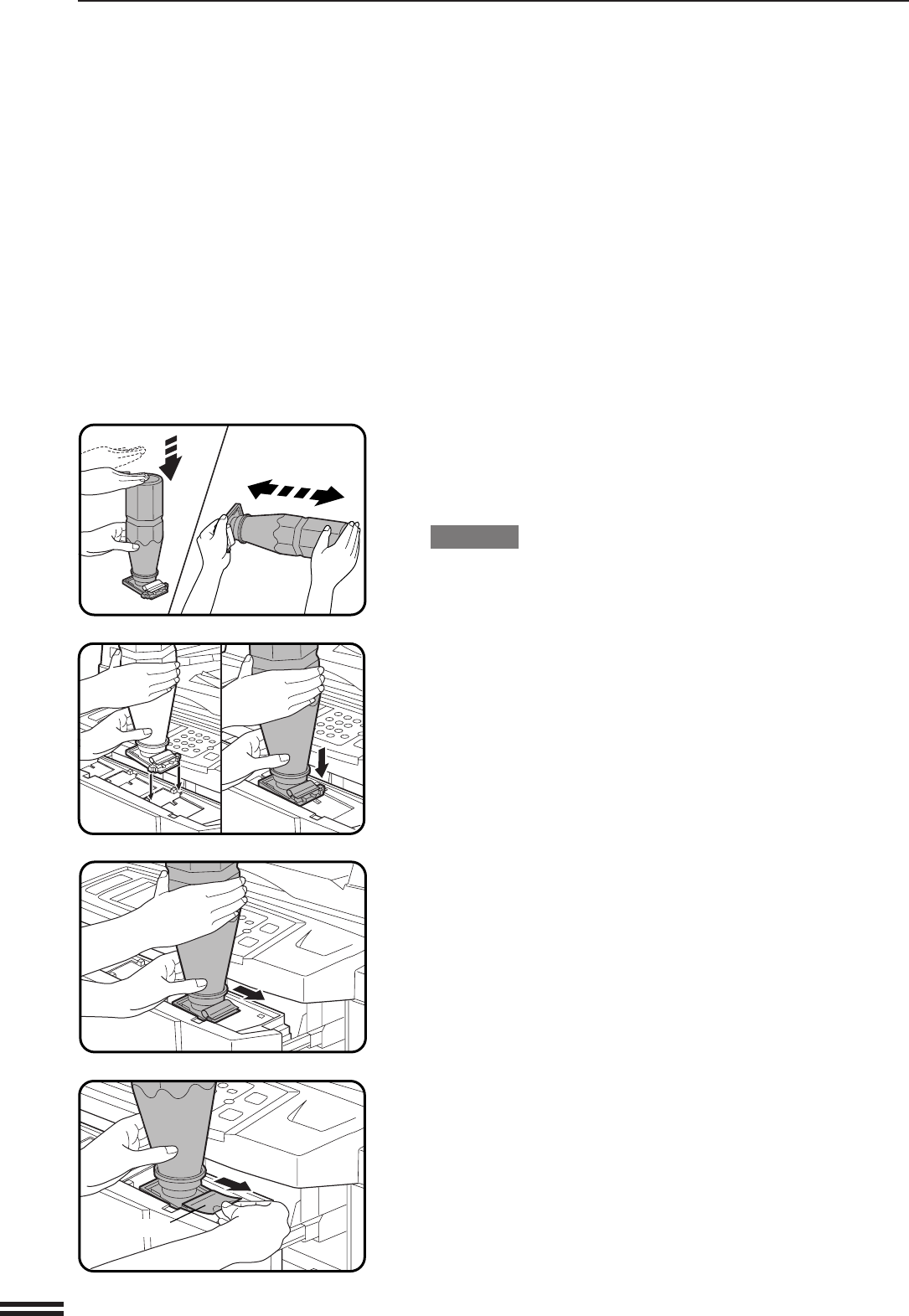
- ADDING TONER 85
- USED TONER DISPOSAL 88
- GENUINE SUPPLIES 89
- CHAPTER 5 91
- MISFEED REMOVAL 100
- MAINTENANCE REQUIRED 101
- TONER COLLECTING CONTAINER OF 102
- TRANSFER UNIT 102
- TROUBLESHOOTING 103
- Self-diagnostic function 104
- CHAPTER 6 105
- PART NAMES AND FUNCTIONS 106
- Interior 107
- Operation Panel 108
- READY TO COPY 109
- EXPOSURE PAPER SELECT 109
- COPY RATIO 109
- 8/ 11AUTO 109
- USER MAINTENANCE 110
- ER DARKER 111
- SPECIFICATIONS 112
- CHAPTER 7 115
- SYSTEM CONFIGURATION 116
- 20-BIN STAPLE SORTER (AR-SS2) 117
- OPTIONAL EQUIPMENT 118
- 20-bin staple sorter (AR-SS2) 118
- SORTER CAPACITY 119
- Stapling position 120
- Using the optional RADF 121
- Manual stapling 122
- Staple cartridge replacement 123
- Staple jam removal 125
- MISFEED HAS OCCURRED 127
- CLEAR INDICATED AREA 127
- Specifications 128
- LARGE CAPACITY TRAY (AR-LC2) 129
- Loading copy paper 130
- FINISHER (AR-FN4) 133
- OFFSET mode 134
- NON OFFSET mode 134
- Offset stack 134
- CHAPTER7 136
- Finisher (AR-FN4) 136
- Misfeed removal 140
- WARNING: 160
- PRINTED IN JAPAN 161
- SHARP ELECTRONICS CORPORATION 161
Verwandte Produkte und Handbücher für Multifunktionsgeräte Sharp AR-C250
 (148 Seiten)
 (160 Seiten)
 (165 Seiten)
(178 Seiten)
(165 Seiten)
(178 Seiten)
Life Fitness Outils manuels d'utilisation
À partir de L
© 2020, manymanuals.de. Alle Rechte vorbehalten. | 0.020 s |
 Manymanuals.com
 Manymanuals.de
 Manymanuals.fr
 Manymanuals.it
 Manymanuals.pl
 Manymanuals.cz
 Manymanuals.es
 Manymanuals-pt.com
Kommentare zu diesen Handbüchern