Sharp AR-C240P Spezifikationen
Stöbern Sie online oder laden Sie Spezifikationen nach Kopierer Sharp AR-C240P herunter. Sharp AR-C240P Specifications Benutzerhandbuch
- Seite / 196
- Inhaltsverzeichnis
- FEHLERBEHEBUNG
- LESEZEICHEN

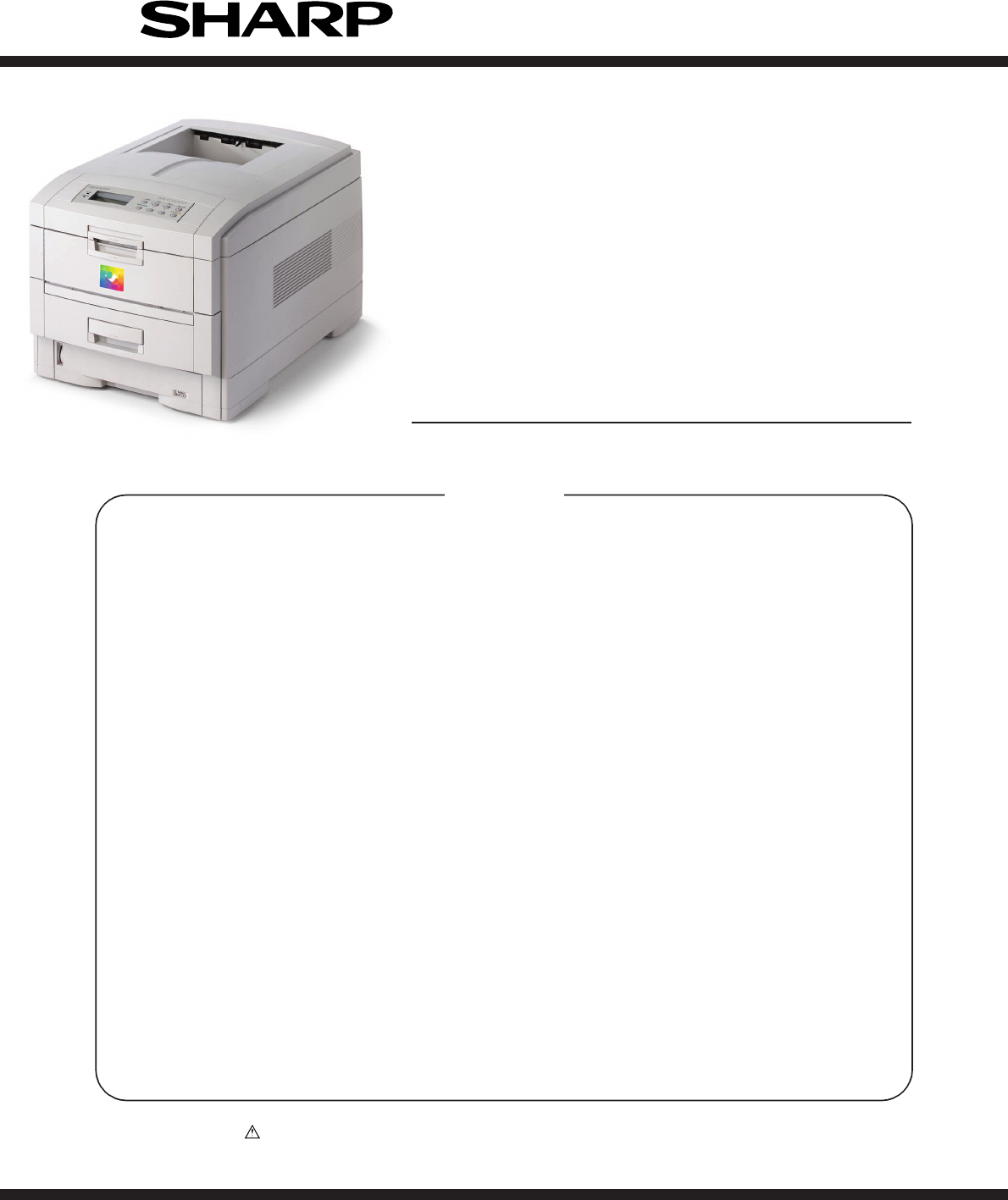
- AR -C 240P 1
- CONTENTS 3
- 1. CONFIGURATIONS 6
- 1.1 System Configuration 6
- 1.2 Printer Configuration 7
- 1.3 Supplies and Consumables 8
- Option Configuration 9
- 1.4 Specifications 10
- 2. OPERATION DESCRIPTION 12
- 2.1 Main Board (TIG PWB) 13
- 2.3 Power Units 16
- Disconnect 17
- [Maintenance Tools] 18
- Table 2-1 Maintenance Tools 18
- 2.2 Parts layout 19
- For 600dpi 20
- [Printer Unit-1/2] 21
- Figure 2-3 21
- [Printer Unit-2/2] 22
- Figure 2-4 22
- [Cassette Guide Assy (L),(R)] 23
- Figure 2-5 23
- [Duplex Unit] 24
- Figure 2-6 24
- 2.3 Replacing Parts 25
- 2.3.1 Top Cover 27
- (1) Open the Top Cover assy 27
- Figure 2-3-1 Top Cover 27
- 2.3.6 Eject Guide Assy 32
- (1) Remove the cassette 1 34
- 2.3.11 Face-Up Tray 37
- Figure 2-3-11 Face-Up Tray 37
- 2.3.15 Drum Contact Assys 41
- Stage height adjustment jig 43
- Top surface 43
- 2.3.20 Main Cooling Fan 46
- Connectors 47
- 2.3.22 Duplex Guide Assy 48
- Main chassis 52
- 2.3.27 Entrance Sensor PWB 53
- 2.3.30 Exit Sensor Assy 56
- 2.3.42 Fuser Unit 68
- (1) Open the top cover 1 68
- Figure 2-3-42 Fuser Unit 68
- 2.3.44 Duplex Unit 70
- Figure 2-3-44 Duplex Unit 70
- 3. ADJUSTMENT 76
- 3.0 System Maintenance MENU 76
- Maintenance Menu 78
- SWITCH SCAN 80
- MOTOR & CLUTCH TEST 84
- BLACK - ID MOTOR 84
- Figure 3-3 85
- Table 3-2 85
- TEST PATTERN 86
- Pattern 5 Pattern 6 88
- Pattern 7 88
- MTR=*.**KV CTR=*.**KV 89
- P=*** T=*** U=***[###] 89
- H=***% L=***[###] 89
- KTR=*.**KV YTR=*.**KV 89
- NV-RAM INITIAL 90
- TOTAL SHEETS FEED 91
- BLACK IMPRESSIONS 91
- YELLOW IMPRESSIONS 91
- MAGENTA IMPRESSIONS 91
- CYAN IMPRESSIONS 91
- 3.1.2.9 Panel display details 92
- Panel display 92
- Details of jam error display 96
- Value Check 101
- Measurement point 104
- 2-Character correction value 108
- Code content Barcode 108
- 5. TROUBLESHOOTING PROCEDURES 111
- 5.5 Troubleshooting Procedure 112
- Back-up roller thermister 128
- Heat roller thermister 128
- DIAGNOSTIC MODE 139
- XX.XX.XX 139
- Charge Roller 144
- Developing Roller 144
- Toner Supply Roller 144
- 5.6 Fuse check 145
- 6. CONNECTION DIAGRAM 146
- 6.1 Resistance Checks 146
- Feeder Motor 148
- Duplex Motor 148
- 6.2 Program/Font ROM Layouts 150
- (2) Main Controller PWB 152
- (6) N71 PWB 154
- Item Description 156
- INPUT. PRIME 157
- ACKNOWLEDGE 157
- 1. Parts Replacement 160
- APPENDIX C ERROR MESSAGES 165
- 1. Error messages 165
- 5. Other Warnings 177
- PARTS GUIDE 179
- (1) Main Assembly 1/3 181
- (1) Main Assembly 2/3 182
- (1) Main Assembly 3/3 183
- (2) Top Cover Assembly 185
- (2) Top Cover Assembly 186
- (3) Printer Unit Chassis 1/2 187
- (3) Printer Unit Chassis 2/2 188
- (3) Printer Unit Chassis 189
- (4) Paper Tray Guide 191
- (4)Paper Tray Guide 192
- (5)Duplex Unit 193
- (5) Duplex Unit 194
- ALL RIGHTS RESERVED 196
Inhaltsverzeichnis
P arts marked with “ ” are important for maintaining the safety of the set. B e sure to replace these parts withspecified ones for maintaining the s
10 / 1.4 Specifications(1) External Dimensions Height: 430mm Width: 430mm Length: 620mm(2) Weight 42 kg(3)
100 / 3.2.5 Recovery Flash ROM data on TIG boardA 4MB Flash ROM that enables a user to register an arbitrary file is insta
101 / 3.4 Paper Thickness Detection Sensitivity Adjustment and Media Thickness DetectionValue CheckOutline:The sensitivit
102 / 3.4.2 Setting3.4.2.1 Menu Setting(1) Power on the PC.(2) Create an arbitrary folder, and copy the two files Adjust
103 / (7) Setting screen appears. Select (mark) LPT1 or USB on the Printer Port menu. Press OK.Note:Do not change setti
104 / 3.4.2.2 Media Setting(1) The media thickness input screen is displayed.Prepare four sensitivity adjustment transpare
105 / 3.4.2.3 Sensitivity Adjustment(1) With the press of OK on the ADJUSTMM screen, sensitivity adjustment is performed.
106 / 3.4.2.4 Actions for NG Sensitivity AdjustmentWhen a CSV format file stored automatically in sensitivity adjustment i
107/ 3.4.3 Inputting the density of the calibration chip for density detectionWrite the calibration target adjustment valu
108 / (12) Enter the correction value marked on the barcode label on the shutter into the Input fieldand press OK (the Mun
109 / 3.4.4 Electronic Serial Number Input[Outline]The 22-character electronic serial number (E-S/N) that has been marked
11 / (12) Temperatures and Relative HumiditiesTemperatureTemperature ConditionTemperature( F) Temperature( C) RemarkOpe
110 / 4. REGULAR MAINTENANCE4.1 Parts Replaced RegularlyUsers are recommended to replace parts periodically according to t
111 / 5. TROUBLESHOOTING PROCEDURES5.1 Precautions before troubleshooting(1) Confirm the basic inspection items described
112 / 5.4 Preparing for Troubleshooting(1) Operator panel displayProblems that occur with the printer are indicated in the
113 / 5.5.1 LCD message listWhen the printer detects a non-recoverable error, the following service call error is displaye
114 / Table 5-1-1 Operator Alarm (2/6)Message Cause Error Description SolutionsService Call042: Error~044: ErrorService C
115 / Table 5-1-1 Operator Alarm (3/6)Message Cause Error Description SolutionsService Call110: Error~116: Error110: Enve
116 / Table 5-1-1 Operator Alarm (4/6)Message Cause Error Description SolutionsService Call160: Y Toner161: M Toner162: C
117 / Table 5-1-1 Operator Alarm (5/6)Message Cause Error Description SolutionsReset belt330: Belt errorReset drum330~343
118 / Table 5-1-1 Operator Alarm (6/6)Message Cause Error Description SolutionsOpen top cover389: Paper jamCheck MP tray3
119 / 5.5.2 Preparing for troubleshooting(1) Operator panel displayProblems that are generated in this device are indicate
12 /2. OPERATION DESCRIPTIONThe C7500/C7300 of printers, tandem color electrophotographic page printers, adopt technol
120 / 1 The printer does not function properly after power ON.• Turn the power OFF then ON.• Is
121 / 2-1 Feed jam (1st tray)• Do feed jams occur right after power ON?• Yes Is the jam at the entrance cassette sensor or
122 / 2-2 Feed jam (multipurpose tray)• Do feed jams occur right after power ON?• Yes Is the jam at the entrance cassette
123 / 2-3 Path jam• Do path jams occur right after power ON?• Yes Is the jam at the entrance belt sensor?Yes Remove the ja
124 / 2-4 Exit jam• Do exit jams occur right after power ON?• Yes Is the jam at the paper exit sensor?• Yes Remove the jam
125 / 2-5 Duplex jam• Do path jams occur right after power ON?• Yes Is there paper in the duplex print unit?Yes Remove the
126 / 3 Paper size error• Is paper of regulated size being used?No Use paper of regulated size.▼• Yes Is a jam detected by
127 / 4 Up/Down movement error of the image drum unit (ID)• Turn the printer OFF, then turn it ON after a few seconds.• Ar
128 / 5 Fuser unit error• Do fuser errors occur right after power ON?(A)• Yes Is the heat roller thermister disconnected o
129 / 5 Motor fan error• Does the low-voltage power fan rotate at power ON?• No Is 34V output to fuse F7 on the engine boar
13 / 2.1 Main Board (TIG PWB)Figure 2-2 provides the block diagram of the main control board (TIG PWB).Figure 2-23PU-C
130 / Abnormal Image Flowchart No.The entire image is faint or the color is irregular. (Figure 5.2- A ) 1The white portion
131 / 1 An image is generally faint or the color is irregular. (Fig 5-2 A )• Is the amount of toner low? (Is [Toner Low] i
132 / 2 Dirty Background. (Fig. 5-2 B )• Was the image drum exposed to external light for a long time?Yes Replace the I/D
133 / 3 White page (Fig 5-2 C )• Is the LED head assembly connected properly to the connection board (Y73 PWB) or engine
134 / 4 Solid lines or streaks appear in the vertical direction. (Black lines, color lines / black streaks, colorstreaks)
135 / 5 Thick white lines / streaks or blurred color lines / streaks appear in the vertical direction (Fig. 5-2 F )• Is t
136 / 6 Poor Fusing (Ink spreads or peels when touched with fingers)• Is regulated paper being used?NO Use regulated paper
137 / 7 Consistent abnormality (Figure 5.2- E )Note:The life counter for the I/D unit, fuser unit, and belt cassette unit
138 / 8 Color detaches.• Is the LED head dirty?YES Clean the LED head.▼• NO Is the LED head assembly connected to the conn
139 / 9 Color irregularity• [Toner Low] is displayed.YES Refill toner. Did the printer recover?YES End.▼• NO Perform the c
14/ (1) CPUThe CPU is PowerPC750CXe, a 64-bit bus RISC processor, which inputs an 100-MHz CLK(= BUS CLK), and operates at
140 / (A)▼• NO [NG CALIBRATION LEFT /RIGHT] display.• YES Is the color irregularity sensor cover dirty?YES: Faulty cleanin
141 / (B)• [Yellow/Magenta/Cyan Left/Right/Horizontal] display▼• YES Replace the belt unit. Did the printer recover?YES En
142 / 0 Color irregularity compared with the original• Is the LED head lens dirty?YES Clean the LED head lens.▼• NO Is the
143 / A Paper thickness error (Err Code 323, 324)• Is the sensor connector connected?NO Connect the connecter.▼• YES Is the
144 / Figure 5.3GroundCharge RollerDeveloping RollerToner Supply Roller
145 / 5.6 Fuse checkWhen it is occured bellow errors, check these fuses on Print Engine Controller PWB (K7N-PWB).Table 5-
146 / 6. CONNECTION DIAGRAM6.1 Resistance ChecksUnit Circuit Diagram Illustration ResistanceBetween pins 1 and 2: 7.9.Bet
147 / Unit Circuit Diagram Illustration ResistanceBetween pins 1 and 2: 8.6.Between pins 3 and 4: 8.6.Between pins 1 and
148 / RedBrownYellowBlueM1234Unit Circuit Diagram Illustration ResistanceBetween pins 1 and 2: 7.9.Between pins 3 and 4:
149 / cdefab1. Upper roller side2. Backup roller sideUnit Circuit Diagram Illustration Resistance1. Upper Roller SideBetw
15/ Figure 2-3The engine control block (PU) is controlled by the engine controller board (K71 PWB) whichconsists of a CPU (MSM66Q577), general LSI
150 / 6.2 Program/Font ROM Layouts(1) Print Engine Controller PWBa) (K7N PWB : 600dpi)JODENFEEDFSENSPARTTEMPRSNSREGDUPLEXP
151 /
152 / (2) Main Controller PWBPUIFFAN3848411185168B85168ADIMM84285168168168841853 ~DIMM sockets(SDRAM DIMM (64MB ‘512MB) p)
153 / POWERSTUCKCPOW2MPOW2YPOW2TNRSNSCTNRSNSMTNRSNSYOPTNKPOW2TNRSNSKPANEL(4) Duplex Control PWB (V71--N PWB)FU1FSNSMAINMOT
154 / (6) N71 PWBJODEN(7) Entrance Sensor PWB (R71 PWB)HUMWRSNSINSNS1INSNS2TNRFSNS(8) Paper Size Sensing PWB (PXC PWB)CN11
155 / (9) High voltage power supply PWB(10) Low voltage power supply PWBCN1CN2CN2CN1CN4-2(CN6-2)CN4-1(CN6-1)CN5ACINCN3F2F1
156 / APPENDIX A INTERFACE SPECIFICATIONS1. Parallel Interface Specifications1.1 Parallel Interface Item DescriptionMode C
157 / 1.4 Timing ChartsCompatible modea) Data receiving timingPARALLEL DATA(DATA BITs 1 to 8)nStrobenAckBUSY 0.5 ∝s min.0
158 / 1.5 Parallel I/F SignalsTable 8-1 shows interface signal names and pin numbers.Table 8-1 SignalsPin No. Signal Name
159 / 2. Universal Serial Bus (USB) Interface Specifications2.1 USB Interface(1) Basic specificationsConforms to USB speci
16/ Output Voltage Use for+5 V LED head+5 V Logic circuit power supply, PU CPU+34 V Motor, drive voltage and power su
160 / APPENDIX B 2ND/3RD TRAY MAINTENANCE1. Parts Replacement1.1 Cover Idle Roller Assy(1) Unscrew the four screws 1 to re
161 / 342111121.2 PCB(1) Unscrew the four screws 1 to remove the plate cover PCB 2.(2) Remove the connectors (at seven plac
162 / 3333234009711ECBAEF8DD3111151.3 Feeder Drive Assy(1) Remove the four screws 1, six screws 2 and the eight screws 3.(
163 / 123485672. 2nd/3rd Tray PARTS LIST
165/ APPENDIX C ERROR MESSAGES1. Error messages(Caution) * : Raise in the factory mode only.** : Not raise in the
166 / LED AttenBlinkBlinkBlinkBlinkBlinkBlinkBlinkBlinkBlinkBlinkBlinkBlinkBlinkBlinkBlinkBlinkBlinkBlinkBlinkLCD Messages
167 / LED AttenBlinkBlinkBlinkBlinkBlinkBlinkBlinkBlinkBlinkBlinkBlinkBlinkBlinkBlinkBlinkBlinkBlinkLCD Messages CHECK DUP
168 / LED AttenBlinkBlinkBlinkBlinkBlinkBlinkBlinkBlinkBlinkBlinkBlinkBlinkBlinkBlinkBlinkBlinkBlinkBlinkLCD Messages INST
169 / LED AttenBlinkBlinkBlinkBlinkBlinkBlinkBlinkBlinkBlinkBlinkBlinkBlinkBlinkBlinkBlinkLCD Messages REMOVE THE PAPER450:
17 / (2) Do not disassemble the printer so long as it operates properly.(3) Minimize the disassembly. Do not detach parts
170 / LED AttenBlinkBlinkBlinkBlinkBlinkBlinkBlinkBlinkBlinkBlinkBlinkBlinkBlinkBlinkBlinkBlinkBlinkOFFLCD Messages CHANGE
171 / LED AttenBlinkBlinkBlinkBlinkBlinkBlinkBlinkBlinkBlinkBlinkLCD Messages CHECK PAPER CASSETTE520:TRAY1 LIFT UP ERRORCH
172 / LED AttenVariesVariesVariesLightLightLightLightLightLightLightLightLightLightLCD Messages _COLOR ADJUSTING_DENSITY AD
173 / LED AttenLightLightLightLightLightLightLightLightLightLightLightLightLightLightLightLightLightLightLCD Messages DENSI
174 / LED AttenLightLightLightVariesVariesLCD Messages REGISTRATION SENSOR ERROR3REGISTRATION SENSOR ERROR4REGISTRATION SE
175 / 3. Warning messages : Usage, MediaLED AttenVariesLightLightLightLightLightLightLightLightLightLightLightVariesV
176 / 4. Warning messages : Job AccountLED AttenVariesVariesLightLightLightLCD Messages FILE ACCESSINGCANCELLING(USER
177/ 5. Other Warnings(Caution) * : Raise in the factory mode only.LED AttenLightLightLightLightLightOFFLCD Messages
178 / In case
q PARTS GUIDECONTENTSBecause parts marked with "!" is indispensable for the machine safety maintenance and poeration, it mustBe replaced
18 / [Maintenance Tools]Table 2-1 lists tools necessary to replace the printed circuit boards and the units.Table 2-1 Main
181 / Figure 7-1-1/3353739, 40, 41, 4242234376203018141121126AAB82829192125122829283332931BA292928AB2929282829292329293229
182 / ABABCCC132923C291024242323Figure 7-1-2/3(1) Main Assembly 2/3
183 / Figure 7-1-3/34935504451504346474836(1) Main Assembly 3/3
Table 7-1No. Part Number Description Comment1 0ZZ40864601// Front Cover Assy2 0ZZ41042501// Front Cover Inner Baffle3 0ZZ40866701// Cassette Assy4 0ZZ
185 / Figure 7-223324242332424233242423324241514191414415611(600dpi)8 (600dpi) 7 (600dpi) 9 (600dpi) 10 (600dpi)171821 2
(2) Top Cover Assembly No. Part Number Description Comment1 0ZZ40859702// Top Cover2 0ZZ42460901// LED Assy (600dpi) Kit3 0ZZ42216201// LED Assy Spri
187 / Figure 7-3-1/2AA3161918605617244721252681371214282327110911511530312922222415054515857555159515151515151514951515151
188/ 31334440414839364345373438323547474747474747474747474747474747475253Figure 7-3-2/2(3) Printer Unit Chassis 2/2
(3) Printer Unit Chassis No. Part Number Description Comments1 0ZZ41189701// Drum contact Assy2 0ZZ40844306// Registration Roller Assy (A)3 0ZZ4084430
19 / 2.2 Parts layoutFigure 2-1AABBAAB
(3) Printer Unit Chassis No. Part Number Description Comments41 0ZZ41862901// Power-Unit AC-DC-switching(115V) 43 0ZZ42046801// Power-Unit (high-volta
191 / ABBACC’CC’16151162116121419161116514321919202020202020191919191919Figure 7-4(4) Paper Tray Guide
No. Part Number Description Comments1 0ZZ40839801// Main Feed Assy2 0ZZ40371302// Feed Roller3 0ZZ40313202// Nudger Roller4 0ZZ40325401// Main Feeder
193 / ABDCABCDEEFGGF23363344454144444444Figure 7-5(5)Duplex Unit
No. Part Number Description Comments1 0ZZ41946501// Duplex Transport Assy SPC6 0ZZ50133401// Duplex Unit AR-C20ADU(5) Dup
No part of this publication may be reproduced, stored in a retrieval system, or transmitted in any form or by any means, electronic, mechanical, p
20 / [Top Cover Assy]Figure 2-2 For 600dpi
21 / [Printer Unit-1/2]Figure 2-3AA
22 / [Printer Unit-2/2]Figure 2-4
23 / [Cassette Guide Assy (L),(R)]Figure 2-5ABBACC’CC’
24 / [Duplex Unit]ABDCABCDEEFGGFFigure 2-6
25 / 2.3 Replacing PartsThis section describes how to replace the parts and assemblies shown in the following disassem-blin
26 / ABoard Assy-CUPCB Assy_TIGBoard Memory 64MBBoard CRFCU Board AssyBoard_TIG0ZZ41964009//Board Assy.-CU(711)0ZZ41278601/
27/ 21112.3.1 Top Cover(1) Open the Top Cover assy.(2) Remove the nine screws 1 to detach the top cover 2.Figure 2-3-1 Top
28 / 1343422.3.2 LED Head / LED Spring / Post-Guide(1) Open the top cover 1.(2) Remove the three cables, and unhook the LED
29 / 2.3.3 Top Cover Unit(1) Remove the top cover (see section 2.3.1).(2) Remove the rear cover (see section 2.3.10).(3) Re
3 / CONTENTS1. CONFIGURATIONS ...
30 / 9B3376A51004282.3.4 Control Panel Assy/ Control Panel Bezel/ LED Control PWB/ Toner Sensors/ Stacker Full Sensor/Contr
31 / 3112442.3.5 Top Cover Handle/ Top Cover Latch/ Top Cover Latch Spring(1) Remove the two screws 1 to detach the top cov
32 / 11122.3.6 Eject Guide Assy(1) Remove the five screws 1 to detach the eject guide Assy 2.Figure 2-3-6 Eject Guide Assy
33 / 1232.3.7 Cassette Assy/ Front Cover Assy/ Front Cover Inner Baffle(1) Detach the cassette Assy 1.(2) Open the front c
34 / 1322.3.8 Retard Pad Assy/ Retard Pad Assy Spring(1) Remove the cassette 1.(2) Detach the retard pad Assy 2 (at the sam
35 / 122.3.9 Feed Roller and Nudger Roller(1) Remove the cassette.(2) Unlatch and demount the feed roller 1.(3) Unlatch an
36 / 213112.3.10 Rear Cover(1) Remove the left side cover (see section 2.3.12).(2) Remove the four screws 1 to detach the
37 / 12.3.11 Face-Up Tray(1) Open the face-up tray 1 in the arrow direction, and disengage it at two places to detach it.F
38 / 44145322.3.12 Left Side Cover(1) Open the top cover 1.(2) Open the front cover 2 and undo the screw 3.(3) Remove the
39 / 1235442.3.13 Right Side Cover(1) Open the top cover 1.(2) Open the front cover 2 and undo the screw 3.(2) Remove the
4/ 2.3.43 Belt Unit ...
40 / 2.3.14 Multipurpose Tray Assy/ Multipurpose Tray Cover Assy/ Links/ Multipurpose Tray Top Cover/Multipurpose Tray Dri
41 / 12.3.15 Drum Contact Assys(1) Insert a flatblade screwdriver between the printer case and the drum contact Assy 1 to
42 / 2.3.16 Media Thickness Sensor Assy(1) Detach the Cover Seal Sensor 1 and the Thickness Sensor Connector 2.(2) Rem
43 / Stage height adjustment jigTop surfaceTop surfaceStage height adjustment jig133465122.3.17 Registration Roller Assy (
44 / 1211Figure 2-3-18 Registration Roller Assy (B)2.3.18 Registration Roller Assy (B)(1) Remove the cassette Assy.(2) Op
45 / 62521453Figure 2-3-19 Registration Clutch and Registration Motor Assy2.3.19 Registration Clutch and Registration Mot
46 / 132OutletFigure 2-3-20 Main Cooling Fan2.3.20 Main Cooling Fan(1) Unhook the connector 1, and remove the screw 2 and
47 / 1123ConnectorsFigure 2-3-21 Color Registration Sensor Assy2.3.21 Color Registration Sensor Assy(1) Remove the two s
48 / 1Main chassis (rear)2.3.22 Duplex Guide Assy(1) Unlatch and demount the duplex guide 1.Figure 2-3-22 Duplex Guide As
49 / Outlet12155553346872.3.23 Electrical Chassis Cooling Fan(1) Unscrew the four screws 1 to remove the plate A 2.(2) Uns
5/ 6. CONNECTION DIAGRAM ... 1466.1 Resista
50 / 112Figure 2-3-24 Printer Engine Controller PWB2.3.24 Printer Engine Controller PWB(1) Remove the right side cover (s
51 / 12345343889436674Figure 2-3-25 Pinter Unit Chassis2.3.25 Printer Unit Chassis(1) Unscrew the two screws 1 and remove
52 / 1Main chassisFigure 2-3-26 Entrance Cassette Sensor Actuator2.3.26 Entrance Cassette Sensor Actuator(1) Remove the p
53 / 12Figure 2-3-27 Entrance Sensor PWB2.3.27 Entrance Sensor PWB(1) Remove the registration roller Assy (B) (see sectio
54 / 2132.3.28 Entrance MT Sensor Actuator / Entrance Belt Sensor Actuator / Entrance Waste Chassis SensorActuator(1) Remo
55 / BA78906124352.3.29 Fuser Exit Roller(1) Unscrew the two screws 1 to remove the duplex gate solenoid Assy 2.(2) Unscre
56 / 122.3.30 Exit Sensor Assy(1) Remove the fuser exit roller (see section 2.3.29).(2) Remove the screw 1 and connector t
57 / 3122.3.31 Fuser Latching Handle (L)(1) Remove the latching handle spring 1.(2) Unscrew the screw 2 to detach the fuse
58 / 21312.3.32 Belt Motor Assy(1) Remove the fuser latching handle (R) (see section 2.3.33).(2) Remove the two screws 1
59 / 3122.3.33 Fuser Latching Handle (R)(1) Remove the printer unit chassis (see section 2.3.25).(2) Remove the E ring 1.(
6 / MM MMMMMMLED HeadCentronics I/FUSB I/F2 ⋅ Option SlotsJunction BoardPulse MotorEngine ControlLow VoltagePower Unit
60 / 12112.3.34 Main Motor Assy(1) Remove the belt motor Assy (see section 2.3.32).(2) Remove all the connectors.(3) Remov
61 / 11253462.3.35 Main Feeder Drive Motor(1) Remove the two screws 1 to detach the main feeder drive motor 2.(2) Unscrew
62 / 432112.3.36 Contact Assy/ Left Plate Assy(1) Remove the printer unit chassis (see section 2.3.25).(2) Remove the fou
63 / 41425432.3.37 Low Voltage Power Supply(1) Remove the printer unit chassis (see section 2.3.25).(2) Unhook the connect
64 / 22132.3.38 High voltage power supply(1) Remove the contact Assy (see section 2.3.36).(2) Unhook the connector of the
65 / 1111233542.3.39 Main Feed Assy(1) Remove the printer unit chassis (see section 2.3.25).(2) Remove the low voltage pow
66 / 1188093674522.3.40 Cassette/ Left Guide Assy(1) Remove the printer unit chassis (see section 2.3.25).(2) Remove the m
67 / 1HG0BA3AFE67245981CD2.3.41 Cassette/ Right Guide Assy(1) Remove the printer unit chassis (see section 2.3.25).(2) Rem
68 / 31222.3.42 Fuser Unit(1) Open the top cover 1.(2) Push the right and left fuser levers (blue) 2 in the arrow directio
69 / 12432.3.43 Belt Unit(1) Open the top cover 1.(2) Remove the I/D unit.(3) Push the lever (blue) 2 in the arrow directi
7 / 1.2 Printer ConfigurationThe inside of the printers is composed of the followings:• Electrophotographic Processor
70 / 1LatchLatch2.3.44 Duplex Unit(1) Remove the cassette Assy, the front cover Assy and the front cover inner baffle.(2)
71 / 1132112.3.45 Guide Rails (L) and (R)(1) Remove the duplex unit (see section 2.3.44).(2) Remove the six screws 1 to de
72 / 2.3.46 Duplex Transport Assembly(1) Turn over the duplex transport Assy.(2) Unscrew the three screws 1 and five screw
73 / ABDCABCDEEFGGFDuplex transport sensor ⋅ 22322V4FDELMNKJYZTSaf5gcb]\[5X9867VUWe_QIPO0ABCHGRd1Idle roller springDuplex
74 / 2.3.47 CU Assy(1) Pulling out Controller Board1. Undo the two screws 1.2. Pull the controller board 2 out.3. Place th
75 / (3) Demounting TIG Board1. Remove the three screws 6 and screw 7 to detach the fan bracket 8.2. Remove the screw 9 an
76 / 3. ADJUSTMENTThis device is adjusted by key input from the operator panel.Other than the general menu, this device sup
77 / Table 3-0 (2/2) Maintenance Menu display TableItem(1st Line)Value(2nd Line)FunctionsThe details depend on Network.
78 / Maintenance MenuCategoryMAINTENANCE MENUItem(1st Line)EEPROM resetSAVE MENU Save menu settingRESTORE MENU Return to sa
79 / 3.1.2 Engine maintenance modeThree modes from Level 1 to Level 3 are in the engine maintenance mode. Level 1 is a mode
1.3 Supplies and ConsumablesProduct Code Description Quantity Estimated Yield CommentsAR-C20TBU Black Toner Cartridge 110,000 Images/Car
80 / 2. Press the 22222 and 66666 keys until the SCAN number that corresponds to the unit subject to thefollowing test list
81 / Paper emptysensorOHP sensorHeat/Humidity sensorCover up switchPaper weightsensorDuplex printrear sensorK toner sensorY
82 / SCANROWSWITCH SCAN 00SWITCH SCAN 01SWITCH SCAN 02SWITCH SCAN 03SWITCH SCAN 04SWITCH SCAN 05SWITCH SCAN 06SWITCH SCAN 0
83 / Table 3-2 Paper Size Detection - Paper /Bit Correspondence Table2HLLLLLL—L———L———1HLHLLLH—H———H———PaperNo cassetteLet
84 / 3.1.2.4 Motor clutch testThis self-diagnostic routine is used to test the motor and clutch.1. Press the 11111 and 5555
85 / ID motor (K)Resist motorResist clutchCassette 1 hopping motorCassette 2 clutchCassette 2 motorCassette 3 clutchCassett
86 / 3.1.2.5 Test printThis self-diagnostic routine is used to print the test patterns in the PU. The other test patterns a
87 / 4. Test print will be executed under the values set in Steps 2 and 3 by pressing the 33333 key when[PRINT EXECUTE] is
88 / Pattern 5 Pattern 6Pattern 7
89 / P: No. of test print pages (unit: page)U: Temperature of top heater [Set value] (unit: Celsius)L: Temperature of botto
9 / Option ConfigurationThe followings are available as options on the ARC200P.(1) 2nd Tray/ 3rd Tray (AR-C20PFU)(2)
90 / 3.1.2.6 Initializing NVMThis self-diagnosis is used for initializing non-volatile memory.1. Press the 11111 and 55555
91 / 3.1.2.7 Displaying the consumables counterThis self-diagnosis is used for displaying the consumed status of consumable
92 / 3.1.2.9 Panel display detailsPanel displayPanel DisplayBLANCE ERRORBELT LIFE OVERBELT REFLECTION ERRORBELT UNIT FUSE
93 / Panel DisplayDRIVE MOTOR OVER HEATDUPLEX I/F ERRORDUPLEX TYPE MISMATCHDUPLEX UNIT OPENENGINE BOARD FAN MOTOR ERRORENG
94 / Panel DisplayJAM TRANSPORTJOB OFFSET HOME ERRORLED HEAD OVER HEATLIFT ERROR TRAY1LIFT ERROR TRAY2LIFT ERROR TRAY3LIFT
95 / Panel DisplayPAPER NEAR END TRAY4PAPER NEAR END TRAY5PAPER PILE OUT OF TRAYPAPER SIZE ERRORPOWER SUPPLY FAN MOTOR ERR
96 / Panel DisplayCYAN REGISTRATION OUT RIGHTCYAN SENSOR ERROR LEFTCYAN SENSOR ERROR RIGHTCYAN TONER EMPTYCYAN TONER LOWCY
97 / 3.1.3 Various print jobs with single printer unit attached with a controllerMenu map printPrints program version, con
98 / 3.2 Adjustment After Replacing PartsThe following describes the adjustments that are required after each part replace
99 / 3.2.3 Replacing EEPROM after replacing the TIG boardWhen replacing the TIG board, remove EEPROM from the board used b
Weitere Dokumente für Kopierer Sharp AR-C240P

Verwandte Produkte und Handbücher für Kopierer Sharp AR-C240P
 (32 Seiten)
(2 Seiten)
(4 Seiten)
(125 Seiten)
(2 Seiten)
(144 Seiten)
(10 Seiten)
(286 Seiten)
(16 Seiten)
(14 Seiten)
(97 Seiten)
(47 Seiten)
(2 Seiten)
(4 Seiten)
(2 Seiten)
(200 Seiten)
(32 Seiten)
(2 Seiten)
(4 Seiten)
(125 Seiten)
(2 Seiten)
(144 Seiten)
(10 Seiten)
(286 Seiten)
(16 Seiten)
(14 Seiten)
(97 Seiten)
(47 Seiten)
(2 Seiten)
(4 Seiten)
(2 Seiten)
(200 Seiten)
© 2020, manymanuals.de. Alle Rechte vorbehalten. | 0.056 s |
 Manymanuals.com
 Manymanuals.de
 Manymanuals.fr
 Manymanuals.it
 Manymanuals.pl
 Manymanuals.cz
 Manymanuals.es
 Manymanuals-pt.com
Kommentare zu diesen Handbüchern