Sharp MX-M260 Spezifikationen Seite 85: TRANSMISSION
 1
 2
 3
 4
 5
 6
 7
 8
 9
 10
 11
 12
 13
 14
 15
 16
 17
 18
 19
 20
 21
 22
 23
 24
 25
 26
 27
 28
 29
 30
 31
 32
 33
 34
 35
 36
 37
 38
 39
 40
 41
 42
 43
 44
 45
 46
 47
 48
 49
 50
 51
 52
 53
 54
 55
 56
 57
 58
 59
 60
 61
 62
 63
 64
 65
 66
 67
 68
 69
 70
 71
 72
 73
 74
 75
 76
 77
 78
 79
 80
 81
 82
 83
 84
 85
 86
 87
 88
 89
 90
 91
 92
 93
 94
 95
 96
 97
 98
 99
 100
 101
 102
 103
 104
 105
 106
 107
 108
 109
 110
 111
 112
 113
 114
 115
 116
 117
 118
 119
 120
 121
 122
 123
 124
 125
 126
 127
 128
 129
 130
 131
 132
 133
 134
 135
 136
 137
 138
 139
 140
 141
 142
 143
 144
 145
 146
 147
 148
 149
 150
 151
 152
 153
 154
 155
 156
 157
 158
 159
 160
83
4
CANCELLING AN E-MAIL/FTP
TRANSMISSION
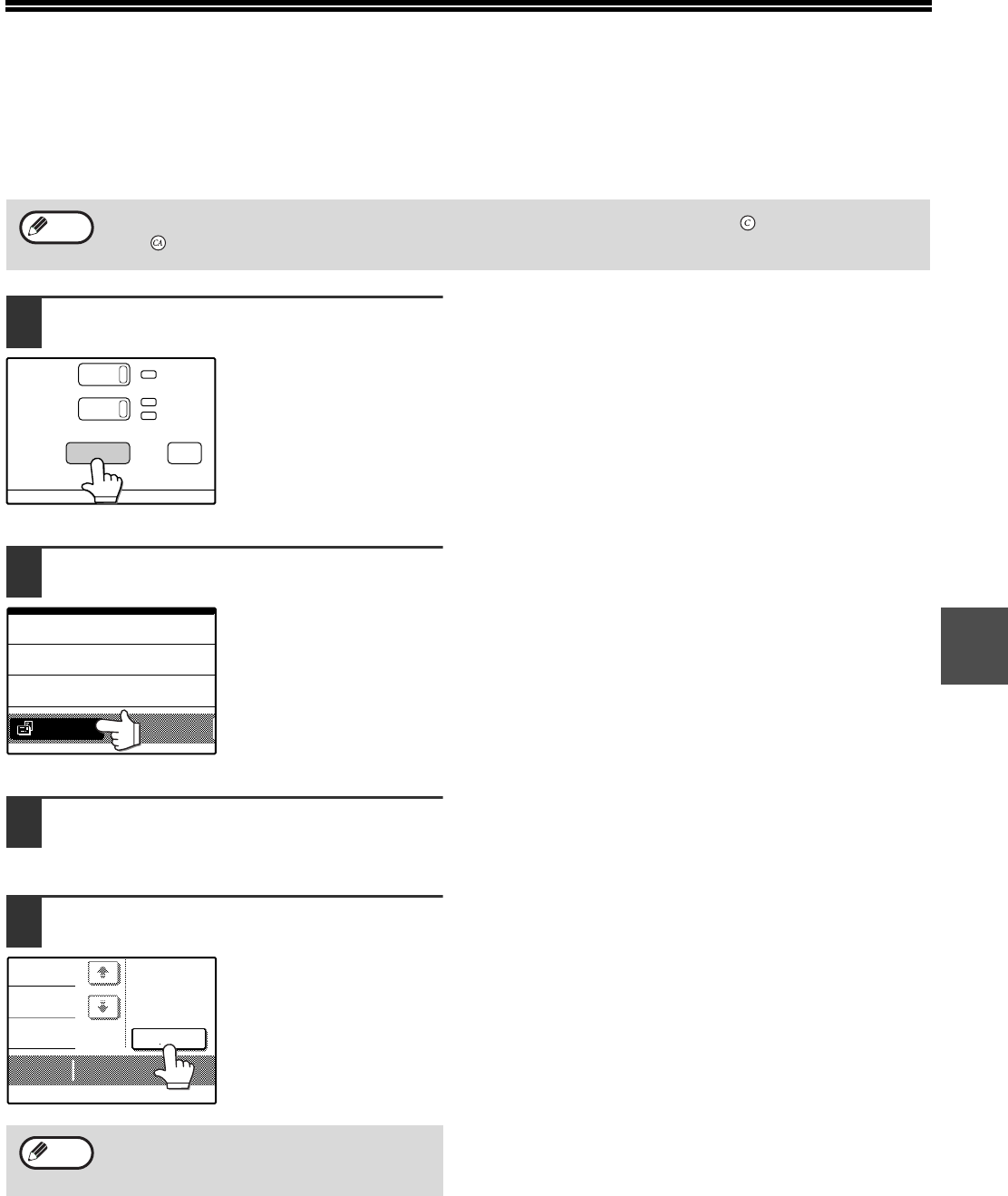
You can cancel a transmission job that is in progress. Cancellation is done from the scanner job status screen.
1
Press the [JOB STATUS] key.
2
Touch the [SCAN TO] key.
3
Touch the job key of the transmission
job that you wish to cancel.
The touched key is highlighted.
4
Touch the [STOP/DELETE] key.
A message appears to
confirm the cancellation.
Touch the [YES] key to
delete the selected job
key and cancel the
transmission.
You can cancel a transmission after scanning is finished by pressing the [CLEAR] key (
) or the [CLEAR ALL]
key (
) while "SENDING. PRESS [C] TO CANCEL." appears in the touch key.
Note
If you do not wish to cancel the
transmission, touch the [NO] key.
JOB STATUS
SCAN
FAX
DATA
LINE
DATA
SYSTEM SETTING
SCAN TO
STOP/DELETE
Note
PDF-Datei · ·
Fragen zu Sharp MX-M260
Zu diesem Handbuch gibt es noch keine Fragen. Stellen Sie die erste.
Verwandte Produkte und Handbücher für Multifunktionsgeräte Sharp MX-M260
- Multifunktionsgeräte Sharp MX-M362N Spezifikationen
 (56 Seiten)
- Multifunktionsgeräte Sharp MX-LCX3 Spezifikationen
(76 Seiten)
- Multifunktionsgeräte Sharp AR-FR11 Bedienungsanleitung
(6 Seiten)
- Multifunktionsgeräte Sharp MX-M363U Einstellungsanleitung
(112 Seiten)
- Multifunktionsgeräte Sharp DX-C401FX Bedienungsanleitung
(12 Seiten)
- Multifunktionsgeräte Sharp MX-5000N Bedienungsanleitung
(2 Seiten)
- Multifunktionsgeräte Sharp AL-2040CS Bedienungsanleitung
 (82 Seiten)
- Multifunktionsgeräte Sharp AR-C250 Spezifikationen
(161 Seiten)
- Multifunktionsgeräte Sharp MX-2301N Spezifikationen
(116 Seiten)
- Multifunktionsgeräte Sharp MX-4101N Spezifikationen
(76 Seiten)
- Multifunktionsgeräte Sharp JW-20FLT Bedienungsanleitung
(197 Seiten)
- Multifunktionsgeräte Sharp MX-C381 Spezifikationen
(148 Seiten)
- Multifunktionsgeräte Sharp MX-M260 Bedienungsanleitung
(160 Seiten)
- Multifunktionsgeräte Sharp MX-4101N Spezifikationen
(12 Seiten)
- Multifunktionsgeräte Sharp MX-M564N Bedienungsanleitung
(8 Seiten)
- Multifunktionsgeräte Sharp MX-M564N Bedienungsanleitung
(8 Seiten)
- Multifunktionsgeräte Sharp CPD-3830 Bedienungsanleitung
(1 Seiten)
- Multifunktionsgeräte Sharp MX-2010U Bedienungsanleitung
(12 Seiten)
- Multifunktionsgeräte Sharp MX-B381 Bedienungsanleitung
(12 Seiten)
- Multifunktionsgeräte Sharp MX-7500N Bedienungsanleitung
(30 Seiten)